 JenJen
Haven't slept and am super worried about petie because he can't have his meds on an empty stomach.
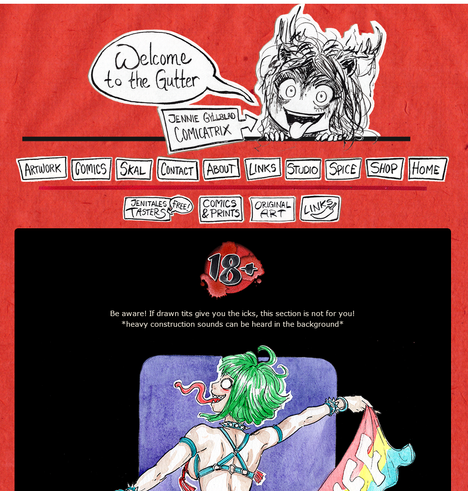
... so I guess the best thing to do right now is to tinker with my spice section on my website 
Haven't slept and am super worried about petie because he can't have his meds on an empty stomach.
... so I guess the best thing to do right now is to tinker with my spice section on my website
EDIT:
Thank you all for the floods of help! Hope I can implement a fix first thing tomorrow! (Exhausted right now)
-‐---
Any coding nerds around (Who don't mind looking at NSFW art?)
My brain is not really at its... peak atm, and I can't figure out why my simple manual slideshows don't work in the taster section:
Thank you all again!
Sorry I haven't replied properly, am running on very little sleep and maximum distress!
But at least my website taster section should work now (thanks @neil ) So you can flick through my spice with ease! No popups or anything!
@JenJen From what I can see, this is not working on the first carousel only.
I think this is because the second carousel ovewrites the javascript functions with name "showDivs" so all calls to it change just the second carousel.
for a very quick hack, go to the div for the second carousel and rename the functions from plusDivs to plusDivs2 and showDivs to showDivs2 (including the onclick on the buttons). It should work.
Does this make sense?
Here: https://gist.github.com/digitalstain/e79213b1a97ce16f14c930191f98a108
This should work
@JenJen this is probably all a bit confusing the way I expressed it, so here's it in practice (I'm removing the classes for brevity, you should keep them)
<div class="..." id='greenfairy'>
(your imgs here)
<button class="..." onclick="plusDiv(-1, 'greenfairy')">
<button class="..." onclick="plusDiv(1, 'greenfairy')">
</div>
and the JS:
var slideIndex = {};
slideindex['greenfairy'] = 1
function plusDivs(n, m) { showDivs(slideIndex[m] += n, m) }
(continued)
@JenJen
The body of showDivs is largely unchanged. Only the signature is now
function showDivs(n, m)
and
var x = document.getElementById(m);
and all references to slideIndex should become references to slideIndex[m].
Also make sure you only have ONE declaration of slideIndex, plusDivs and showDivs, the other JS should only assign slideIndex[...] = 1 for each of the IDs of the DIVs.
@JenJen When you try to flick through the top two, you end up flicking through the bottom one.
You have a javascript onclick handler on your left and right buttons and each one is calling the same method with the same parameter (plusDivs(1)).
This calls showDivs, with a new index (+1/-1).
showDivs is looking mySlides in your body.
document.getElementsByClassName("mySlides").
It's /*always*/ looking for mysides.
Your top collection is mySlides, your middle collection is mySlides2 and your bottom collection is mySlides3.
If you change your onclick handler from plusDivs(1) to plusDivs (1, "mySlides/mySides2/mySlides3"), showDivs(slideIndex) to showDivs(slideIndex, targetClass), and var x = document.getElementsByClassName("mySlides"); to var x = document.getElementsByClassName(targetClass);
then each button will know which class to target and it should work per slideshow.
 Vota Shizamura 🌟

 Chris Gioran 💔
 Oblomov
 🌈 Dana
 kianryan ☑️🐙🏳️🌈
 Why Not Zoidberg? 🦑
 Gynux
Gynux