In today's update (2024.8.1):

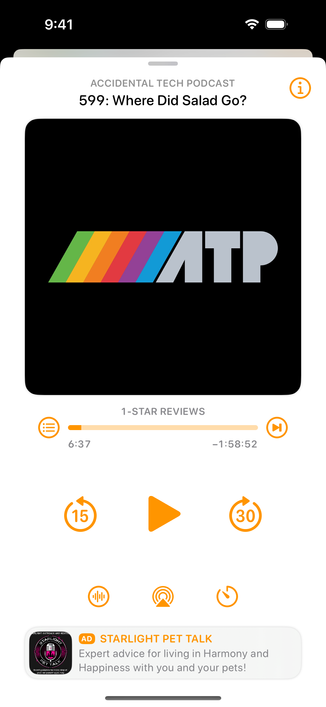
- Manage Storage
- Bug fixes, including 24-hour-auto-delete mode
- Seek back/forward buttons on the miniplayer

And by popular demand, the third button on the bottom of now-playing is now the Sleep Timer! (Sleep-timer custom intervals are also better now.)

The "i" button is now in the upper-right. (Tapping the artwork also still brings up info mode.)

I hear your feedback and am experimenting with other options for mode-switching the playback screen. Stay tuned.

@overcastfm

Thanks, but tapping the AirPod to start the next episode after one episode ended still does not work. Is it just me? How is everyone using the app when this does not work.

😭

@pwa @overcastfm Not just you. I have the same behavior with the watch app. Both (airpods&watch) can play/pause an episode already in progress, but can't start a new episode.
@feebdaed @pwa @overcastfm me too. Have reported it. Ending the episode doesn’t queue the next unless on continuous play (which I don’t want to do)
@Jeremysean55 @feebdaed @pwa @overcastfm
Same here. Keeps me away from Overcast for the time being.
@mufapu @feebdaed @pwa @overcastfm I use overcast and castro (at night when I want to select when to start the next podcast, without having to turn it on)- but my castro subscription is just about due - have to see if free works for me until this is done.