 Odoben
oh no i went browsing second-hand thinkpads 
the 12.5" X270 is so cute 
Edit: ooh the X280 
Edit 2: X280 is on its way 
oh no i went browsing second-hand thinkpads
the 12.5" X270 is so cute
Edit: ooh the X280
Edit 2: X280 is on its way
no thoughts head empty
thats why i need a thinkpad
My first ever computer of my very own was a ThinkPad[1] but I haven't owned another one ever since. I should really fix that.
[1] it had Win 98, even though XP was already out at the time
———
Edit: fixed that
 second-hand thinkpad ordered
——————
Edit: it's on its way 
Now comes the most important part of buying a new device: thinking of what to name it while waiting for it to arrive!
Edit: So it's a really small ThinkPad that I intend to use as a travel laptop. Therefore naming it after a migratory hummingbird would be fitting. It shall be: Eugenes after the Rivoli's hummingbird!
The saga so far:
Ordered an X280 1080p 16GB 
Received an X280 768p 16GB 
Listing was incorrect 
Seller has another X280 but that one has 8GB RAM and an ANSI keyboard 
They say they'll switch out the displays of the two machines so that I can finally have an X280 1080p 16GB 
———
Update:
They did it!
I just received the laptop, I now have a ThinkPad X280 1080p 16GB with an ISO keyboard! 
Buying a decent used ThinkPad for 140€ feels really nice
Buying a new 1TB SSD for it for 70€ feels less nice 
256GB is too small and 512GB is simply not good value where I looked
Finally, full size arrow keys!
It's been 84 years.
Now, why couldn't they do this for the IdeaPad line? 
Speaking of keyboard layouts, Fn and Ctrl are swapped on this ThinkPad compared to my Lenovo Flex 
Edit: ah, there's an option in uefi setup to swap Fn and Ctrl!
charging muh laptop with USB-C ✨
the future is now
I love my Bloq Mayús
this thonkpad has crossed many international borders to start its second life
Okay, so this ThinkPad has a MicroSD slot 
I'm tempted to use the 1TB SSD I bought for it as an external SSD instead, buy a 256GB for the laptop and keep movies and music on an SD card 
Holey sheet... So I've had this ThinkPad for a week and I kept experiencing constant micro-freezes of the display of 1-2 seconds, no matter what Linux distro or desktop I tried.
I think I finally found a fix. It's caused by something called Panel Self Refresh. I disabled it with this kernel parameter:i915.enable_psr=0
It seems to be working well now 


I'm so touchscreen brained
I keep poking at the display of this ThinkPad expecting things to happen 
I did it again with the emoji selector while writing thisss 

Making myself at home in the new-to-me laptop ✨ 
Important implementation detal: Copepod.
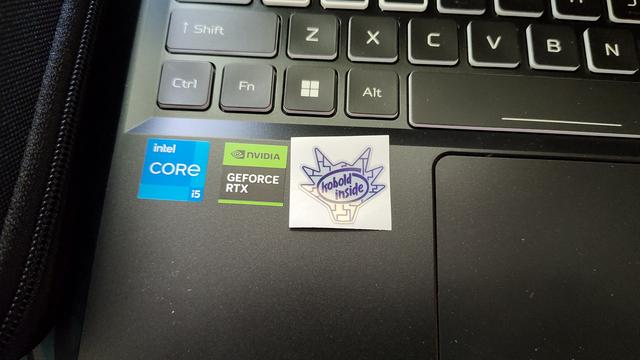
I can't decide whether I should put the Linux sticker in place of the Intel one like on my other laptop or I should keep the Intel sticker and put the Linux one above it. I don't want three stickers in a row.
Very important implementation detail 
———
Edit: for now I put it above it so I still have the option to change it later


 by
by  Flash
Flash