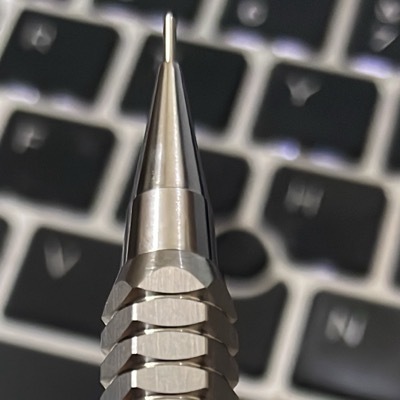
I wish the Calendar app had a Control Center button that showed the current date. I suppose I could build it myself now.

Prototyped the Control Center button I’d like. It’s dead simple.

Now, will iOS actually refresh my control often enough for this to provide utility? I doubt it, but I will find out through testing. If not, I’ll have to update it through push notifications, and I probably don’t want to go down that route.
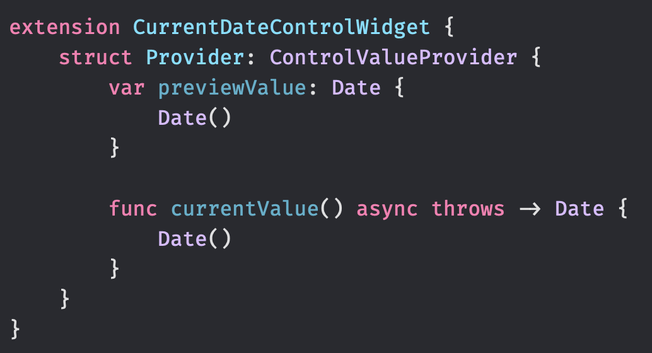
My Control Center button didn't update the date it displays during the night. It wasn't updated until I interacted with the button. So, having this ControlValueProvider isn't enough for it to update its value periodically. I guess I'll need to send the device a push notification every hour or so to have the date updated.

Can't seem to get a Cloudflare Worker to make a request to APNS. I keep getting "Network connection lost". I've already wasted an hour trying to figure out why it refuses to connect to APNS. Maybe it's not communicating via HTTP2?

Anyway, this might be the end of this little project. I can't justify pouring hours upon hours into it.

@simonbs I couldn’t get this to work either. I instead used AWS Lambda. Works reliably from there.
@nikhil Good to know I'm not the only one who's been struggling with this. I'm not really up for tackling the complexity of AWS right now 😄

@simonbs completely understand.

Should you take this up in the future, that’s the way to go.

@simonbs deploy a tiny vapor project to a digital ocean app, it’s very easy with the template docker file!
@kylebshr That could work but so far I have all my hobby projects like this on Cloudflare and I don't think this project is important enough for me to get acquainted with new services.
@simonbs @kylebshr
If it's just a small Cron job that calls an endpoint, maybe something simple like trigger.dev or even val.town could work 🤔
I haven't tried https://trigger.dev but I've considered as an alternative to very simple Workers.
Trigger.dev | Open source background jobs with no timeouts.

Build and deploy reliable background jobs with no timeouts and no infrastructure to manage.

@simonbs do you need a server for this? Wouldn’t local scheduled notifications do the trick too?
@madmaxbln Haven't tested it but I doubt it. A Control Center widget gets its own push token and registers independently of the host app. To update the content of the widget, servers should send a notification directly to the widget.
@simonbs do you need to send notification every hour or will it work if you send a push notification at 00:00 based on the local time zone on the next day?
@Himalaya Whether I send it once at 00:00 or multiple times a day is the same effort/cost for me. I'm thinking that by sending it every hour, I can avoid thinking about time zones for now and have a setup with build-in error correction in case a push notification is missed one hour.
@simonbs what about the cost with respect to system resources if you send push notifications at max 24 times a day?
@simonbs can you on click queue local notifications for the next day or two? That could get you 90 % there
@cton I'm unsure if that'll actually work. Have you tested it?
@simonbs no, just an idea I’ve had. I wouldn’t be surprised if it didn’t work

@simonbs in case it helps, there’s a “significant time change” notification. In our experience, it fires when the system date changes.

https://developer.apple.com/documentation/uikit/uiapplication/1623059-significanttimechangenotificatio

significantTimeChangeNotification | Apple Developer Documentation

A notification that posts when there’s a significant change in time.

Apple Developer Documentation
@rooster Thanks! Although I don't think I can use this in a widget extension.