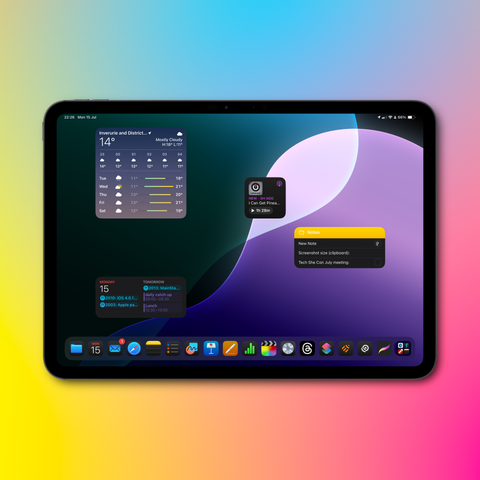
So we’ve decided @Shareshot will ship in August! Nothing we need to wait for in iOS 18, so let’s do this! You’ll be able to use it to promote your iOS 18 apps in September! Final date TBD.

Thanks so far to everyone who has been Beta testing the app. So pleased by the hundreds of testers! If you want to try it on iPhone, iPad or Vision Pro go to https://shareshot.app

Got any questions or suggestions about the app?
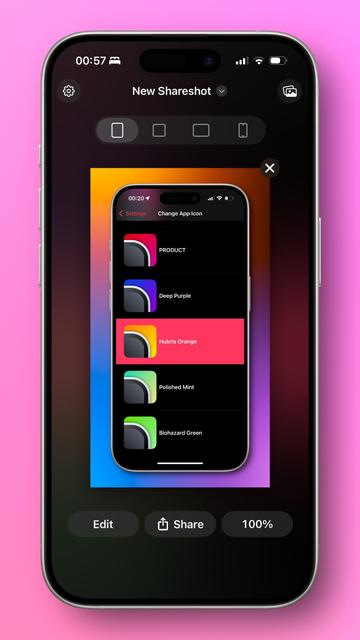
Shareshot — Frame Screenshots and Add Backgrounds

A beautiful and fun app for wrapping screenshots with perfect-fitting frames over pretty backgrounds. Comes with powerful Shortcuts Actions for creating Pro workflows.

Shareshot — Frame Screenshots and Add Backgrounds
@marcpalmer @Shareshot just signed up. Look forward to trying it out Marc.
@mcoutts81 thanks, would love any feedback and use cases you have!
@marcpalmer Marc, it doesn’t seem to like iPad Pro 11 (M4) screenshots. I’ve tried installing frames from the sketch library (I exported them as PNG and imported via Files on iPad) and when I attempt to frame an iPad screenshot, I get the following (detailed in video) - is it me? Am I problem?

@marcpalmer don’t know if this explains it:

Screenshot size (clipboard):
2816 x 1940

Frame Size:(app):
2640 x 1880
Screenshot size (app):
2420 x 1668

@mcoutts81 hmm yes that would. I’m look into it. Could you send me a raw screenshot? Also are you using the normal resolution settings or scaling?
@mcoutts81 I just checked with the M4 11” simulator and the screenshot size is 2420 x 1668 as the app expects. I presume this means you are using a scaled resolution mode? If you could confirm this that would be helpful. We don’t support scaled UI modes yet, but we will.
@marcpalmer yeah I currently have more space enabled in display zoom. Ok - that explains it. If I need an auto screenshot I’ll switch between. Thanks for the feedback. Look forward to the update with scale mode support. Awesome work on the app to date btw.
@marcpalmer but embarrassing that I didn’t think of this before 🤦🏼‍♂️
@mcoutts81 Hey Matt, when you get a moment can you give the latest Beta a spin — 1.0.1 build 126. I think I have successfully added support for all these :)
@mcoutts81 ah that’s good news. I just need to work out what the right solution is for this. The resolutions aren’t published as far as I know so it’s a case of screenshotting in every device that supports it to find the sizes…
@mcoutts81 FYI I believe I just implemented this, should be able to push a new beta tomorrow with it solved :)