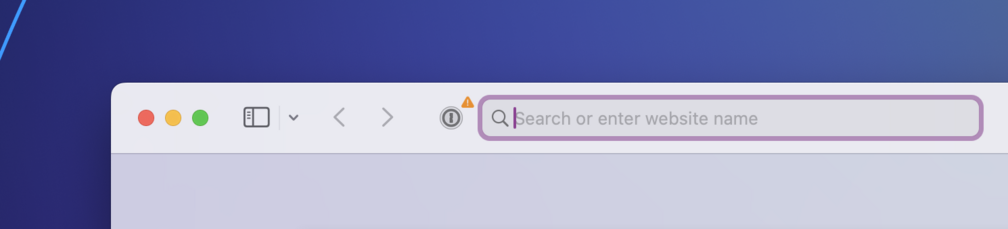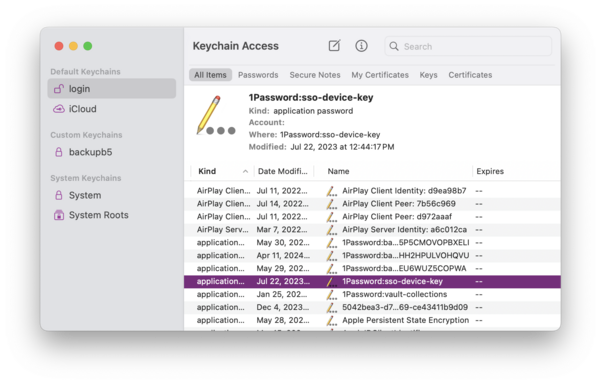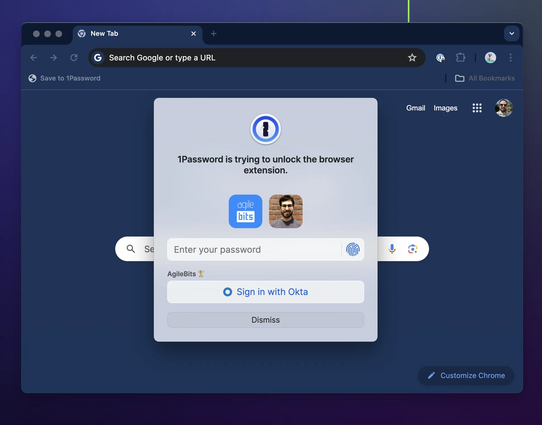
You might not know that 1Password Safari extension has been through five (!) rewrites over about a decade, with each incarnation adopting the latest supported framework:
2009: Swizzling Safari 😱
2011: Safari Extension
2017: Safari App Extension (SAE)
2020: Safari Web Extension (SWE)
2021: Safari Web Extension for iOS
(If you've never heard of swizzling, picture injecting Objective-C into Safari at runtime to implement autofill by overriding methods. It was as great/terrible as that sounds.)
Safari extensions used to trail far behind other browsers. In fact 1Password did not have anything close to feature parity in Safari until just a few years ago.
Everything changed when Apple adopted the Web Extension API at WWDC 2020 — the same one used by Chrome and Firefox. And a year later, Apple brought extensions to iOS.
We were *ecstatic*. We jumped at the opportunity to bring 1Password to Mobile Safari, redesigning every component in just under three months.
Each new Safari extension framework meant better compatibility, stronger security, and more features. But there were also growing pains. The SAE and SWE frameworks had much larger surface areas, more bugs, and new and different restrictions.
These kinds of obstacles crop up with any new API. But the issues in more recent frameworks had especially harsh consequences for a critical aspect of 1Password usability: the ability to be — and stay — unlocked.
1Password faces a unique challenge in the web browser: your data needs to be locked (encrypted) when it's not in use, and your unlock keys need to be kept safe from attackers — never cached or exposed in plain text.
Browser extensions do not have any way to securely manage keys. So if you want to unlock 1Password in a web browser, there's really only one good way to do it, and that's with the help of another app outside of the browser — one that can access the secure enclave/keychain.
When you interact with the 1Password browser extension, it sends a message to a native binary asking it to unlock (using biometry if possible) and to provide it with data. If all goes well, you see a prompt to unlock followed by your autofill suggestions.
But if for any reason the connection with the binary can't be established or isn't working as expected, things start to deteriorate. The extension stalls, or locks itself when it shouldn't, or even stops responding completely.
Keeping up a secure connection between a browser extension and a native app is a perennial challenge. It has to be achieved in unique ways for different browsers and operating systems and has been a major area of focus for our teams over my entire decade+ at 1Password.
But if every environment poses unique challenges, the most challenging of all is Safari on iOS. And the second most challenging is Safari on macOS. :)
The difference between Safari and other browsers comes down to a few fundamental issues:
1) Immature implementation of the Web Extension API
2) Extra indirection and instability in the XPC layer
3) Severe restrictions on extension lifecycles and persistence, especially on iOS.
All of these contribute to an experience in Safari that's just not as fast, reliable, or feature complete when compared to the same browser extensions in Chrome and Firefox.
Safari is the latest browser to use the modern Web Extension spec — something all developers are very grateful for — and Apple has made incredible strides to support extensions, especially on mobile. (Looking at you, Google!)
I love being able to use extensions like 1Password, Noir and Open in Apollo (RIP) on my iPhone and iPad.
But it's not fully there yet. There are still missing and incomplete APIs which must be worked around, and others which simply do not work.
An example of an incomplete API is the `onCommited` event which the 1Password extension relies on to implement one of its newest (and coolest!) features: signing in to sites with SSO/social logins. The event is still missing fundamental properties without which this feature cannot work properly. (Radar: FB10006044.)
As for APIs which simply do not work, people report that tapping "Copy" in the iOS Safari extension often does nothing. This is indeed an awful experience — I'm angry at myself whenever someone mentions it. But the truth is, 1Password is calling the clipboard API exactly as it's supposed to. It just doesn't work half the time.
It might seem like we aren't listening, but at the end of the day the fix really does have to come from upstream. (Radar: FB9924270.)
@mitchchn This thread was very interesting, and I'm glad you spent the time.
That said, I stand by my thesis: 1Password has gotten worse and worse for me in the last couple years, in every measurable way. I yearn for the time when 1Password was built for users like me, and not for other corporations.
@caseyliss @mitchchn Nostalgia can be great but things weren’t always perfect.
I remember the time when we had a huge number of complaints about 1Password 4 and how it is a huge step back from rock-solid version 3. The support inbox at 10,000+ unanswered emails. The team is burning out because of all the negative feedback.
All this because Apple made a ton of changes in the new version of macOS and it required complete rewrite of 1Password.
All I know is, 1Password used to be a delight *every time I opened it*.
Now — with 1P8 especially — it's painful nearly every time I open it.
---
I'm sure I'm coming across like a world-class asshole, and I am genuinely sorry for that. But I do this because I love[d] 1Password **so. fucking. much.* and I just want it to make me feel that way again.
@caseyliss @roustem @mitchchn I understand very well how underlying platform bugs can mess up the experience and I know damn well that 1P8 has a lot of improvements under the hood and new functionality. Platform bugs do not explain, however, how users lost local-only features, were faced with a new, bewildering, broken app UI, a new extension which has widgets and popups and distractions everywhere, and a constant load of marketing messaging saying that every feature and customer *except us* was
priority one. Apple didn’t do that to us here. I love a lot of what 1P is doing, but honestly I’d give it up if I could have a password manager with a straightforward app and a plug-in that performed autofill without choking back.
I know it’s all harder than that and the trade-offs exist and I do give Agilebits a lot of credit (and get pissed at Casey for complaining so much sometimes), but my feelings are hurt by the product state and product direction.
@joshrivers @caseyliss @roustem I know that you and Casey have other criticisms and I'm not dismissing them. But the past three times I've found myself in a thread of people so frustrated on mastodon, it originated with an issue in Safari.
There's little upside in blaming a platform. I'd much prefer to focus on your feedback about things I/we can address directly. When it comes to Safari, I'll share what I know, call attention to longstanding Radars which will help, and offer suggestions.
@mitchchn @joshrivers @roustem My question is: When people like @caseyliss say that they "used to love 1P and now don't": **Do you understand why?**
Like, I get that you might stand by your choices, and would make them again (for technical and/or economical reasons) - but do you _get_ it? Or do you just think he's wrong, and is looking at the past with rose tinted glasses?
@havn @mitchchn @joshrivers @roustem while you weren’t asking me, let me just assure you that the responses I’ve gotten since 1P8 launched are:
• You fool our software sucked in the past too!
Or
• But you don’t get it! This helps us bring you new features [that you don’t want and at the cost of usability/reliability]!
Or
• Well, it’s all Apple’s fault anyway
The response I wished for is
• Holy shit help me get how we burned that good will!
Or
• What would make you evangelize 1P again‽
@dave @caseyliss @havn @mitchchn @joshrivers @roustem Just to throw another view in here. I’ve been a 1P user since I met you folks at Macworld 2007 (IIRC). I miss the simplicity of 7. (I still use 7 on my main Mac). Here is the kicker; I don’t *use* the safari extension, at all. Never have other than to capture passwords created by Keychain. I use 1P for a LOT of things, but only in the app.
Keychain is by far the more convenient way to manage website logins (and that’s fine, specialized tools and all).
When there is a disconnect between 1P and something in the browser, I copy/paste it. So many websites can’t properly autofill anyway.
I share a family vault with my partner, I share a number of vaults with members of my non-profit. That’s sharing alone makes the subscription valuable. But web passwords are the lowest priority in those vaults.
It does feel to me that 1P is moving away from all that into more of an enterprise tool and that I may need to find a new solution. I’ve evangelized 1Password for a very long time, but it’s been feeling for a while now (especially since 8) that I am no longer who 1Password is being made for. That would be a shame (and a PITA). I *really* appreciate Agilebits’ relentless focus on security-first and that is frankly the only thing still holding me there.
@Scott @dave @caseyliss @havn @joshrivers @roustem Thank you for sharing, Scott. I like meeting people whose 1Password history goes way back, and Macworld 2007 might be a new record.
Enterprise/SMB is important to us but not our sole focus. Families, developers, journalists, students, are all groups we've invested in during the past ~5 years. We want people using password managers at work and home.
I appreciate your ask for simplicity. Reach out at any time with feedback or feature requests.
@mitchchn @dave @caseyliss @havn @joshrivers @roustem If you want a feature request/feedback: Make the family plan version of 1P like 1Password 7 and earlier Focus it on stability, speed and easy of habitual use (not discovery of new features) and most especially search. It needs to do only one thing really well, store things people need to remember that they shouldnt be able to remember without it. I always tell clients “any password you can remember is no good, so put all those in 1Password” and “where would you look for that software activation code? In 1Password.”
It used to be (maybe still is in 8 but I havn’t tried with a blank slate to see) that catagories were hidden until used for the 1st time. The view was simple until the user started to grow into the app. It did one thing, store passwords. Then as the user advanced (and many never did) it was where “you put the credit card number, and the phone number to call when you lost the card, the one with the phone number on it”
1P8 has (or at least feels like it has) lost that simplicity. Teams edition needs the complexity. Family does not. Break it apart and focus family back to something the elderly can use, because they need it most. Let those who expand out their usage grow it.
Password managers are very hard for non-technical users to understand in the first place. I have a lot of clients who switched to 8 and then simply stopped using it at all. That should be telling.