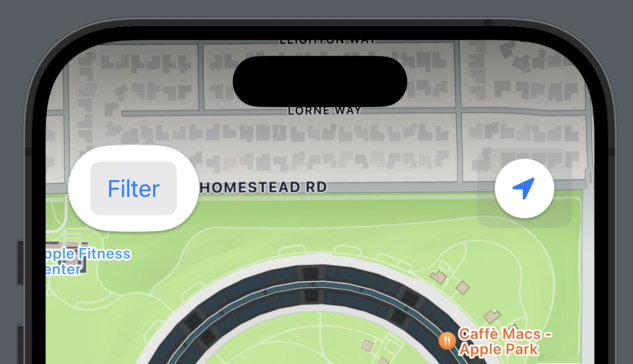
Here's a subtle #accessibility interaction I frequently see developers overlook:

#SwiftUI makes it very easy to customize Button's appearance at the call-site, either by decorating the Button's label or by applying View Modifiers to the Button itself.
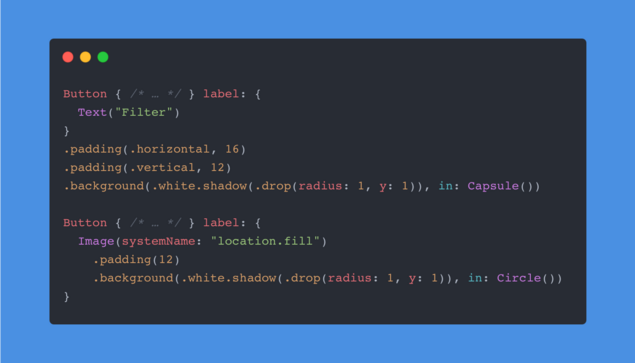
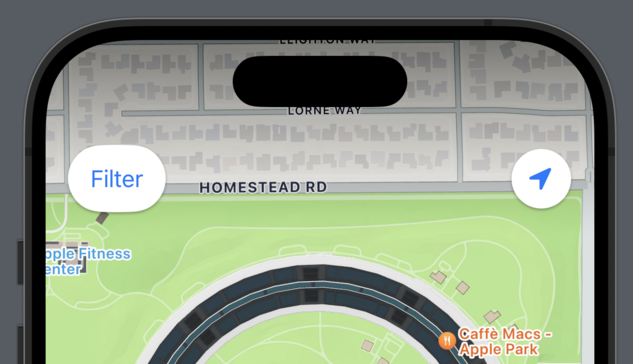
However, SwiftUI's default ButtonStyle will react to the Show Button Shapes accessibility setting by adding padding and an additional translucent background. If your buttons are configured like the ones above, the results can be unsuspected.
While a quick fix would be to apply a combination of the .plain Button Style and the .tint Foreground Style, I recommend implementing a custom ButtonStyle that responds to the .accessibilityShowButtonShapes Environment Value as needed.
It's a pretty common problem and I recommend everyone enabling the setting for a week.