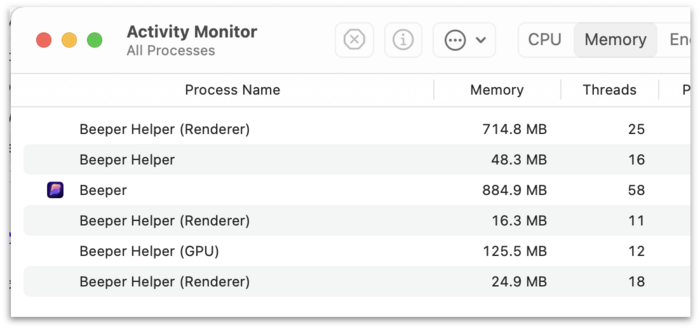
Electron.
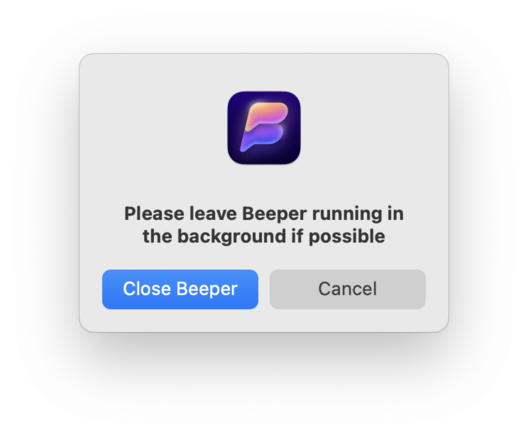
I have been using the Mac for a long time and I can't recall ever seeing a prompt like this when I ⌘Q an app:
@gruber chrome, IIRC
@caseyliss Chrome’s “hold ⌘Q to Quit” thing is weird, but I’m talking about begging to remain open in the background.
@gruber @caseyliss Not weird, it’s handy and often a life saver to have it catch you press the wrong key. Firefox also makes you confirm you’re really sure. I’d consider it weird that Safari hasn’t matched its competition here.
@kirb it defeats the whole point of keyboard shortcuts. I don't use them to get asked 20 questions, i use them exactly NOT to get asked 20 questions. 😄 @gruber @caseyliss
@scottwillsey @gruber @caseyliss I press ⌘W in my browser constantly, I very rarely want ⌘Q, but Q is right next to W where I can accidentally press it and ruin my day. When I really do want it, I can hold it or hit return to confirm. Really not a big deal.
@kirb that's why I use my computer and you use yours. 😄 @gruber @caseyliss
@scottwillsey @gruber @caseyliss This is why Chrome and Firefox have an option to disable the confirmations 😊
@kirb yeah, and i use them. I can accept that safari could at least have the option, but then again, no other mac apps do, so... then the question is, do you change all those too? @gruber @caseyliss

@kirb I say no other mac apps, but I mean I know of 3 or 4 that do.

I guess I think if it's an optional setting, it should be at the OS level and not the app level. It shouldn't be shoehorned in from the side.

@gruber @caseyliss

@kirb I will say it took me an embarrassingly long time to realize it could be disabled on Chrome... 😄😐 @gruber @caseyliss
@scottwillsey Really apps are supposed to follow macOS’s document model, with autosave and all that given to you for free. ⌘Q saves and quits without any prompts, unless you change these two switches here. Web can’t really follow that model, so it needs the “are you sure” step so you don’t lose something important on a site that doesn’t do its own autosave.

@kirb Interesting. I've actually never triggered ⌘Q while *doing* something on a web page as opposed to browsing. I wonder if I focus more on one thing or use my shortcuts differently when I'm in some kind of form on a web page?

I honestly hadn't thought about the "entering data" use case just because of that.

Interesting. Thanks!

Quit Confirmation for Safari on MacOS

Now I can wildly stab at ⌘W to close tabs without a care in the world.

Daring Fireball
@gruber @scottwillsey @caseyliss That‘s a neat solution. And I see what you mean by weird now, I can agree on that. Firefox’s solution seems more elegant, being more clear of what this action will do, and giving you the option right there to say you’re not interested in the feature.