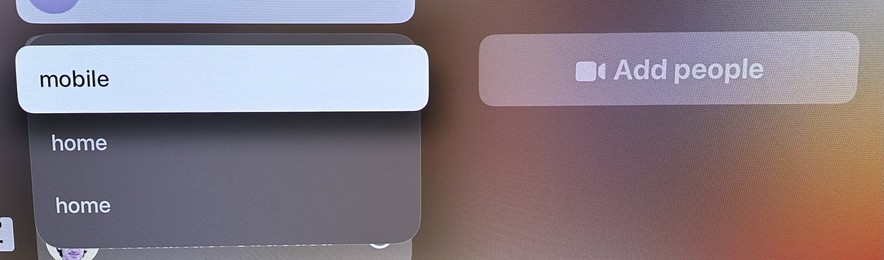
The team responsible for the FaceTime app on tvOS needs a VERY stern talking-to. Just for starters, take a look at the menu that appears when trying to start a call with a person.

Now imagine if it actually showed the emails or phone numbers for any of these choices. But no, you just have to guess! It’s on a giant TV screen! There’s plenty of room! It is MADDENING!
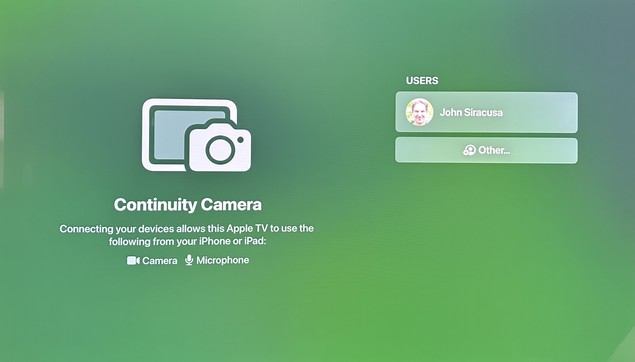
Launching the app often shows this screen, in which no button presses or swipes on the remote will do ANYTHING. Like, nothing. No item changes appearance. No actions can be triggered. Force-quitting the app and re-launching it usually “fixes” it.
@siracusa the real crime is that there’s still no way to take screenshots on tvOS
@BenRiceM @siracusa you can screen record your Apple TV using QuickTime on your Mac. Both devices need to be on the same WiFi network and you need to not have an AirPlay speaker as the default sound output on your Apple TV. You can then screenshot your video 😅.
@8johnr8 @siracusa I use HomePods as the output but I do appreciate that there’s *some* solution
@BenRiceM @siracusa I do to. I just deactivate the option when I need to screen record then put it back on. A bit finicky but it works lol.