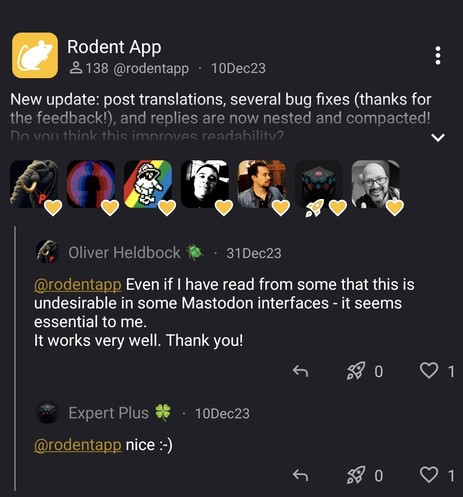
New update: the notifications screen now has a condensed design! Instead of one notification item for each individual favourite, boost, and reply, now you can see all of them in a succinct UI. Try it with your next popular post!
#mastodonapp #android #app
@rodentapp how do I get the likes and boost buttons to show up on my home feed?
@natejung Weird; like and boost buttons should always be there. Could you send a screenshot? The only place where those buttons are not visible is on the notifications screen, where parent messages are abbreviated (they are your own messages anyway and you can expand them by clicking on bottom-right arrow).
@rodentapp I've only seen a couple of posts with the buttons. I saw those last night and didn't take a screenshot. If I see more I'll take a screenshot.
@rodentapp here are some screenshots with a mixture of posts with buttons and some without. A majority of posts in my home feed do not have buttons.
@natejung I've published a new version that hopefully fixes the problem (there was a bug with timezones). Let me know if it works!

@rodentapp It did fix the button problem. Thanks!

One thing currently keeping me from switching to this being my main Mastodon app is the way notifications are handled. Are you planning to add more details? Like "@ username liked your post: *insert post here*" or "@ username replied to your post: *insert reply here*". Right now all of the notifications I get are just "New activity in mstdn.games" which isn't as useful.

@natejung Brilliant! Yeah, it's in the to-do list, probably ready in a couple of weeks!
@natejung The notifications in the new app update now have a meaningful description. Would you reconsider your review in Google Play? 😋 Thanks!