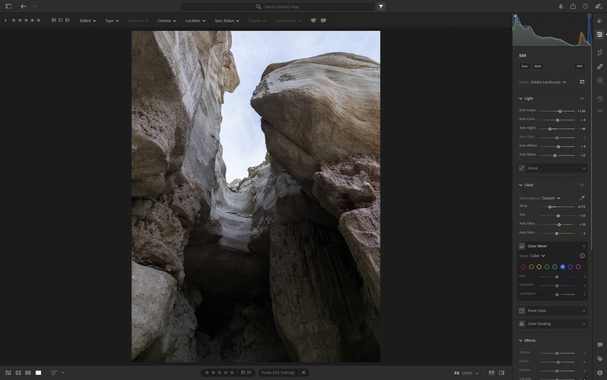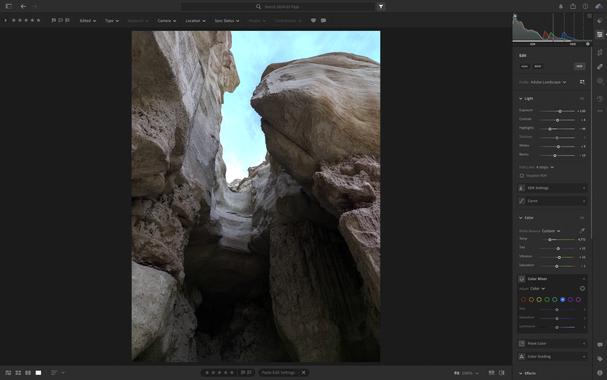
@halide Not a very interesting shot, but pretty high contrast. In HDR I don't lose cloud detail, but I also don't have to overpull the shadows in the cliffs up.

It feels like the sweet spot is to over-expose between 1-2 steps over SDR range, above that and brights get weird color information (blue snow, magenta reflections, etc), below that and you're pulling up shadows and generating noise needlessly.
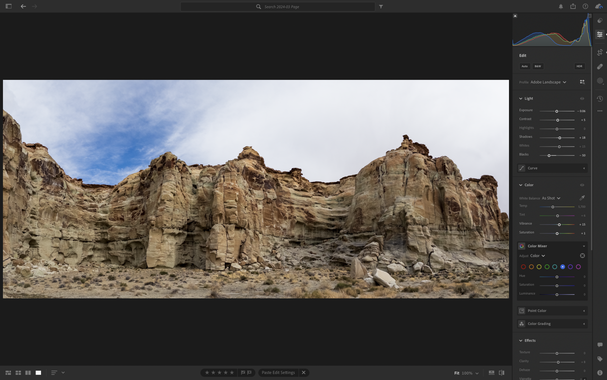
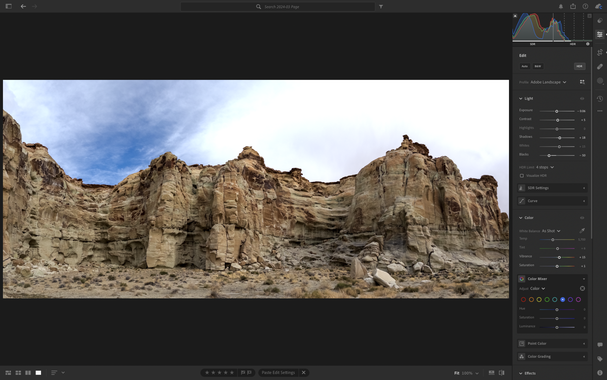
@halide I find the simplest editing flow for photos I don't want to spend a ton of time on is to just have LRCC auto on SDR and then make some minor adjustments as necessary.

It's not ideal, as you really want to start pulling down whites in HDR vs highlights in SDR, but good enough to get a nice photo and makes it SDR export friendly. It's amazing switching between the two and seeing bits of brighter sky suddenly turn into gray haze, snow turn into a gray mush, etc. :)

@halide this an example of where the previous approach works well. in SDR the cliffs look great, but the sky is a gray blob. I could make a mask of the sky and adjust it etc, but simply switching to HDR gets me a nice workable image with the wispy details already there.

@halide this example pushes the dynamic range of RAW (non Pro). Some noise in the shadows on the bottom from underexposing it three stops, but in HDR the blue sky above it shows up very nicely, which was a major point of the shot.

This arguably should be in ProRAW, but then the white Estrada sandstone in the foreground would be "watercolory". A personal preference thing, but HDR makes normal RAW a viable choice (again SDR screenshot of HDR photo, but histogram tells story).