Aral Balkan
If the Twitter/X thing teaches you one thing, let it be this: Twitter was a neoliberal place. Then Elon Musk made it into X, a fascist place. Once again, neoliberalism laid the foundations of fascism. But that’s not the (whole) lesson… Neoliberal folks are still using X, calling it Twitter to make themselves feel better, and pining for the good old days. And there’s the real lesson: When neoliberalism turns into fascism, neoliberals will adapt to life under fascism. Right, class dismissed.
 Biggles 20X6!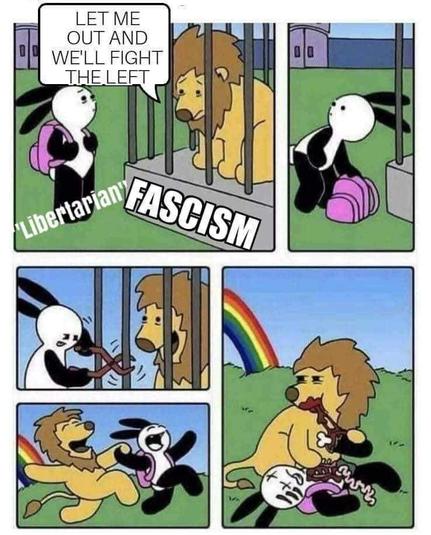
 Spoontaneous Consumption
@Taco_lad @aral
Here you go.
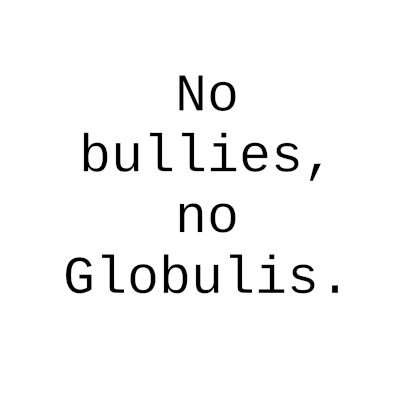
Had to put the alt text text in another image for you to copy. Otherwise the text is too long for a toot.
The image here is actually empty.
Here you go.
Had to put the alt text text in another image for you to copy. Otherwise the text is too long for a toot.
The image here is actually empty.

 GunChleoc
@aral @manu @Taco_lad I tend to add a CW too to make it easier to skip the image description if you're not interested.
Somebody pointed me to a browser extension recently that really helps with text-based images. No more waiting for the OCR bot https://webextension.org/listing/ocr.html

OCR Image Reader
The 'OCR - Image Reader' extension is designed to simplify optical character recognition (OCR) processing within your browser. After installation, the extension adds a new button to the toolbar area of your browser. When you press this button, the current window switches to the selection mode, allowing you to select a region on the current page. The extension captures the image of the area, and the internal engine, Tesseract.js, extracts the content for you. This engine is a JavaScript-based OCR that supports over 100 languages. When performing a new job, the extension displays the progress of the OCR extraction in a popup window. If you have multiple jobs, you will get equivalent floating windows. It's worth noting that the extension fetches the appropriate language database from the server once. In future usage, the cached database is used.
 Celine warns of Idiocracy
@aral @manu @Taco_lad
Yes, that's a great idea!
I have just used this on another toot I've come across and sent it only to the addressee instead of making it public. Doesn't need to be boosted, does it?
CW - I had considered marking it so, but if only the recipient can see my reply, it is not really necessary.
@manu @aral @Taco_lad
Wenn man einen Tröt schreibt, kann der mit verschiedenen Labeln gekennzeichnet werden (meist ein Pulldown-Menü oben rechts). Es gibt "Öffentlich", "Nicht gelistet", "Nur Follower" und "Nur erwähnte Profile". Letzteres meinte ich in meiner Erklärung.
Bin auch kein Native Speaker was Englisch angeht, hoffe, die verstehen, was ich meine.
¯\(◉‿◉)/¯ ( ´◡‿ゝ◡`) (. ❛ ᴗ ❛.)