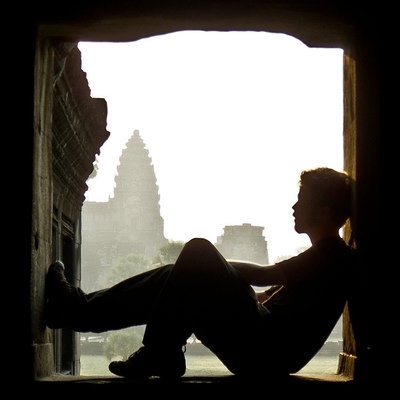
Took some more photos with @halide to try and understand HDR and the 14 Pro main sensor.

Zebras etc are based on the SDR range.

On one shot of a backlit ridge I had to drop down to -2.0 to get rid of them in the sky. All content in the RAW file is within SDR range, but raising shadows that much leaves them lacking detail and color.

Follow up shots from -1.2 to -0.9 have nearly equivalent looking blues in the sky, ~2-3 stops extra info in unprocessed RAW, and shadows look WAY better.
@halide a somewhat random "hold down my camera and shoot a flower in the shade with bright sky behind it" shot at -0.3 or -0.6 ended up with a perfectly exposed poppy and nice blues in the sky behind - something that would have needed ProRAW and the subsequent loss of detail earlier.

I struggle to find a shot that looks better in SDR vs HDR, and being able to expose hotter / ETTR compared to SDR compositions leads to better results that in general require less adjusting in post.

@halide the LRCC phone app has a great visualization tool, previews are SDR and you'll see the extra stops on the histogram slide forward and the extra content get rendered realtime!

@halide This is an unprocessed RAW shot, everything zeroed out. A tricky composition with late afternoon sun above the phone with a backlit ridge and bright reflections on the creek in the foreground. Shot -0.9 or -1.2, the extra info is subtle but the sky doesn't look like it has a grey film on it. The water highlights an are a bit much, but locking to 1-2 stops, playing with whites, dropping magenta etc would work.

Compared to the -2.0 exposure to keep it in SDR it's much nicer looking!

@halide I do feel like there's a point where the main sensor on the 14 Pro goes heavy ETTR - this isn't always intuitive as sometimes I'll expect zebras to stop at -1 to -2 and the sky will be fine at 0. I assume this is because there's post expected to happen to crush these colors back down (see sometimes the comically saturated brights in a spectre vs halide comp), but that doesn't occur in native RAW.

The upside is we now have a LOT of room to play around in!

@halide The major downside is a lack of consistency in sharing, both on the hardware and software side. It seems like a lot of progress is being made here, with embedded gain maps etc.

I'm basically just going to edit in HDR by default and assume that exports will get better down the road.

@halide I'm not sure this needs a front facing UI element, maybe a toggle in settings to switch between SDR and HDR for zebras/waveform etc? Could be a drag and drop setting.

It'd be GREAT to just tap somewhere and see zebras without having to slide exposure.

Waveform could use a thin line up top below the top padding, it's nearly impossible to tell if something is just below clipping or being clipped without looking between it and zebras.

@halide tl;dr current tools in Halide are meant for SDR images, and using them can be misleading and end up with a poorer end result. There's no need to pull images down as hard as zebras and waveform indicate.
@erutan great feedback, thank you! As it stands we do stream (regular) RAW data but that can differ from say, ProRAW.

@halide glad it's useful - I'm sure I'm getting some technical details wrong here or there. ^^;

I do know that the extra room in HDR editing really makes my 14 Pro feel like a dramatic upgrade over my 12 Pro Max where before it felt almost sidegradey aside from the occasional 48MP shot and the 3x zoom. It's not just big boomy brights, I feel like colors breathe a lot more and it's easier to pull detail around. Still new to the changes!

@halide So if I'm streaming native RAW that'd be 8 bit tone mapped for SDR on the preview screen?

It'd be useful if the waveform analysis had a dotted line where SDR mapping ends, then a more solid one where it'd clip HDR (or just get rid of the padding on it).

I'd go for a show zebra toggle button on the customize/menu/action bar (has two spots open atm). Holding the exposure number would be intuitive but that already has short/long press actions. I'd drop flash into the swipe up row.

@halide It's annoying to have to change exposure for zebras to show up, though I appreciate it as a battery saving measure.

Maybe the button could be "show zebras for x seconds then turn them off if there's no exposure adjustments" - it'd be easier to tap then compose to check things.

Read this earlier today https://blog.adobe.com/en/publish/2023/10/10/hdr-explained and can confirm colors can distort at the very high end (snow gets blue, water gets magenta, sky turns aqua). I'm intrigued to see how 16 ProRAW will turn out. :)

High Dynamic Range - Explained | Adobe Blog

Read on to learn about the new High Dynamic Range feature in Lightroom and Camera Raw.