
This one is for you, @hotdogsladies.

FAQ:
1) This is a proof-of-concept; no promises
2) I don't know when it'll ship, if I can even get it production-ready
3) Data coverage (Wikidata) is okay but not stellar; not all actors will have their heights shown
4) I'll try to use sensible units for countries that aren't idiots like us
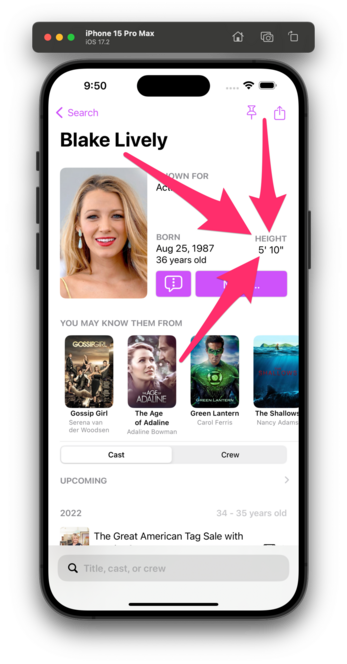
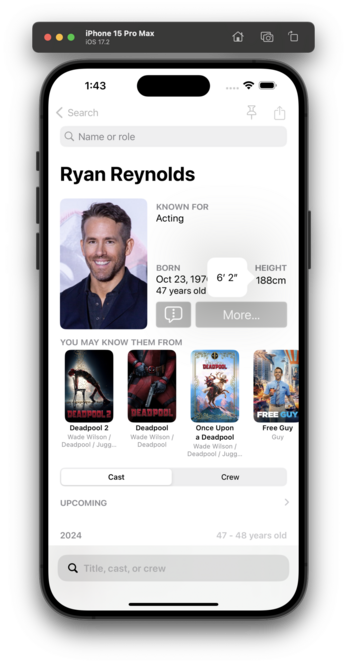
I think I've got units working for countries that make sense.

This is all based on your setting in Settings → General → Language & Region → Measurement System.

🇺🇸/🇬🇧 get feet/inches.
The rest of the world gets cm.

I genuinely don't know how this will play in 🇨🇦, so, uh, good luck, northern friends? 😬

@caseyliss Nice! There should be a (non-breaking) space between the number and the unit, though.
@eh take it up with Apple; that’s the string they send me. :)

@caseyliss After digging a bit more, it looks like you should consider using `.abbreviated` instead of `.narrow` since the latter attempts to show the unit “in the shortest form possible” and ends up omitting the space.

With the following code, I get the expected result, with a non-breaking space between the value and the unit :)

```
Measurement<UnitLength>(value: 1.89, unit: .meters).formatted(.measurement(width: .abbreviated, usage: .personHeight))
```

@eh Right, but then that makes American/British wider than desired.
@caseyliss Ah. D’oh! Should have checked that first. 🤦
That definitely tips the scale in favour of `.narrow`! :)