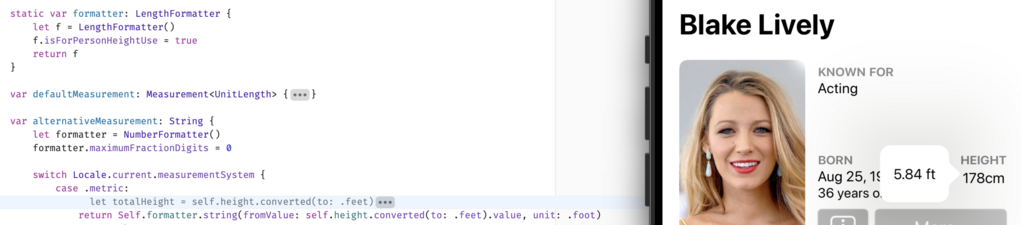
This one is for you, @hotdogsladies.

FAQ:
1) This is a proof-of-concept; no promises
2) I don't know when it'll ship, if I can even get it production-ready
3) Data coverage (Wikidata) is okay but not stellar; not all actors will have their heights shown
4) I'll try to use sensible units for countries that aren't idiots like us
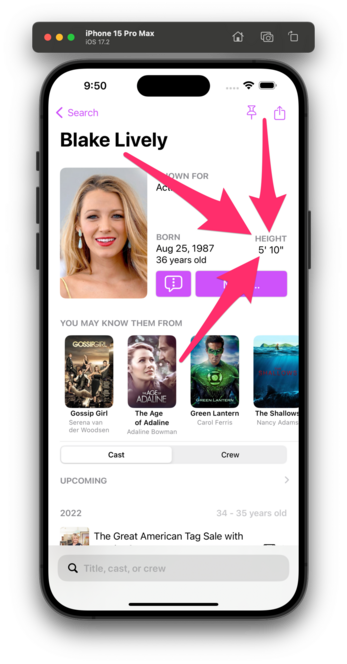
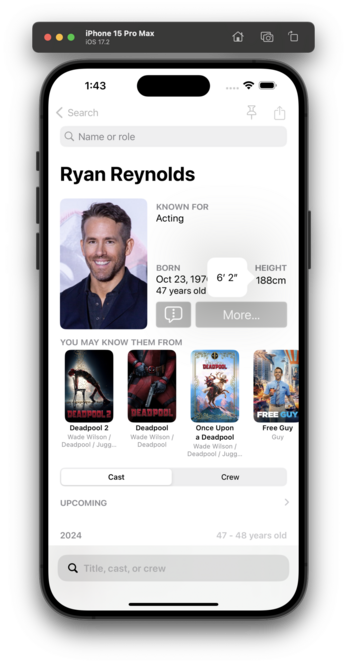
I think I've got units working for countries that make sense.

This is all based on your setting in Settings β†’ General β†’ Language & Region β†’ Measurement System.

πŸ‡ΊπŸ‡Έ/πŸ‡¬πŸ‡§ get feet/inches.
The rest of the world gets cm.

I genuinely don't know how this will play in πŸ‡¨πŸ‡¦, so, uh, good luck, northern friends? 😬

Related: is there a way to force either Measurement or LengthFormatter to use feet/inches? I see that this is a thing, but I want to be able to override the default Locale.

https://developer.apple.com/documentation/foundation/lengthformatter/1416517-isforpersonheightuse/

I tried setting a unit of feet, but it still shows feet and fractional feet, rather than inches:

isForPersonHeightUse | Apple Developer Documentation

A Boolean value that indicates whether the resulting string represents a person’s height.

Apple Developer Documentation
Got there thanks to @vpsteinmann and @_nd_:
@caseyliss @vpsteinmann @_nd_ You are about using the locale of the phone instead of hardcoding the US one, aren't you? Are you? 
@gabriel Context here is the popover I've shown in screenshots. So in this case, the phone is metric (and it was shown by default). However, the user has just tapped the height and thus is trying to see an alternative unit. Which would be feet/inches.
@caseyliss Ah, right! Got it. It may sound stupid but I was hiding the cm with my finger when trying to zoom in.