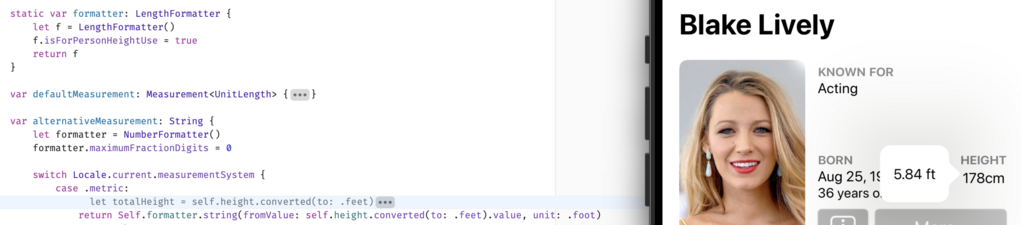
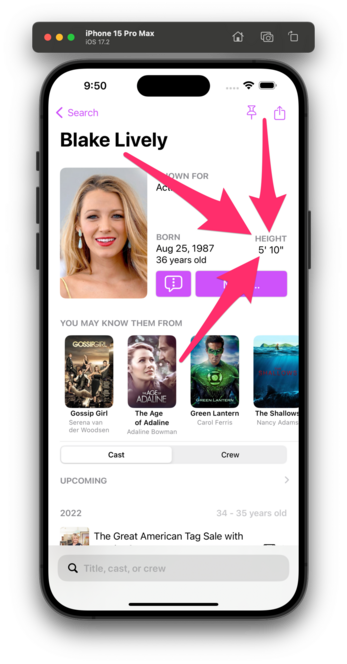
This one is for you, @hotdogsladies.

FAQ:
1) This is a proof-of-concept; no promises
2) I don't know when it'll ship, if I can even get it production-ready
3) Data coverage (Wikidata) is okay but not stellar; not all actors will have their heights shown
4) I'll try to use sensible units for countries that aren't idiots like us
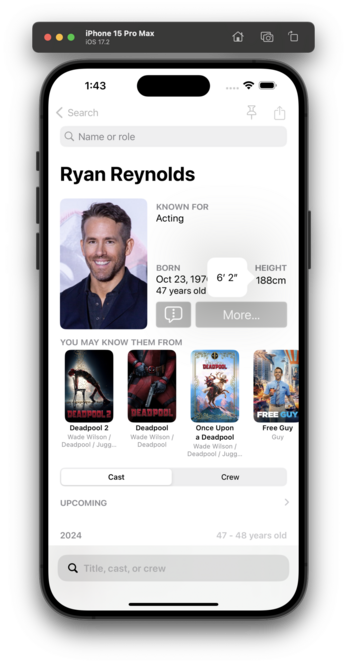
I think I've got units working for countries that make sense.

This is all based on your setting in Settings β†’ General β†’ Language & Region β†’ Measurement System.

πŸ‡ΊπŸ‡Έ/πŸ‡¬πŸ‡§ get feet/inches.
The rest of the world gets cm.

I genuinely don't know how this will play in πŸ‡¨πŸ‡¦, so, uh, good luck, northern friends? 😬

Related: is there a way to force either Measurement or LengthFormatter to use feet/inches? I see that this is a thing, but I want to be able to override the default Locale.

https://developer.apple.com/documentation/foundation/lengthformatter/1416517-isforpersonheightuse/

I tried setting a unit of feet, but it still shows feet and fractional feet, rather than inches:

isForPersonHeightUse | Apple Developer Documentation

A Boolean value that indicates whether the resulting string represents a person’s height.

Apple Developer Documentation
Person height formatting in Swift

Person height formatting in Swift. GitHub Gist: instantly share code, notes, and snippets.

Gist
@vpsteinmann @caseyliss additionally, you can use Locale.Components kind of like a MutableLocale – you initialize it using a Locale, set specific properties and init a Locale from that.
@_nd_ @caseyliss Thanks for the hint, I updated the gist to show how to set a specific measurement system for a provided Locale. https://gist.github.com/vpsteinmann/959aa215608b6e2f0e9ae5446b621689
Person height formatting in Swift

Person height formatting in Swift. GitHub Gist: instantly share code, notes, and snippets.

Gist

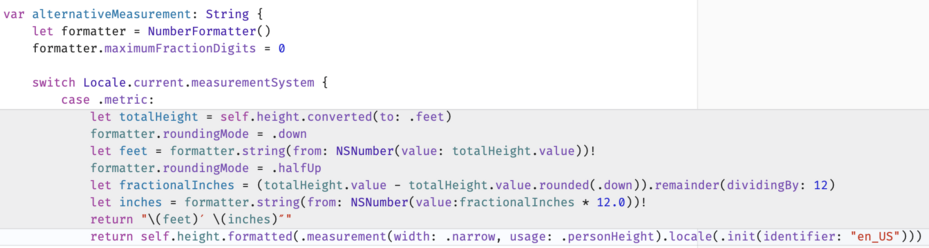
@vpsteinmann @_nd_ zomg I love you both. This is SO MUCH cleaner

(Diff shown so you can see why I was β€œπŸ˜¬" about my first crack at this)