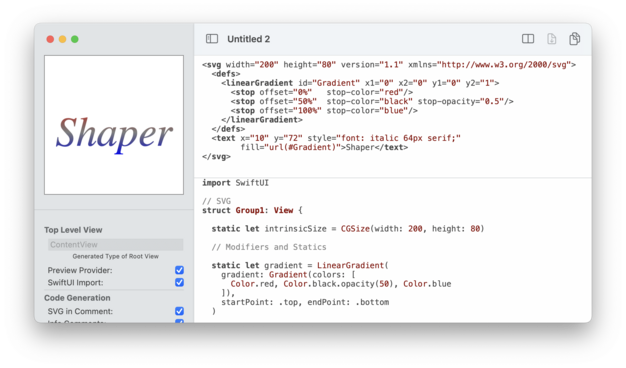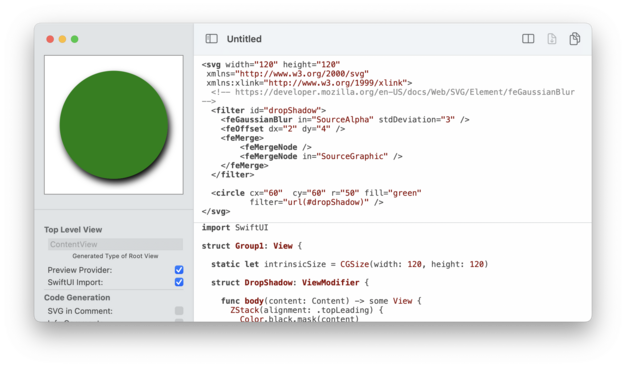
My macOS app #SVG Shaper for #SwiftUI is now available for free. Well, at least for the time being. I only sold 10 copies or so and it was more of a step towards something bigger (should I call it Karate?), so why not. Maybe it is still useful to someone 🙂
What it does? It converts SVG images (not every feature supported) into SwiftUI `View`s and `Shape`s.
https://apps.apple.com/us/app/svg-shaper-for-swiftui/id1566140414
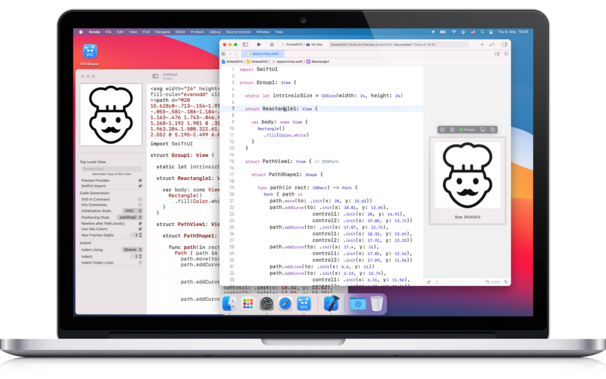
‎SVG Shaper for SwiftUI

‎SVG Shaper for SwiftUI is a little macOS application that accepts images in the Scalable Vector Graphics format (SVG) and converts those into SwiftUI source code. Got an SVG icon from your designer? Use the contained shapes directly within your SwiftUI views. SVG Shaper’s primary purpose is to conv…
Mac App Store

@helge I’m one of them who bought it

The issue with your app as I remember, it adds a lot of extra code, and sometimes does not give me the correct shape

Than this website

https://svg-to-swiftui.quassum.com

SVG to SwiftUI Converter

SVG to SwiftUI converter let's you convert raw svg code into a SwiftUI Shape structure. Just paste your SVG icon source code or upload a file and get the Swift code you need for your iOS app!

@iX901 Thanks! Yes, it doesn't support all SVG features. On the other side it can do a lot more than plain shapes.

@helge I guess the “for SwiftUI” is here mostly for marketing, right? As the resulting CGPath can be used in UIKit, AppKit or wherever 😏

Great app nevertheless! 👌

@pasi No, it really creates SwiftUI Views and SwiftUI Shapes.
No CGPath is involved, though I guess it would be easy to generate those too.
It doesn’t only do shapes (paths) like other tools but can also do fills and clips and a few other things I don’t remember 🙈 (it has an examples menu)
@helge Ah right. It just looked like the generated code inside the Path block could simply be copy pasted to set up a CGPath.
@pasi #SVG can do a lot more than just paths. Paths are for moving the pen, they "just" define the shape, nothing else.
SVGs are really more like #SwiftUI Views, the code can set colours, fill, transform coordinate systems, apply drawing modes, etc etc. The goal in the app was to actually preserve the logical structure of the SVG in SwiftUI (e.g. to later animate it within SwiftUI).
Below two sample SVGs w/ a drop shadow or a gradient that fills a text, that might give an idea what SVG is.