 Erik Moeller
There's a common false dichotomy about #Threads: cut them off, or leave it to user choice.
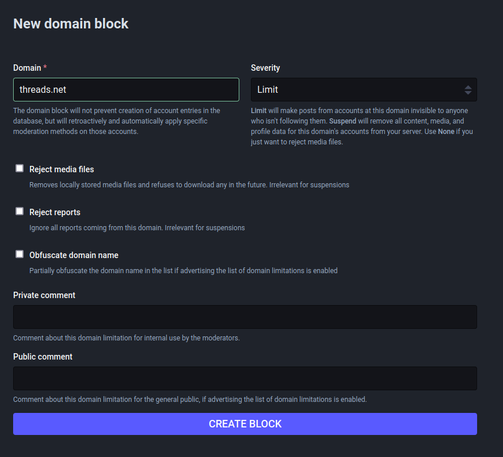
I can't speak to other software, but Mastodon offers a third option: limiting Threads. This can be done for all users of a server.
- You can follow Threads accounts after clicking through a warning.
- You have to manually approve followers _from_ Threads.
Note, however, that boosted posts will continue to appear in your home timeline:
https://github.com/mastodon/mastodon/issues/26301#issuecomment-1868240966

Silenced users' content can appear on home timeline via boosts · Issue #26301 · mastodon/mastodon
Steps to reproduce the problem Preconditions: Have account Y status on local instance be Limited, or, account Y is on server Z which has a server-wide Limit in place on your local instance. Follow ...
 Chris Alemany🇺🇦🇨🇦🇪🇸