 umbraroze
The first image I've generated on my own PC! My favourite animals, of course. [Fooocus/Stable Diffusion XL]
Upside: Oh look at that turtle in the background, going into Turtle Mode. This wolf is OK. No need to be shy.
Downside: Oh why does that turtle on the left have three legs goddamn it.
 Even_Adder
Injuries happen in nature. Three-legged tortoises are valid!
It’s mid-run and the leg is obscured by the shell
CW: PRIMORDIAL MAMMALIAN FEAR
Oh yeah, reminds me of this video: "I'm a cute turtle. Just let me rest in peace. ...Why are you messing with me. ...You're seriously fucking with me? FEAR ME, PUNY MAMMAL. I AM A FUCKING REPTILE. ...Yeah you just stay back where you belong."

DO NOT mess with this turtle! Snapping turtle in scary attack
Generated on your own PC, how? Is there a tutorial you followed that you’d be willing to share?
 JackGreenEarth
I don’t know how they did it, but I cloned the automatic1111 repository on github and ran the webui.sh script.
I was inspired to try this out by this Fireship video.
Here's the Fooocus home page, with pretty much all of the instructions to get started. If you're on Windows, you need a few spare gigabytes of disk space. My PC barely met the system requirements, so it was kinda slow but tolerable.

AI influencers are getting filthy rich... let's build one
Check here easydiffusion.github.io Old models still works with my GTX 970 from 2016, but I can’t run SDXL on it, with Stuff like Dreamshaper 8, I can generate an image in less than one minute. I plan to change PC soon (may-be for the January sales), and will take a bigger GPU to run SDXL. (That said I am affraid that in a couple of years, model will be even bigger and will need these Multi-GPU dedicated rack which are used for example in CT scanner)
But at the moment if your PC has a gaiming GPU, no need to pay credit for an online service, you already paid for a PC :)
Only works with nvidia tho. 😠
Is it still only nvidia or does AMD work ?
I am on a market for a new PC, and I heard AMD works better on Linux. Moreover google tells me that automatic111 runs on AMD but don’t know if someone tried
All I saw when I checked your link was this:
System Requirements
Windows 10/11, Linux or Mac.
An NVIDIA graphics card, preferably with 4GB or more of VRAM or an M1 or M2 Mac. But if you don’t have a compatible graphics card, you can still use it with a “Use CPU” setting. It’ll be very slow, but it should still work.
8GB of RAM and 20GB of disk space.
System Requirements
Windows 10/11, Linux or Mac.
An NVIDIA graphics card, preferably with 4GB or more of VRAM or an M1 or M2 Mac. But if you don’t have a compatible graphics card, you can still use it with a “Use CPU” setting. It’ll be very slow, but it should still work.
8GB of RAM and 20GB of disk space.
I want to find time to try out SD on my desktop but I’m running an AMD GPU. Would love some insights too!
 tal
talSee my response to parent comment.
I do Stable Diffusion on a XT 7900 XTX on Linux. So, yeah, that works.
The problem is that well-performing support is relatively new (the RDNA 3 cards are okay), and older cards may or may not be practical; that particular card is their latest generation. I agree that generally-speaking – not talking specifically about generative AI – on Linux, it’s preferable to use AMD these days. For generative AI – not Linux-specific, but in general – Nvidia started earlier than AMD. Problem is that Nvidia is also charging considerably more for their hardware, and you want a high-VRAM card to do Stable Diffusion…I’d probably recommend at least 16GB if possible.
Also, a popular library for doing some generative AI stuff, “transformers”, doesn’t currently run on AMD cards. Stable Diffusion can run with it – it speeds operations up – but doesn’t require it. But a few other things, like Tortoise TTS, a piece of software that can generate speech in someone else’s voice given some samples of that voice, do require transformers.
AMD has been putting out Linux support for generative AI before Windows support, actually – they just got out Windows support for my card card, and it’s been usable on Linux for a while.
If you’re going Linux and you’re willing to get 7900 AMD card (new and high-end) and you don’t need to run transformers, yeah, I’d say go AMD. If you’re going Linux and you don’t care about generative AI, then I’d get AMD whatever. If you’re trying to use older cards, I’d consider Nvidia; I had been using an older Nvidia card prior to this, and while it could do the generative AI stuff on Linux, for everything else I’d prefer the AMD card.
Thanks for your insight.
So indeed, looks like AMD compatiblity is still “work in progress” or require “expensive hardware” (Knowing that in one year, the model may have become even heavier)
Renting GPU time might be the proper way
 Abel
AbelI’m running a 3060 with 12 GB VRAM on a 2014 rig. Can confirm it works well, the only sad part is the random all-computer crashes sometimes.
This works well with CPU tho: Fast stable diffusion on CPU on github.com

I picked up a 4090 a few months ago specifically for stable diffusion. The generation times are insane. To compare I used a 3060 mobile and a 7900xt.
AMD compatibility is very bad right now with ai. Progress is being made but it’s slow. If you’re checking back in a year or so, and it’s been fixed, I would honestly pick up a second hand 7900xtx and it would blow your 970 out of the water at a much better price point than my 4090.
 LazaroFilm
I like turtles
 Thelsim
Cute turtles :)
It looks very realistic! Would you consider cross-posting it to [email protected]? That community is still new and could use some nice AI photos.
It looks very realistic! Would you consider cross-posting it to [email protected]? That community is still new and could use some nice AI photos.

AI Photography - Lemmings.world
This is a curated community for AI-generated images that are virtually indistinguishable from real photos. To keep this community filled with high-quality generations, if your submission doesn’t look realistic enough it may be removed at moderator discretion. #### Rules: 1. Generations must be realistic. Generated images that do not look realistic enough will be removed. 2. No NSFW. NSFW generations are strictly prohibited. This includes gore, nudity, and sexually-suggestive content. 3. Be nice: Constructive criticism is more than welcome, but directed hate of any kind is not tolerated here. 4. Give it your own spin! As this is a curated community, creativity is highly encouraged. Posts must have a bit of unique style or flair. If your generated photo looks average, standard, or common, your post may be removed. Portrait photos are one of many examples that tend to get removed if they do not have some unique or stylistic attribute. If you’re unsure, change your prompt to add unique lighting or a specific photographer’s style. Rules are subject to change at any time as this community grows. Happy posting!
Thank you!
I love coyote too! Did you read that Dan Flores book?
 M0oP0o
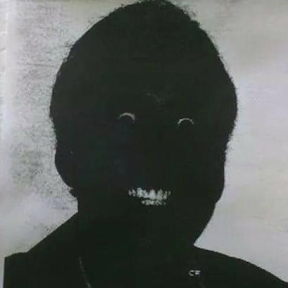
My first attempt did not go so well:
And it is getting worse:
Are you using SDXL? If you are, you need to set the resolution to 1024x1024
Sweet a tip. I will try that. I have been just playing with settings and making things worse.
u fokin’ wot m8?