 FediTips has moved!
The latest version of Mastodon (4.2.0) brings full text search, so you can search by words instead of hashtags.
However, for privacy reasons this only includes posts by people who have actively opted into full text search.
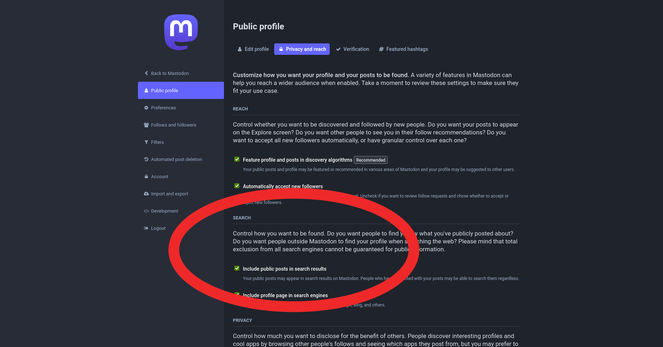
If your server is updated to 4.2.0 and you want to opt into full text search:
1. Log into your server's website
2. Click your profile icon
3. Click "Edit Profile"
4. Click tab "Privacy & Reach"
5. Tick box "Include Public Posts In Search results"
6. Click "Save Changes"
 Xipher