Round two of #SoftwareYouNeedTuesDay!

First, another SysInternals app straight from Microsoft:

ProcessExplorer: https://learn.microsoft.com/en-us/sysinternals/downloads/process-explorer

It's Task Manager on crack! You can even set it to replace the default task manager. See which app has a file open, or which DLLs are loaded, or see and manipulate individual process threads, and much more

Next, for the gamers:

Nvidia Profile Inspector: https://github.com/Orbmu2k/nvidiaProfileInspector/releases

This tool allows you to dig deep into the profiles that Nvidia distributes for each game with their drivers. Ever seen a "Game Ready Driver" for a specific title? That's a new profile

Detailed guide here: https://www.pcgamingwiki.com/wiki/Nvidia_Profile_Inspector

Process Explorer - Sysinternals

Find out what files, registry keys and other objects processes have open, which DLLs they have loaded, and more.

@neatchee I know it’s not what you’re doing but something like this for mac would be great! Always handy to learn of more software that could help. These sound great if I were still on windows 😅
@coffeentacos if I used a Mac I totally would! If you have any to contribute you should make a post with the hashtag too :) Nothing says it's limited to Windows :P I'll probably do Android apps too
@neatchee I’ve only been on Mac for a year so I’m still getting my bearings! May do it as I find things though
Hmm. Any #Apple #Mac users out there with a contribution for #SoftwareYouNeedTuesDay so my homie @coffeentacos can bootstrap his experience???

@neatchee

@coffeentacos
OSX is very forward in some ways, and backward in others. Off the top of my head:

Bartender: hide top navigation bar icons
SoundSource (paid): control all the mac audio volumes at app-level
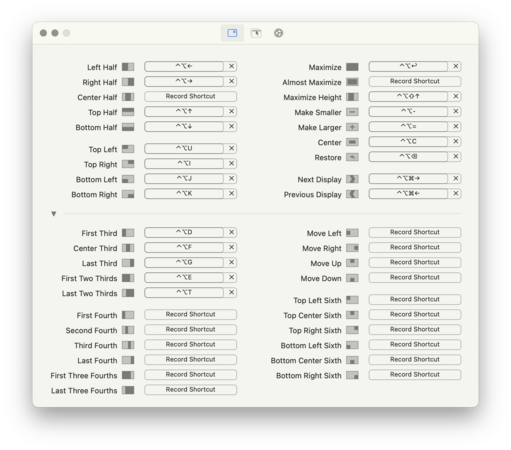
Rectangle: window management and snapping
Amphetamine: sleep management. Mainly for a trigger where the screen doesn't sleep when I'm plugged in.

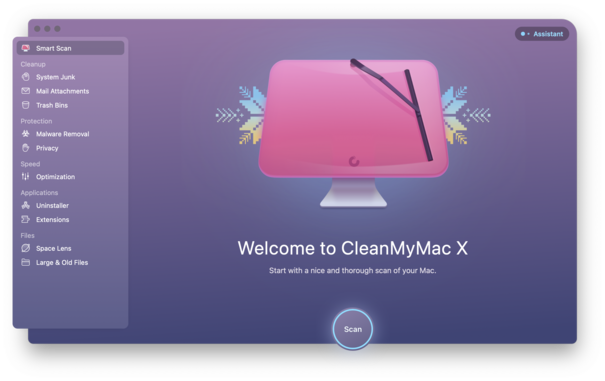
@neatchee @coffeentacos CleanMyMac X (paid) is a nice all-around tool for general clean-up on a Mac, plus figure out what's using up storage space. https://macpaw.com/cleanmymac

Rectangle (free) is like a super-powered Aero Snap if you've used Windows recently. Makes arranging windows much easier. https://rectangleapp.com

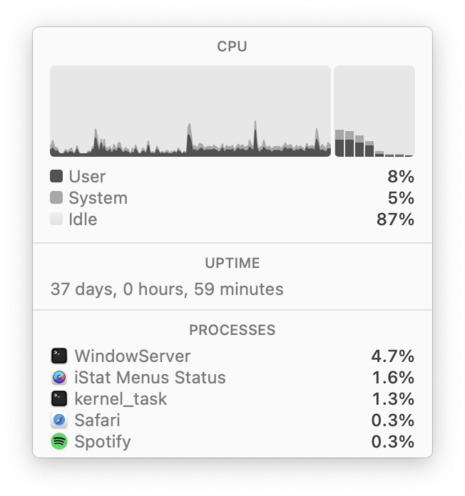
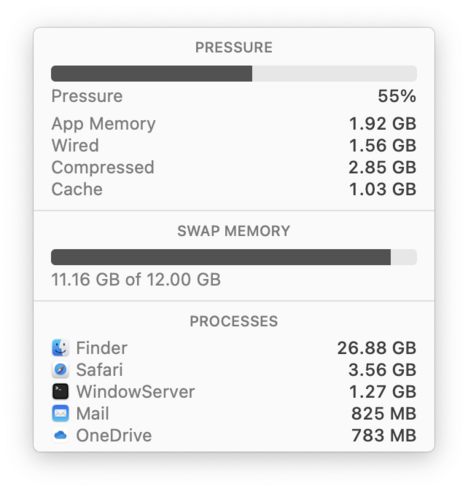
iStatMenus (paid) is a highly customizable tool if you're curious about system stats and want them to live in your menubar. https://bjango.com/mac/istatmenus/

CleanMyMac: The best Mac cleaner & maintenance software

CleanMyMac is the best Mac cleaner app that helps you clean, maintain, and protect your Mac — trusted by millions. Try it and organize your Mac in a few clicks.

MacPaw

@neatchee @coffeentacos I used to use OSX a couple years ago and these are my must haves:

Alfred: https://www.alfredapp.com/
Productivity/convenience app. Press command+space to open a popup that lets you find files, run macros, search web, define words, etc.

The next apps are all for window management. If you like dragging windows and having them snap to edges/corners or pressing shortcuts to do the same then I recommend checking these out (all are good, just depends on pref)
Rectangle: https://rectangleapp.com/
Yabai: https://github.com/koekeishiya/yabai
Amethyst: https://github.com/ianyh/Amethyst

Hope you find these useful :D

Alfred - Productivity App for macOS

Alfred is a productivity application for macOS, which boosts your efficiency with hotkeys, keywords and text expansion. Search your Mac and the web, and control your Mac using custom actions with the Powerpack.

@neatchee @coffeentacos These are the apps I normally use.

Path Finder - Finder replacement since Finder is a bit too limiting.
iStat Menus - System statistics, from the menu bar
Bartender - Hides extra menu items into it’s own popup menu.
Transmit - SFTP/FTP client
CleanMyMac X - Disk cleanup/maintenance
Nova - Powerful text editor
Jump Desktop - Remote desktop software, allows me to connect to other machines remotely
Ivory - Mastodon client for macOS
Swinsian - iTunes like music player, which I use since the Music app is garbage and I don’t use Apple Music.
Snagit - For screenshotting/screen recordings

@chikorita157 @neatchee @coffeentacos I wonder how you would have customized AmigaOS. Sounds like you like to customize :)

(I run everything close to stock these days.)