 @felixthehat has moved
I am having an absolutely dismal time with #azure static web apps do NOT recommend.
Not least having to type out ‘azure static web apps’ every time I google for a feature it turns out not to support 🙄
I am having an absolutely dismal time with #azure static web apps do NOT recommend.
Not least having to type out ‘azure static web apps’ every time I google for a feature it turns out not to support 🙄
@felixthehat Intrigued to know what you've bumped on Felix. I've been a long time user of SWAs and had a very good time with them! My blog is hosted on them and I use them for a number of work apps too. What's been tricky for you?
A static web app of mine: https://johnnyreilly.com/
@johnny_reilly ah! I should have thought to ask you! currently I’m fighting 2 issues,
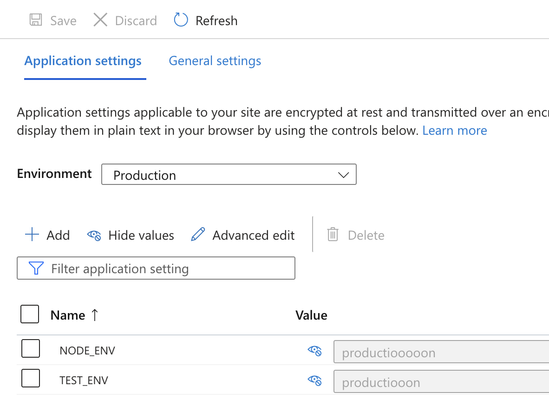
1. trying to set different environment variables for my front end app, a staging and prod var – app settings seem to be ignored and always uses ‘production’, and github actions yaml only allows for one env?
2. I can’t figure out how to point custom domains to my staging branch…
have you come across these issues?
@felixthehat So with environment variables, it's worth remembering that at runtime all you have is the build output and so environment variables are only useful at build time. You can see an example of me using an environment variable in my build here:
You can see the environment variables being supplied in GitHub actions here:
With this in hand, you should be able to customise your build based on those variables
@johnny_reilly oh so the application settings don’t do anything?
my (mostly auto generated) yaml file doesn’t seem to have a similar run command.
that duplicate app idea has potential! this is my first attempt at ASWA and github actions and I do not know what I’m doing.
I miss netlify which has a GUI for all this crud lol
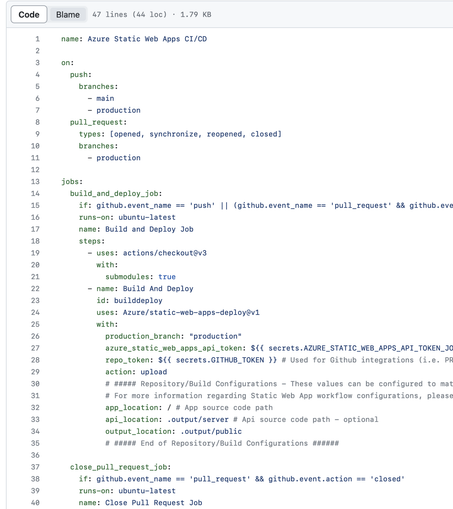
@felixthehat So I missed a key piece of information out! Azure Static Web Apps build by themselves by default. This works pretty well generally, until you want to do something slightly custom. Environment variables fits into that category; you'll want to do the build externally to Oryx and supply the artifact. I've written about this here:
https://johnnyreilly.com/azure-static-web-apps-build-app-externally
And you can see it done in my blog here:
@felixthehat Yeah - my blog used to run on netlify / GitHub pages. I got burned for build minutes there and pivoted to SWAs. I wrote about the migration here:
https://johnnyreilly.com/azure-static-web-apps-a-netlify-alternative
TL;DR - I think they're pretty awesome and I've got some contacts on the team as well who've been able to help when I've found rough edges
@johnny_reilly I certainly have a few, let’s call them ‘suggestions’ for them lol
thank you I do appreciate your help. I see you have env vars in your yaml! you can’t set them per environment no?
One other thing I’m missing from netlify, they allow you to create a webhook url that when called triggers a build. is that a thing on swa/google actions? cheers!
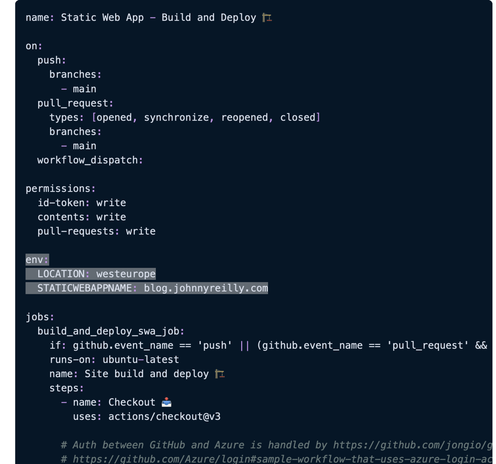
@felixthehat > I see you have env vars in your yaml! you can’t set them per environment no?
In that you can control the value of the environment variable in GitHub actions, I think you can inject different values for each environment. So I think that should work
@felixthehat > One other thing I’m missing from netlify, they allow you to create a webhook url that when called triggers a build
Given that the build is triggered by GitHub actions, you probably want this:
https://docs.github.com/en/webhooks-and-events/webhooks/webhook-events-and-payloads
I've never done it - but it looks like it's supported
 John Reilly ❤️🌻


