 Daring Fireball
On Scanning QR Codes With Your iPhone
https://daringfireball.net/linked/2023/06/19/qr-codes-iphone
https://daringfireball.net/linked/2023/06/19/qr-codes-iphone
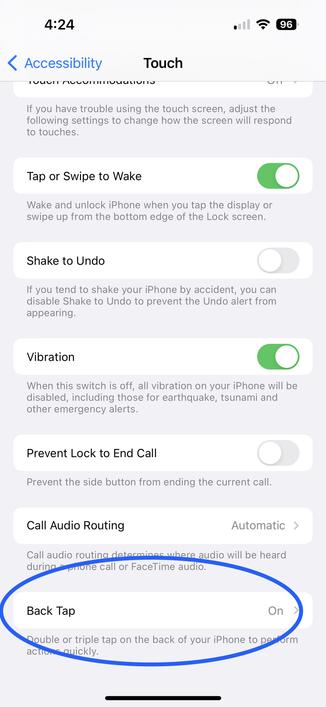
@daringfireball I’ll add that you can easily invoke the Control Center with double-tap on the back of the phone. Settings > Accessibility > Touch > Back Tap.
Or you can grope for the corner of your massive phone or two-hand it like a savage. 😜
@daringfireball The big problem with the dedicated QR scanner is that it opens links in an in-app browser that goes away if you switch apps.
So, e.g., if you want to use it for a restaurant menu, and then go to Messages, the menu is gone.
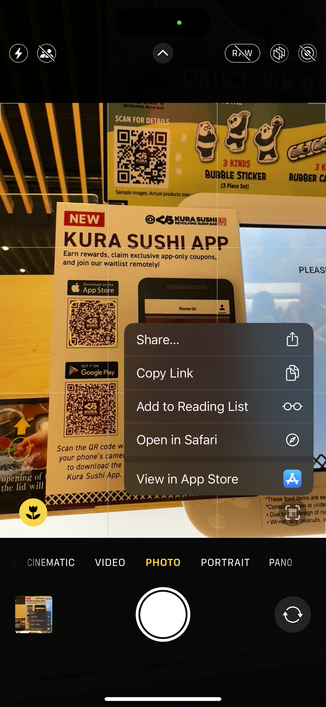
I used it for a while but ended up going back to the Camera app, which properly directs links to Safari...
@daringfireball You can also get to the code scanner from spotlight. Even though I have it in my control centre, I find myself often searching for "scan”.
Another curiosity: During the beta a couple of years ago, the Code Scanner would work on lots of codes, including Datamatrix. For some reason, when the final version was released, it only included QR Code support. It's a bit of shame. It might be because GS1 recommends QR for data meant to be read by the consumer and datamatrix for other.
Scanning a QR code from the Photos app is still a pain.
In India, we have payment apps that allow scanning QR codes from the Photos and the same would have been a nice addition in the iOS 17 Code Scanner app.

@daringfireball you used to be able to ask Siri to “Scan a QR code*”, and would open the QR Scanner app, but that broke in iOS 16. Hopefully it will also be restored in iOS 17…
*In Spanish, “Lee un código QR”.

 monorail times
 Jordan Sheckman
 Brad H
 AC
AC Janak J Parekh
 Chris Carr
 Son of a Sailor
 Eyes
Eyes thefloweringash
 Rune Lausen
 Kai
Kai Alex
Alex Krishna Permi
 Dr. Juande Santander-Vela
 gkj
gkj Julio Marchini
 Zach Weigand
 @mgiraldo has moved
 marcos