 Shini92
 Eddie Coldrick 💻
 Scott Hanselman 👸🏽🐝🌮
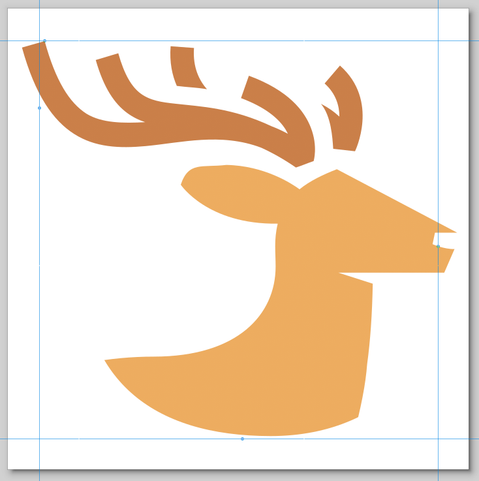
@eddie @Shini92 @elk Well I uninstalled and reinstalled and sadly I GREATLY prefer the previous icon. This icon looks very strange on Windows.
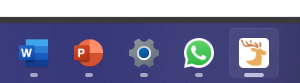
@shanselman @Shini92 @elk @userquin Hello, there's an open PR for updating this. I opened the original PR, with the intention of fixing issues with unequal padding (see attached images), but it needed all of the PWA icons updating with it. I must admit, my preference, due to the colours of the icon, is to have a rounded square for the windows icon, but it appears this may not be the consensus, so I am glad it is being looked into in more detail.
 Joaquín
@eddie @shanselman @Shini92 @elk Can you try to build pwa icons using this package https://github.com/vite-pwa/assets-generator ?

@userquin @eddie @shanselman @elk What's your goal? To test OS compatibility?
Might it be possible to use GitHub Actions Matrix somehow to automate your test cases?
I do not have a private project where I would have a PWA or having the need of different icons, because this is not my working field 🤔
@Shini92 @eddie @shanselman @elk My goal is to use only one library to build minimal pwa icons using a single svg icon.
Right now, I need to use multiple tools to just build the minimal icons (online tools):
- transparent 192x192, 512x512 icons
- maskable 512x512 icon (requires padding and bg color)
- apple-touch-icon (requires padding and bg color)
Then, once png generated I need to optimize png files.
Another example, if you add some shortcuts with icons, you will need at least one 96x96 icon, can be transparent or have a bg color.
In VitePWA docs, I needed:
- find svg icon for each shortcut
- add white bg color to each svg
- export to png using some padding, not all svg icons with same padding
- optimize png files
So, instead having 3/4 tools, why not just only one?
@userquin @eddie @shanselman @elk The idea sounds great
I'm just right now not the target audience
It's more a topic for UI/UX Designers
I'm just right now not the target audience
It's more a topic for UI/UX Designers