To celebrate the Kickstarter for Shift Happens going well, I thought I would show you 50 keyboards from my collection of really strange/esoteric/meaningful keyboards that I gathered over the years. (It might be the world’s strangest keyboard collection!)

This is technically a bit of a spoiler for the book, but a) a lot of them are not in the book, and b) the book comes out in half a year, and we’ll all forget by then!

Let’s start!

https://www.kickstarter.com/projects/mwichary/shift-happens

Shift Happens: A book about keyboards

The history of keyboards – from early typewriters to modern mechanical marvels – told in two beautiful volumes.

Kickstarter
1.
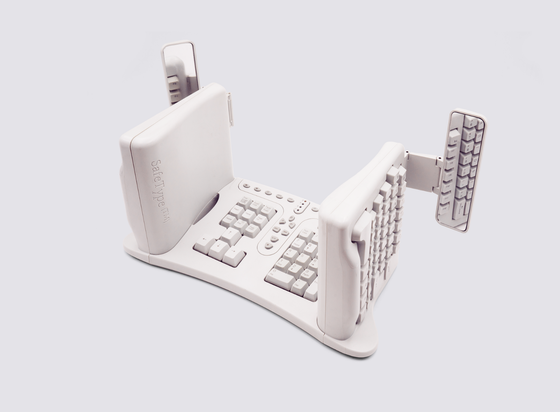
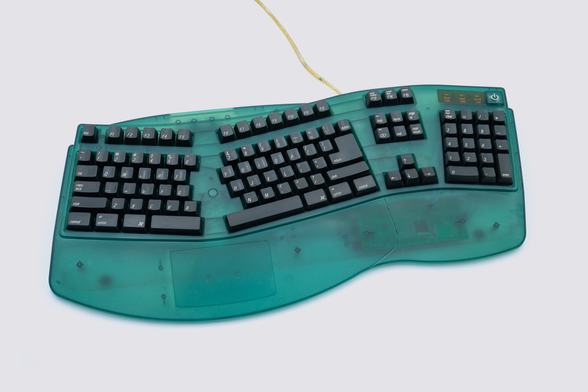
I have a SafeType, thanks to a friend who noticed one about to be thrown away. This is among the most notable and interesting “ergonomic” keyboards, complete with mirrors that help you orient yourself when you’re starting out.
2.
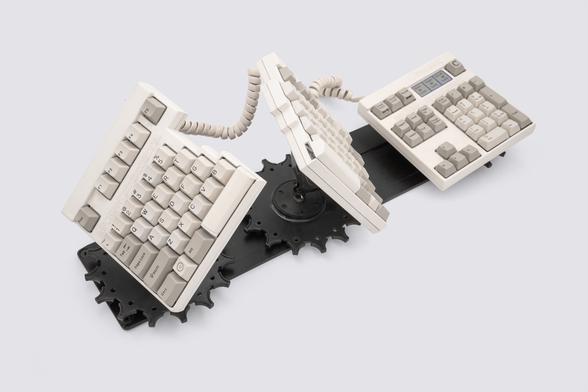
The Comfort System keyboard is another “ergonomic“ device that is honestly pretty frightening to look at (explaining the challenge of making keyboards like these). You can reposition and reorient each of the three parts independently.
3.
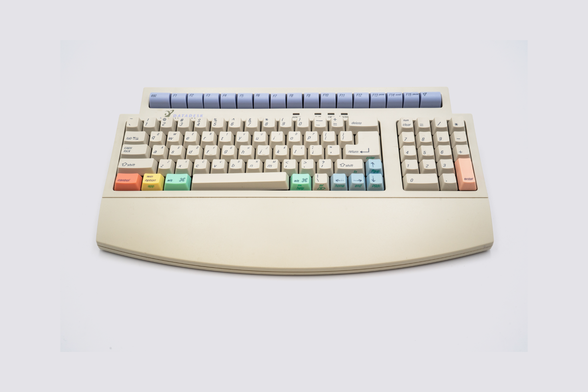
I love these DataDesk Little Fingers keyboards with smaller keys because you can see exactly when iMac was introduced and how the company tried to “redesign” the keyboard to fit the new style.
4.
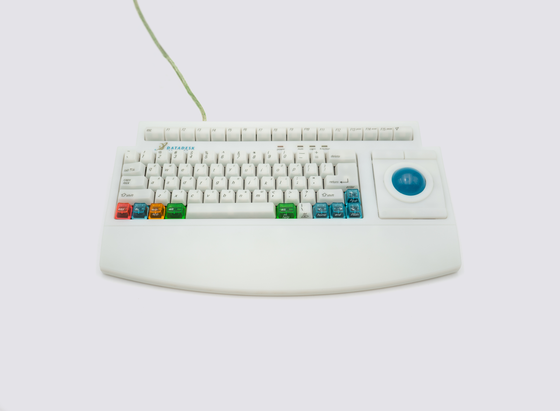
This is another Mac “alternate universe“ keyboard - an Adesso ergonomic keyboard that feels like “what if Apple Adjustable still existed when iMac came around”?
5.
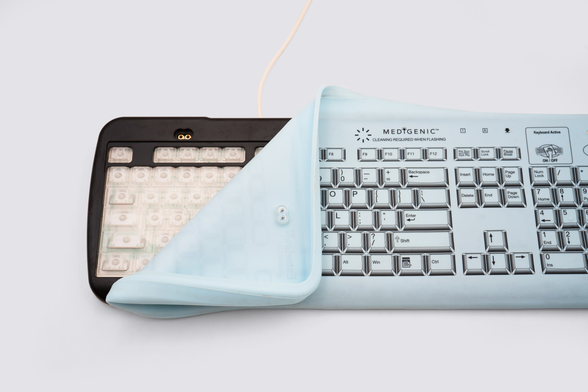
This strange “medical” keyboard is more mechanical than you’d expect! I wrote more about it here: https://newsletter.shifthappens.site/archive/a-tale-of-three-skeuomorphs. Cleaning required when flashing!
A tale of three skeuomorphs

The 1983 Apple Lisa wastebasket – the first trashcan in GUI history You’ve always been a bit suspicious of the trashcan on your computer’s imaginary desk...

Shift Happens newsletter
6.
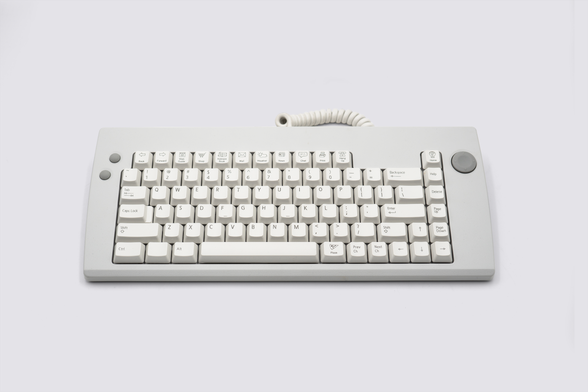
Once you’re done with your shift (no pun intended) at the hospital, how about some Pizza? This is i-Opener, one of the many shortlived internet appliances, this one with a gimmick that keeps on gimmicking.
7.
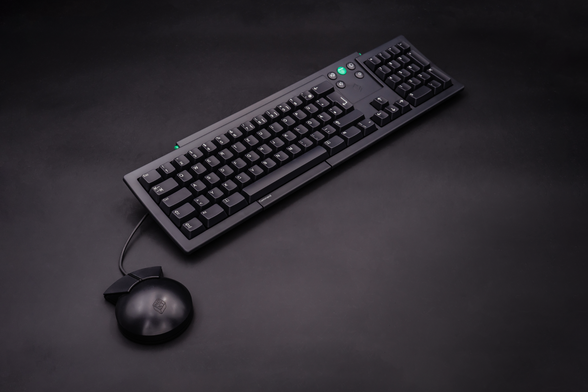
Speaking of spacebar-adjacent gimmicks, I am mildly obsessed with how beautiful is this first NeXT keyboard from 1987, with a bunch of cool subtle things including a Command *bar* underneath the spacebar. As a matter of fact, I just finished writing an essay on it today!

@mwichary
That was actually the NeXT ADB keyboard, introduced IIRC about 1992. The original had a more conventional layout (https://en.wikipedia.org/wiki/NeXTcube).

The ADB keyboard certainly looked attractive, but for me at least the keys required far too much pressure to activate then had a very solid endpoint. The mouse similarly looked great but was an ergonomic disaster (presaging perhaps Apple’s later puck mouse). Together they gave me appalling RSI.

NeXTcube - Wikipedia

@mwichary
I typeset this book on the NeXT using FrameMaker and @tjt’s excellent equation editor, and Tailor to edit various PostScript images

https://www.abebooks.com/first-edition/Visual-Representations-Speech-Signals-Martin-Cooke/942768339/bd

Visual Representations of Speech Signals by Martin Cooke, Steve Beet and Malcolm Crawford (Editors): Fine Hardcover (1993) 1st Edition | The Bookshop at Beech Cottage

AbeBooks.com: Visual Representations of Speech Signals: 385pp + x prelims. Fine/no jacket. No inscriptions. Loose leaf 4pp list of contributors. Tiny crease to tip of tail of spine. Black lettering on green coloured spine. Appears unread.

@mmalc This is great. Did you type on the ADB keyboard? How did you feel about the Command bar?

@mwichary
Yes, I used that combination for perhaps a year.

Although a great innovation, the implementation of the Command Bar didn’t work well *for me*.

It was too narrow — my thumb joint used to regularly hit the *sharp* edge of the main body of the keyboard, and like the keys the actuation pressure was too great so the repetitive stress of having to press on it negated the value of using the thumb for the action. It also quickly became lopsided as I typically pressed on the right hand end.

@mmalc Thanks! That matches my observations, although I didn’t use it for very long. It felt “cheaper” than the rest of the keyboard.
@mwichary
I’m not sure if this is quite what you want to hear 🙂
And my experience may be different from that of the probably very few others who used it.
I certainly think it’s an idea worth pursing to try to improve upon, though really approaches like Kinesis putting a regular key under the thumb is more appealing.
And just arranging keys vertically to reduce lateral movement…