 Mathias
 Robert McNees
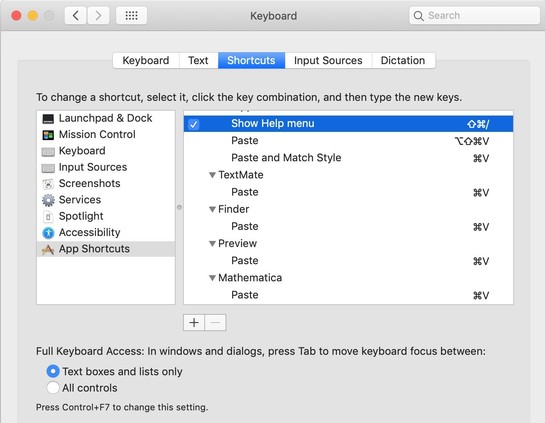
A nice thing you can do for a Mac user in your life is to make "Paste and Match Style" the default when they press ⌘V.
1) Go to System Preferences -> Keyboard -> Shortcuts
2) Click "App Shortcuts"
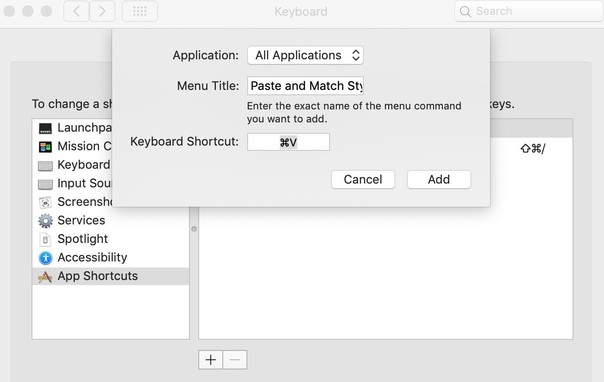
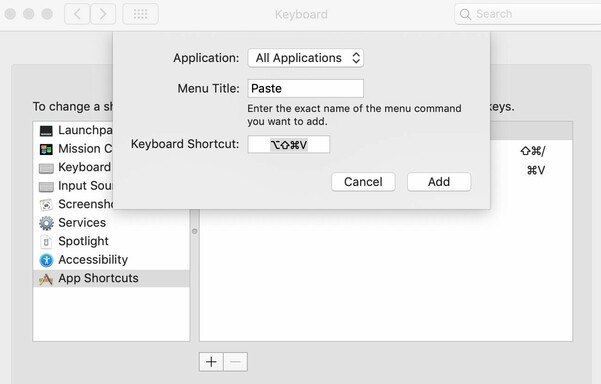
3) Click the "+" button
4) Type "Paste and Match Style"
5) Type "⌘V" for the keyboard shortcut
(These instructions are for macOS 12 and earlier, but it should be similar on Ventura.)
 Colin Devroe