
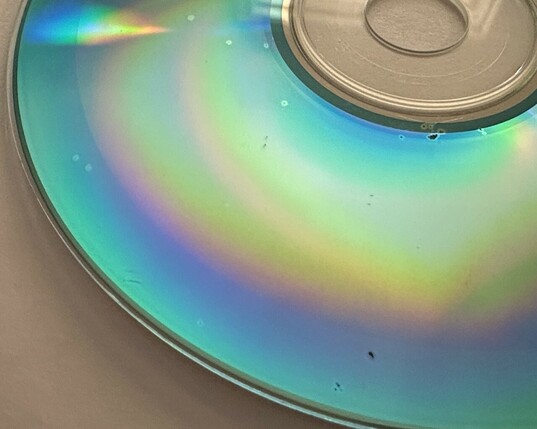
PSA: take some time in 2023 to back up your/your family's CD-Rs (and other recordable media) full of memories you threw into storage 10+ years ago; there's a decent chance they've started to rot!

the tenuously thin layer of dyes/adhesives holding the data *will* break down over time, rapidly so if their environment is uncontrolled, the surface was previously nicked/contaminated, or they were cheap ones to begin with

@0x56 I made lots of efforts to use quality Taiyo-Yuden CDC's, but good reminder to move to a spare SSD / HDD.

I've heard from former WD tech that SD / flash cards (drives?) is bad for archival as they will also decharge / "forget" sooner than you'd expect.

@ShrikeTron ugh yeah, i imaged my box of old portable flash storage devices ~2 years ago, and about 12% of them fail to return consistent data across multiple passes. all less than 15 years old, most 8-10y, and afaik primarily older SLC technology. i'm no expert on flash nor storage, but i can't imagine multi-level cell and process shrink improving any of this...
@ShrikeTron maybe my post should've included more caution or specific advice on this aspect, but the really shitty part is that all the options are a bit like a campfire (you can choose faster or slower burning wood, and sometimes rekindle one from embers, but if you stop tending it for too long all you have left is dust)

@0x56 Right.

I'm moved to a NAS setup of dual-drives, local-backup, and cloud-backup so this backup-dance gets a best-practices process.

@0x56 Flash from back then also wasn't very reliable. I had an 1GB SD card that entirely failed. The maker doesn't exist anymore either -- HMM.

Sticking to established manufacturers may help (SanDisk, Samsung, no failures with these), or just keep moving it around to the next Black-Friday sale item, lol.

I got a cassette (Commodore), many floppies, Zips, etc I think I should archive. Is it still too early? 😅

@ShrikeTron fair point, it was only cheaper PNYs that have failed, and afaict even the oldest SanDisks are still okay (for now). i'll have to crack them open and see what actual flash mfgs i'm dealing with

also lol, my Applesauce and half-imaged box of disks heard this and is now staring accusingly at me from the shelf

@ShrikeTron @0x56 Are you talking about SSD’s? If so, yeah they aren’t good for storage long term. HDD’s are better, but those will fail eventually too. You need to move all the data off regularly, format the drive, and then put all the data back on to keep it from going bad.

I have a lot of failing CD-R’s. Verbatim ones seem to be the worst and were the most expensive ironically. TDK seems to have been the best. Thankfully I haven’t lost anything.

@ShrikeTron @0x56 Just read it. He's right. Basically you should have no less than two copies of your data.

I have a very simple system. I have drives in my PC and then I have external drives in cold storage that are a mirror of the data on the drives in my PC. Every few months I format the drives in storage and copy over all the data from my PC drives to them again.