 CanyonR
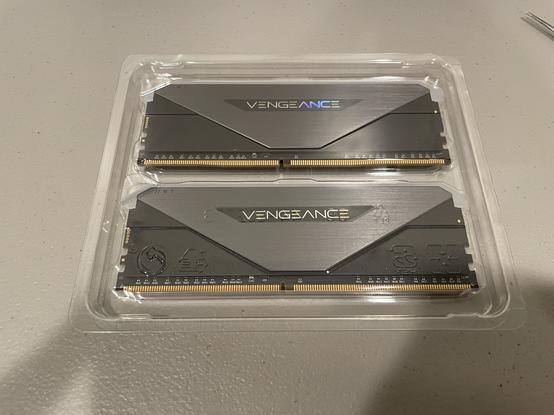
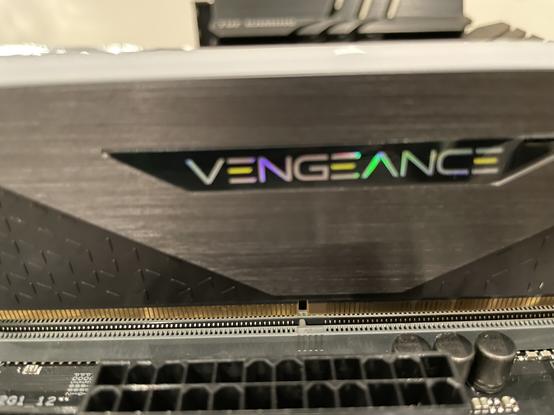
Next up is 2x16 GB of #Corsair‘s Vengeance RGB RT DDR4 3600 at CL16. This isn’t the fastest ram I could have found. It’s only #SingleRank, which is different than Single or Dual channel that others may be familiar with. Single Rank means it only has chips on one side of the RAM. Dual Rank ram (chips on both sides) is faster, sometimes by several percent but also more expensive. I didn’t feel paying 60% more for a 5% to 15% performance increase. #PCUpgrade #PCHardware
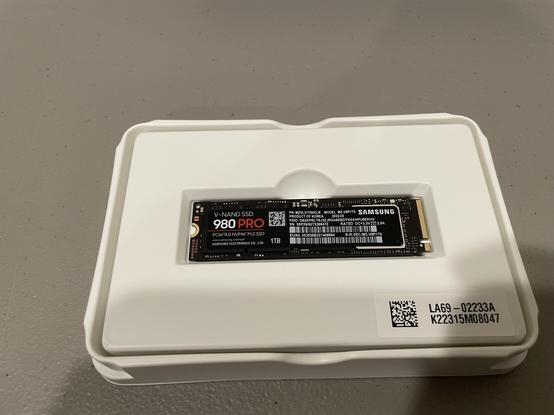
The money I didn’t spend on faster RAM instead went to this Samsung 980 Pro 1 TB NVME SSD. The current build has a 500 GB 970 Evo that I’ve been very happy with. I felt that upgrading to PCIe Gen 4 storage would help in getting the most longevity out of the system. I’m excited to see what Resizable BAR does for gaming perform on this drive. #PCUpgrade #PCHardware
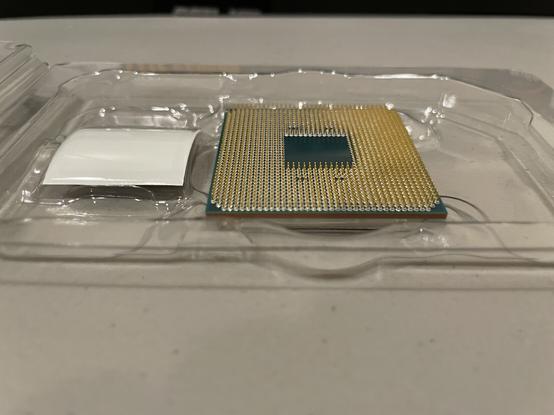
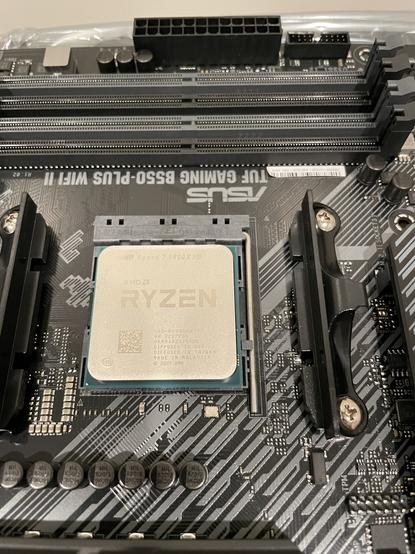
Note: Installing a #Ryzen5000 series AMD processor is a delicate process because of the pins on the bottom of the chip that could be damaged if dropped or inserted incorrectly. #PCUpgrade #PCHardware
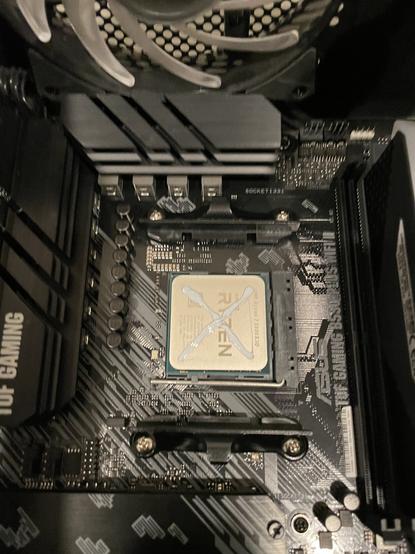
Here it is installed, safe and sound, in the socket. Most import here is making sure the orientation matches the socket. I did consult the manual, just to be sure. #PCUpgrade #PCHardware
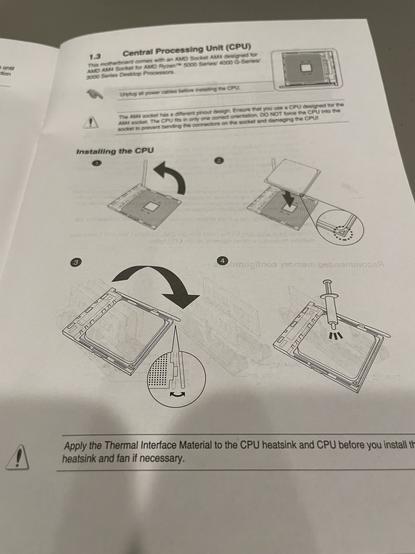
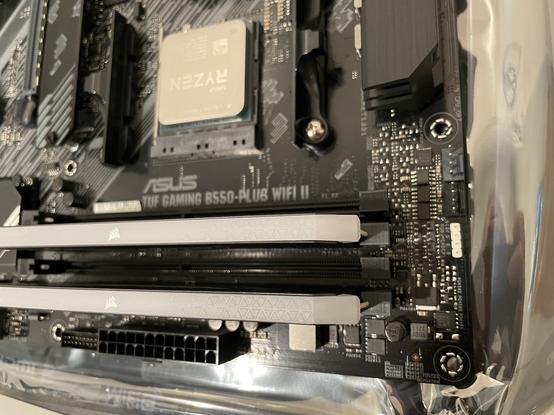
When installing the memory you have to be sure it is both in the socket correctly (ie the notch lines up) and correctly interleaved (in the right sockets). Check the manual again for both. #PCUpgrade #PCHardware
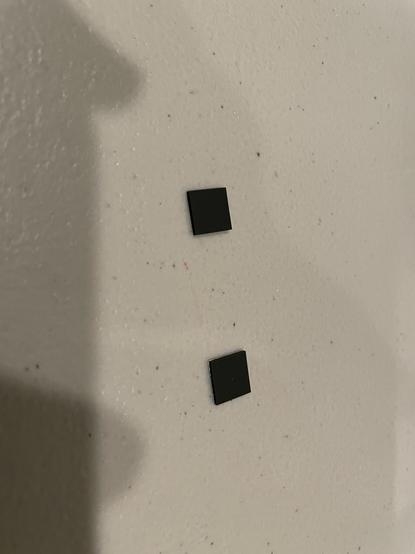
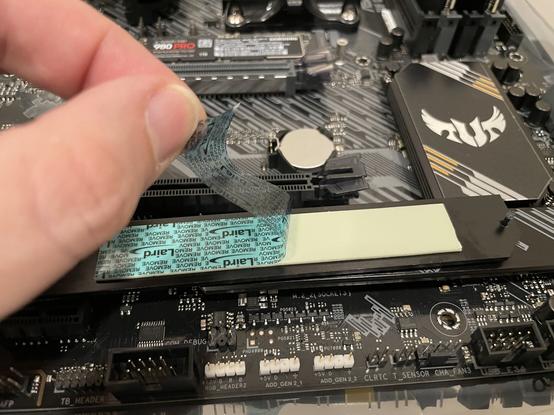
Turns out the previously mentioned “little pads” are for single sided NVME drives to make them fit snugly into the space below the included heat sink. My 980 Pro is single sided so that’s helpful. #PCUpgrade #PCHardware
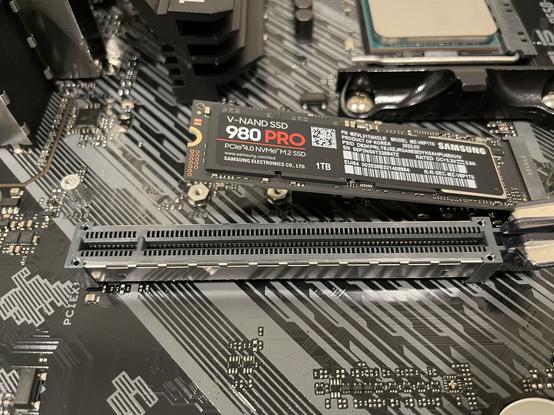
Note: I have been assured by multiple online sources that I don’t need to remove the labels from my SSD before installing the heat sink. I did remember to remove the plastic from the heat sink itself. #PCUpgrade #PCHardware
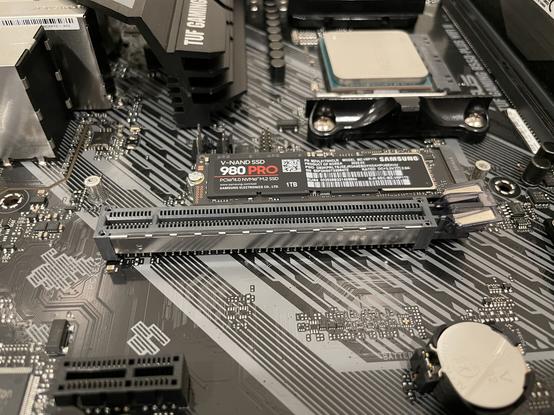
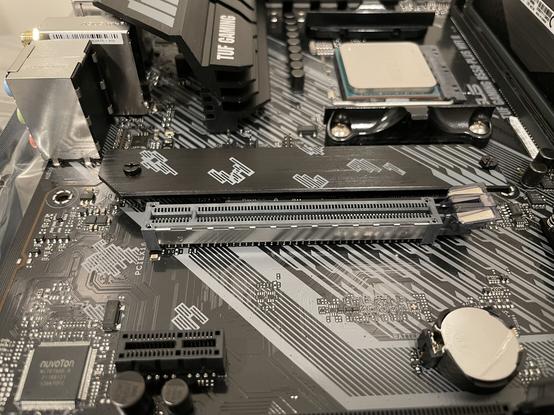
So what’s more exciting than installing an M.2 drive? Doing it again! I’m moving the 970 Evo over as well. This is for two reasons. 1: the new use for the previous board doesn’t need an NVME boot drive. 2: it will make cloning the existing windows install to the 980 Pro much easier. The 970 Evo will become my data drive in the new system. The 970 definitely doesn’t need the heat sink but since it here I might as well use it. #PCUpgrade #PCHardware
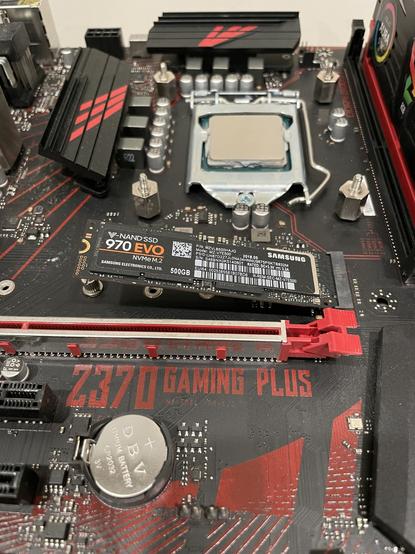
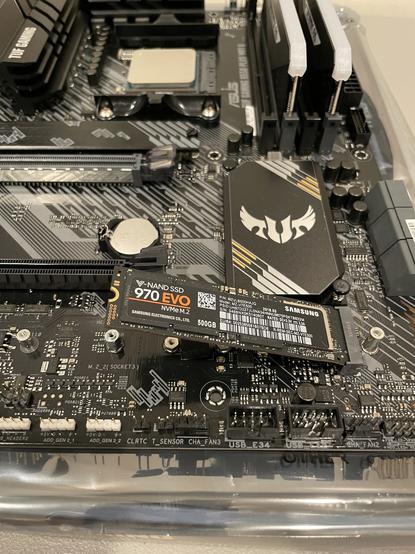
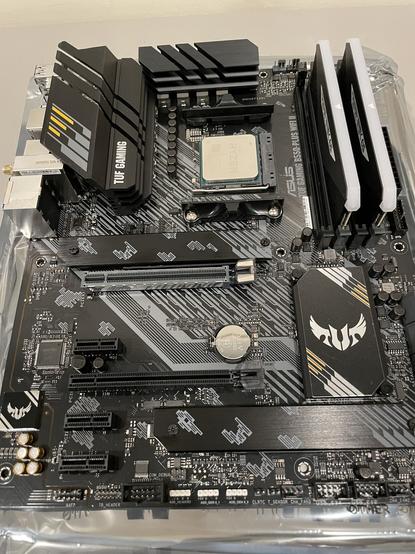
This is the point where, if this was being built by a sane person, they would do a test boot to ensure it’s all working before installing into the case. Unfortunately, as previously mentioned, I don’t want to remove the cooler, power supply, or other cables from the case. So I’m going to have to get it all installed before testing it. Again, don’t ever do this, it is a #BadIdea #PCUpgrade #PCHardware
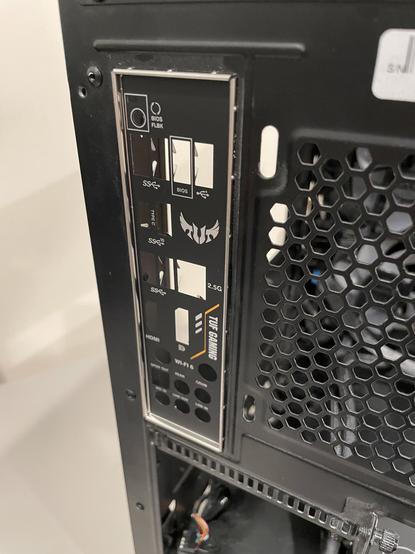
And #Always install the back panel cover first. You will forget, and it will make you cry. #PCUpgrade #PCHardware
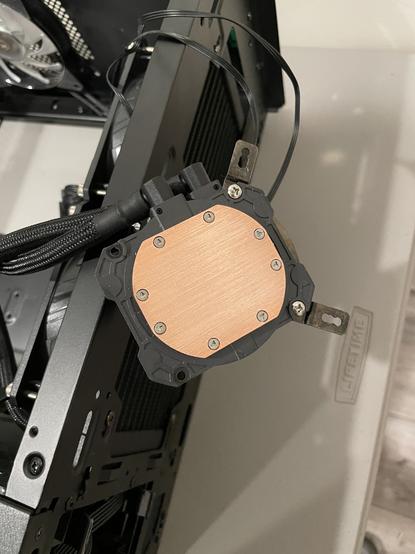
Next is cleaning the copper plate of the AIO cooler and swapping the Intel bracket for the AM4 bracket. How do you clean the existing thermal compound? Isopropyl Alcohol! #PCUpgrade #PCHardware
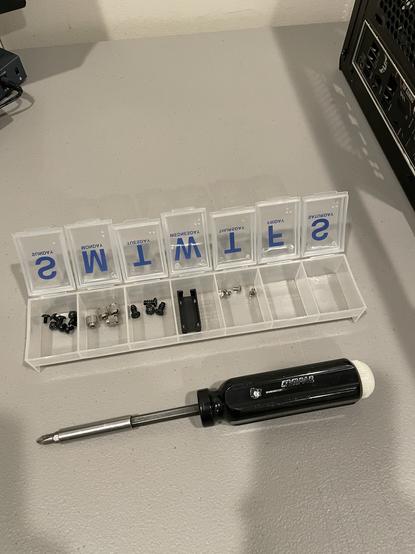
Side note: How do I keep all the screws strait as I remove them? I have a 7 day pill case from the drug store that I use, filling each day in order and the working backward as I reassemble things. Shown here with my vintage #Compaq #screwdriver. #PCUpgrade #PCHardware
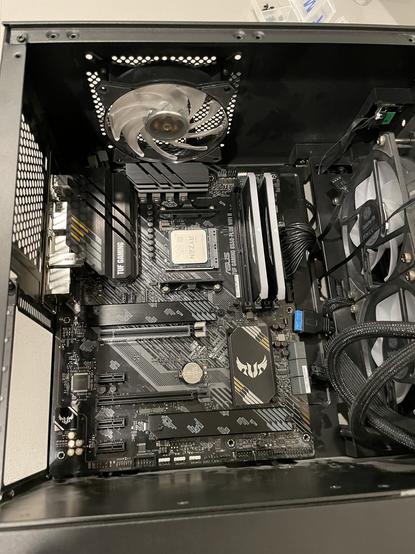
The #MotherBoard is now in, which was somehow the difficult part. Now onto plugging in all the bits. #PCUpgrade #PCHardware
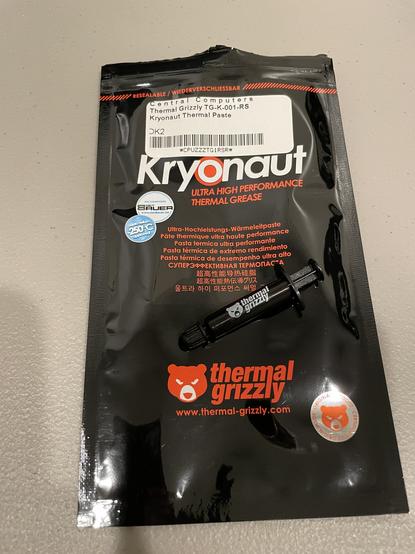
And now the most delicate part of the build process. Applying the thermal paste. A friend who does this much more frequently than I said “Just buy the Kryonaut” So, I did. And he also recommended an X patten for applying it. The is you don’t really know if it’s right till you start measuring thermal performance. #PCUpgrade #PCHardware
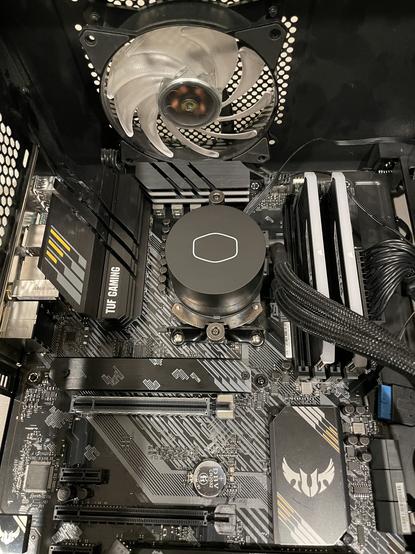
After much referencing to the diagrams in the manual, and finally just downloading it to my laptop so I could zoom in, I have the half dozen other cables attached and the GPU plugged in. Now it’s time for the first test boot. #PCUpgrade #PCHardware
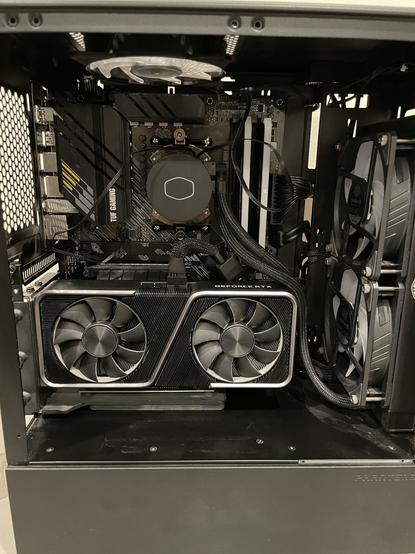
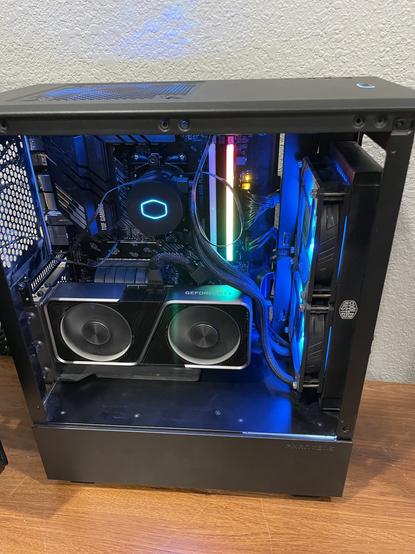
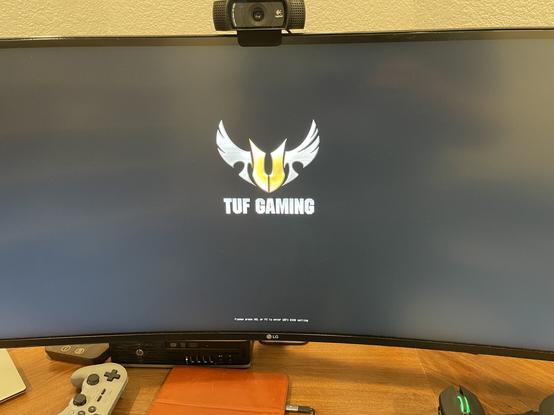
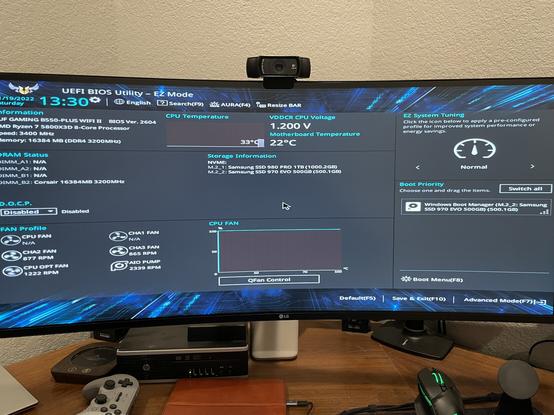
First problem: only one RAM stick appears in BIOS and only one has lights on. Hopefully just not seated well. #PCUpgrade #PCHardware
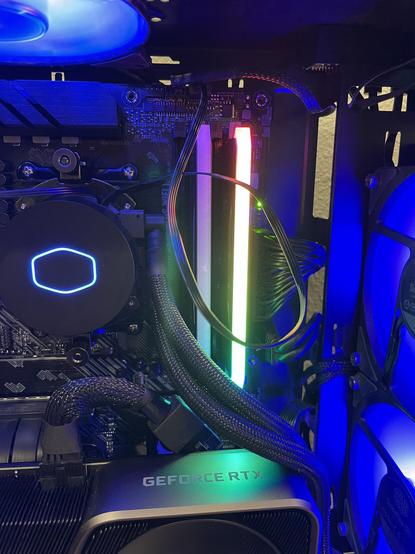
RAM reseated and now both have lights and show up in BIOS! Everything looks functional! #Winning #PCUpgrade #PCHardware
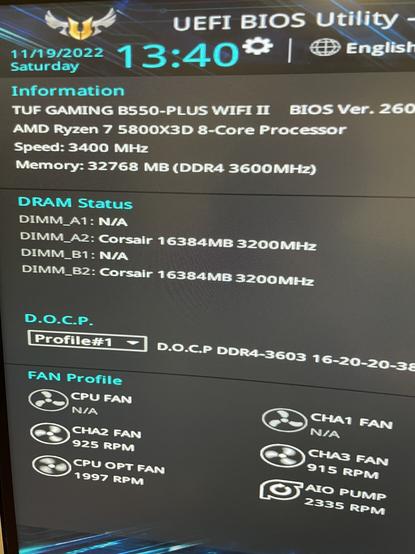
Looks like the bios doesn’t like where I have my fans connected, ie nothing on CPU fan headers, only on case fan headers. I think this is working enough to reroute the fan cables and put in the rest of the screws. #PCUpgrade #PCHardware
Well it’s not looking good for the rerouting of fan cables. I’m going to need to remove and reposition all the fans to make it work. Given that new ARGB fans will be here tomorrow I’m not going to fight with moving them all now. I’m just going to plug the top exhaust fan into the cpu header and let it be ok for tonight. Tomorrow I’ll get it reconfigured properly. #TrickIt #PCUpgrade #PCHardware
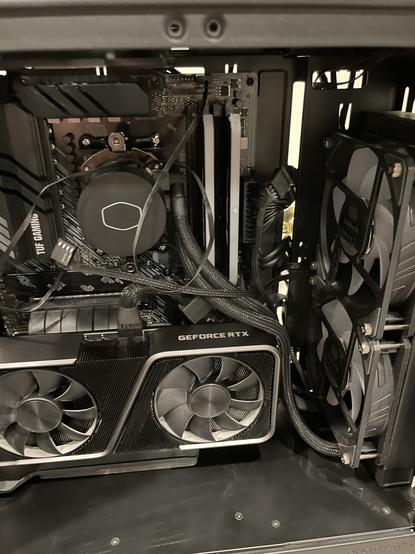
That means there’s no real thermal testing or pushing the CPU tonight. I’m going to focus on getting firmware and windows straitened out and tomorrow I’ll post some details of the fan setup and benchmark results for the new CPU. Good night all thanks for going on this adventure with me! #PCUpgrade #PCHardware

Good morning, it's time for some updates on the #PCUpgrade adventure. Last night I used Macrium Reflect Free to clone my 500 GB 970 Evo to the 980 Pro 1 TB SSD. This was very simple with the boot disk that the software created. It also had a "repair" feature that I had to run to get the 980 to boot properly. I was still having issues booting to #Windows 11 but decided that could wait till the morning. #PCHardware
This morning it was clear that the issues that remained were GPU related. Sometimes the system would boot with no video out. Other times it would have video until windows started loading. I realized that while both the #MotherBoard and 3070 support PCIe 4.0, the riser cable I use to mount my GPU vertically is 3.0 only. 🤦♂️ I was able to set the PCIe slot to 3.0 and was able to boot finally. A new 4.0 riser cable is now on order. #PCUpgrade #PCHardware
The next issue, once booting to #Windows11 successfully, was that both my SATA drives were not being detected by the system. They didn't show in either the BIOS or Windows. This was resolved with a quick power down, unplug and replug of all the SATA cables. This allowed them both to be detected. #PCUpgrade #PCHardware
Then I did the most questionable step so far, I installed #Asus #ArmouryCrate control software. This seems to have gone well but the UI itself is very slow. Then I realized that my Corsair RAM didn't show up as a compatible aRGB device. A quick google search and I learned that I would need to install the #iCUE software in addition to Armory Crate.... This is completely my own fault for not checking this before purchasing but... also not going to happen. #PCUpgrade #PCHardware
I've decided to return the #corsair RAM and pay the 15% restocking fee rather than installing another app just to run #RGB on my memory. I've ordered a set of G.Skill 3600 CL16 2x16 GB that should be here tomorrow along with the now delayed fans. So, it looks like the build will really be ready then and I'll finally be able to get some benchmarks. Good news is CPU temps are about 35c even with the fans not configured correctly. #PCUpgrade #PCHardware
And let me take a minute to sing the praises of this case. The Phanteks Eclipse P300A mesh front case. I have had it for about 2 years, and it has been wonderful to work with. It's small yet flexible. As long as you aren't doing any custom water cooling it's a great solution for a beautiful build. #PCUpgrade #PCHardware

The additional parts finally arrived including the replacement RAM. Time to get this build done and get to some benchmarks. #PCUpgrade #PCHardware

And, of course, Leota always wants to help out. But don’t let her fool you, she is not helpful. #PCUpgrade #PCHardware #TechCats

The new G.skill Trident Z NEO 2x16 GB is DDR4 3600 CL 16 just like the Corsair this it’s replacing but it has better timings (16-19-19-39 vs 16-20-20-38). Also I can see that it’s Dual Rank, ie chips on both sides of the board, which should make it faster and take a better overclock. #PCUpgrade #PCHardware

These fans, all Cooler Master Sickleflow aRGB 3x 120mm and 1x 140mm, are completely superfluous. I have fans and they work just fine. But my previous motherboard didn’t support addressable RGB, and the MSI software was awful, so I kinda missed out on the RGB revolution. And as they say “I like the pretty lights.” #PCUpgrade #PCHardware

Step 1 is to remove the GPU, RAM, and all the existing fans in the case. And then I see how much more there is to clean. At this point I’m regretting the decision to leave the components in and upgrade in place. I’m not going to change at this late stage but it would have been better had I got all the parts in before I started. Also, if you’re just joining the upgrade saga, consider going back to the top of this thread to see the story so far…. #PCUpgrade #PCHardware

One important point when installing the fans on the AIO radiator, you must be careful to not over tighten the mounting screws. You could potentially scree them past the frame of the radiator and into the fins or inner chamber which would be disastrous. #SafeScrewing #PCUpgrade #PCHardware

Sometimes you have to make a mess to clean up a mess. Rewiring all the fan and RGB cables is a pain but it’ll be much cleaner when it’s done than it was before. #CableMess #PCUpgrade #PCHardware

Ostensively one of the biggest upgrades of the system is the move from PCIe gen 3 to gen 4. Unfortunately every part of that bus must support gen 4, including this flat cable on my vertical mount riser. The previous one didn’t, and that caused some issues. This one does! #GoFaster #PCUpgrade #PCHardware
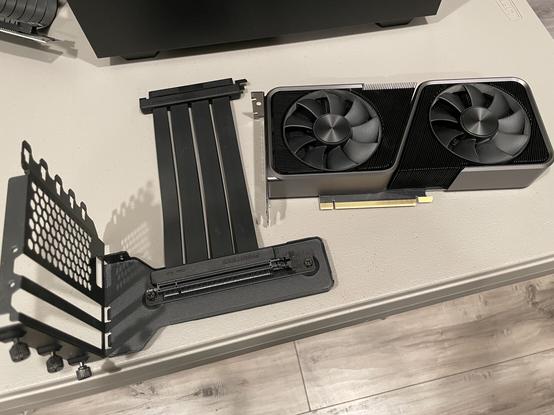
With the GPU and RAM reinstalled we’re ready for a test boot. I’m going to wait to make sure all the fans and lights work before I do the cable management in the back. #NotThatCrazy #PCUpgrade #PCHardware

And on initial boot we have RAM and GPU recognized. One fan is not spinning, but all of the fans have RGB working. This is why we test. #PCUpgrade #PCHardware

Fortunately the Fan header has just come unplugged when I was installing the GPU riser. Everything is spinning and running quiet. I hadn’t thought about how much quieter new fans would be. Did some basic cable management in the back and got the case sides on. Now I’m going to run some initial benchmarks but it’s late enough that the tweaking and overclocking will have to wait for after work tomorrow. #PCUpgrade #PCHardware

Initial run of #Timespy 1.2 got a respectable 14124. My highest pre-upgrade score was 13121. Adding a thousand points just upgrading the CPU and Memory shows that the upgrade was needed and will easily be worth it. That's it for tonight. #Benchmarking #PCUpgrade #PCHardware

For those waiting for the thrilling conclusion of my PC Upgrade saga, here we go. I finally received the final cable, a replacement power cable from the PSU PCIe to the #nvidia 12 pin on the #RTX3070 founders edition. This let me finish cleaning up the rear panel cables (the ones nobody sees). They certainly look better than it started. #PCUpgrade #PCHardware

 Baskethammer
@canyonr So fresh and so clean clean.