 Zarton, Helpdesk
Ok, going to 🧵 some getting started on Mastodon stuff for my own sake...
So far, the absolute #1 place to start is this single (but lengthy) page:

/Apps/
There are many ways to consume Mastodon.
So far, I've tried to the 'official' Mastodon app, Tusky, SubwayToot, and via browser (mobile).
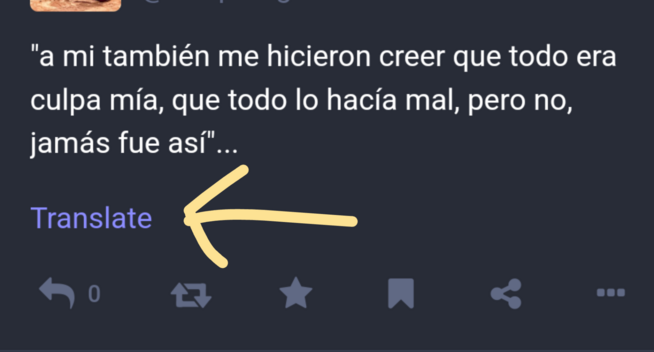
Atm, by far the best is browser. It's the only way to access certain features, like edit post...and the only option with translation.
About translation...
So far, the only option I've seen is to use Mastodon in your browser...
BUT...
I believe it matters which server/instance you're on. For example, I get a translate option on mastodon.social but not on ohai.social
 Vint Prox
@zarton and that may be because versions differ or that other instance wasn't configured with some sort of API key for translation service. If translation was accessed individually by browsers instead of having server do this, that'd be great.
@vint actually, i hadn't even tried turning on translate in the browser (chrome) 😂. Works ok. Auto-translates the timeline fairly well...doesn't always do it but in those cases it worked when opening the post.