 Kelsey Hightower
I see some of y'all doing blue checks over here. What's that all about?
 [old] stefan 🙌
@kelseyhightower just an custom server emoji. Some people can't let go of the idea that it makes them important 😂😂😂
 Ben Ramsey
@stefanhayden @kelseyhightower Some folks just like to have a bit of fun because they know it’s meaningless over here.
@ramsey @kelseyhightower true. I don't want to scoff at fun times.
 Fernando
 George Dinwiddie
@thefern @ramsey @stefanhayden @kelseyhightower The police department gave me mine! Oh, wait, that was my police badge. 🤣
 bitkeks
@ramsey @stefanhayden @kelseyhightower that!
The real blue check on Mastodon is the green verified website check 
 Renaud S
@stefanhayden @kelseyhightower
I think it’s mostly used by folks that want to dissociate themselves from the bot accounts that replicate their Twitter timelines. Personally it helps a ton to follow the correct account as I’m rebuilding my follow list!
I think it’s mostly used by folks that want to dissociate themselves from the bot accounts that replicate their Twitter timelines. Personally it helps a ton to follow the correct account as I’m rebuilding my follow list!
 Paul
Paul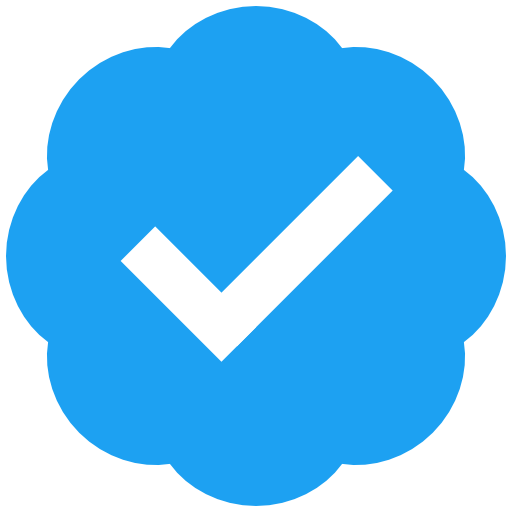 in your profile
 zerkms
@paul I copy-pasted your checkmark, where do I pay the $8 now?
 Luke Chadwick
@kelseyhightower it's an emoji, and a custom one that only some instances support. Not if I remember correctly mastodon.social
 Ryan Smith
@kelseyhightower I consider it a mark of irony. What’s $8/mo on Twitter is just an emoji here.
 Rich Lafferty 🐀
@kelseyhightower i'm ratified
 Michael Roufa
@kelseyhightower I think it's a bit of a cheeky joke, anyone can add it to their name. Verification (such as it is) comes from adding a link back to your profile from some other website you have control over, then saving that location in your profile. If people trust your site identity already then they can trust you are the same person.
 Tom Barber Mars Data Engineer
@kelseyhightower nothing. You can verify yourself against a website though which is the Mastadon equivalent
 Frost「
 |霜の狼|人面獣心」🐺❄️
@kelseyhightower Poking fun. :3 It's just an emoji! 
 Dave Swersky
@kelseyhightower Bogus, though there are ways to add verified links using a domain you own
 Elahn Danee
@kelseyhightower It’s fun to verify yourself 🙂
@ElahnDaneeCodes I love the energy and saving $8.
 ₵ⱧⱤł₴ ⱤØ₥₱ NZ6F 🇺🇦💪🏻🇬🇱❤️
 Nathan
 Romain
 @kelseyhightower you can use https://emojos.in to check what custom emotes are available on a given instance... 🤓
 Julia
Julia@Romain @kelseyhightower It would be cool if you could use any instance’s emotes. Something like: :mastodon.example/reblog_ok:.
@julia @kelseyhightower there's reasons to curate locally. For example -- I don't want to see Pepe the frog on an instance I'm on and that might be cause for instaban of the domain of origin... 🤷🏻♂️
@Romain @kelseyhightower That’s a good point.
 Nelson Menezes 🇪🇺 💙💛
Nelson Menezes 🇪🇺 💙💛 (@[email protected])
Just found out; you can see the custom emojis supported by your instance over at https://emojos.in/ :verified:
 Sean Morrison
@kelseyhightower It’s just for the fun of it.
 Goofrider
@kelseyhightower mostly as a joke, but also a way to denote yourself as the "real" account (as there are bots on here repost tweets from prominent ppl)
 Cees-Jan Kiewiet
@kelseyhightower Well that is the fun part of #Mastodon, it lets you add custom emoji so you can be 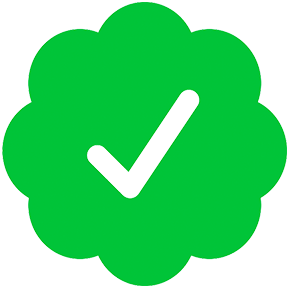 or
or  or
or 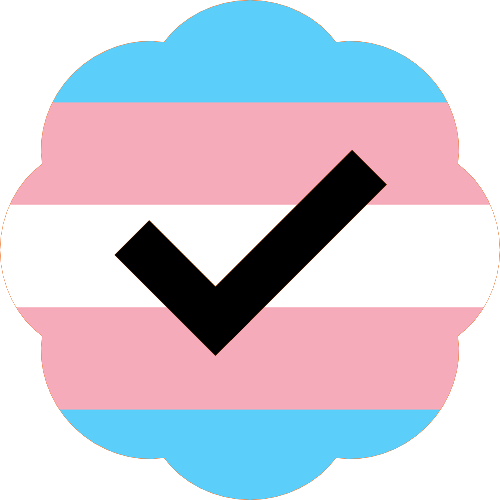 or maybe even
or or or maybe even  Micheal
@kelseyhightower you can "verify" your mastodon account on your profile with rel link on your personal webpage and/or signing it with you GPG key using Keyoxide.
https://fedi.tips/how-to-use-mastodon-and-the-fediverse-advanced-tips/

 Rupert 'fildon' McKay
It's just parody. It doesn't have any special meaning here.
 Jytte DK
@kelseyhightower To make fun of Musk's $8 stunt.
 aikithoughts
@kelseyhightower I prefer rice Chex, personally.
…aaaand I’ll see myself out.
…aaaand I’ll see myself out.
@aikithoughts I can't even give you the 😂 for that one. I'mma hit you with the 😅 instead.
@kelseyhightower I mean, that’s fair. More than fair, actually!
 andr3
andr3 
@kelseyhightower the only checks that matter here are the green ones. 😉
https://docs.joinmastodon.org/user/profile/#verification
The blue are just tongue in cheek jokes. The quicker we learn that, the quicker we find the accounts on https://brands.town/directory funny as hell. 😆
 Marcelo Elizeche Landó
@kelseyhightower I prefer blue unchecks (?)
 Claire Giordano ✨
@kelseyhightower One thing I like here on Mastodon is that we can all self-verify and that shows up in our Profile. It helps ppl to quickly assess "is this really THE <person you want to follow> or an impersonator?
A few days ago I verified from my GitHub user profile just by adding my Mastodon link as my website. (Thx to @asw)
In your case I think I figured out it's really you because you put your Mastodon account in your Twitter bio....
 Aaron W | ☕️
@clairegiordano @kelseyhightower I thought the blue check thing was something a specific server might have been doing. I much prefer Mastodon's approach to verification. Reminds me of Keybase. Twitter could have done something like this (and/or integrated with 3P options) ages ago.