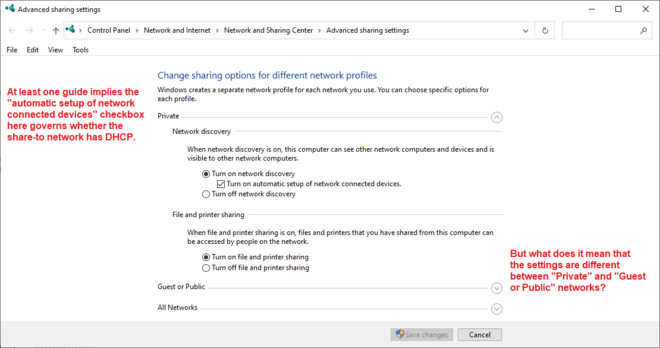
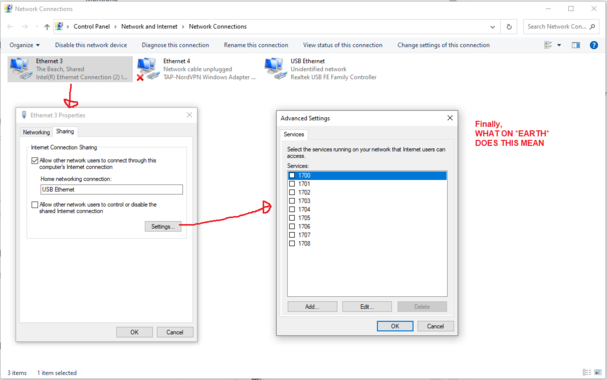
I have a Windows 10 machine with two Ethernet interfaces. For Important Reasons I want to share internet from interface A to interface B. I cannot figure out how to do this. There are multiple control panels governing this, showing non-overlapping sets of information. There are multiple guides on the Internet, some of which I have followed the steps in to no avail.

What I'd love is a list somewhere of what's being shared from, what's being shared to, and on which connections DHCP is active.
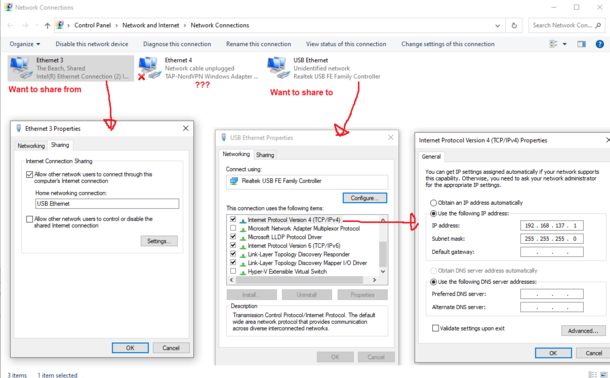
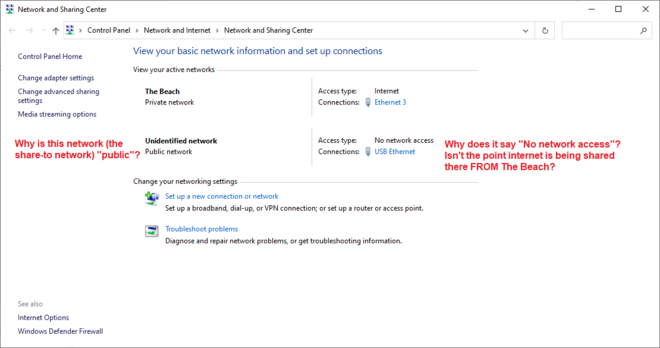
My network topology is
[Windows 10 machine] -> usb ethernet adapter -> crossover cable -> usb ethernet adapter -> test mac [will later be replaced with an important internet appliance]. On the test mac, DHCP doesn't seem to work [I'd prefer DHCP if it were an option] so I've manually assigned the test mac IP 192.168.137.2 and given 192.168.137.1 as gateway. It claims the LAN is active on the test mac, but apps cannot route to the Internet.

I do not know how to proceed.

Update: I realized I actually have a bit of an A-B problem here since what I'm REALLY trying to do is share my NordVPN connection to the Ethernet adapter. I then found there's a guide for this on NordVPN's site!

https://support.nordvpn.com/Connectivity/Windows/1047409882/Sharing-a-VPN-connection-through-an-Ethernet-cable.htm

I followed the instructions and it doesn't work.

UPDATE: I HAVE DISCOVERED THE PROBLEM. AS ANYONE WHO HAS USED A COMPUTER BEFORE WILL BE ENTIRELY UNSURPRISED TO LEARN, THE PROBLEM WAS A BAD FUCKING ETHERNET CABLE
I bought this ethernet cable off Amazon specifically to use for this purpose. I was like damn I better make sure I have a crossover cable. Surprisingly, the usb adapters talk to each other fine with a normal, non-crossover cable? Afraid this won't be the case with the internet appliance that I am *really* intending to hook up once I verify connection works with the mac.
@mcc You shouldn't (!) need a cross-over cable even with an appliance, as long as at least one side is gigabit ethernet. Gigabit adapters *must* have Auto-MDI/MDI-X.