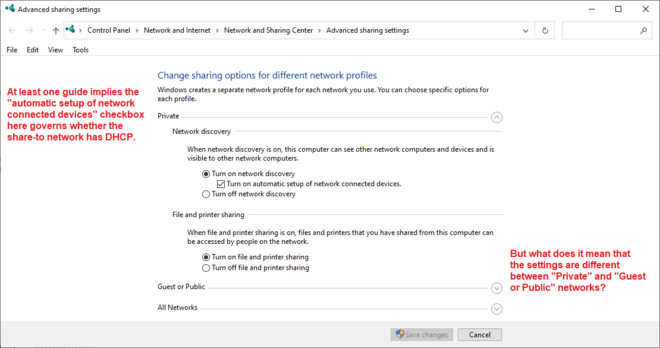
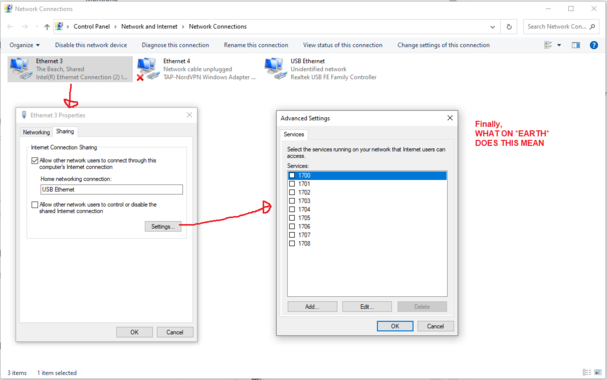
I have a Windows 10 machine with two Ethernet interfaces. For Important Reasons I want to share internet from interface A to interface B. I cannot figure out how to do this. There are multiple control panels governing this, showing non-overlapping sets of information. There are multiple guides on the Internet, some of which I have followed the steps in to no avail.

What I'd love is a list somewhere of what's being shared from, what's being shared to, and on which connections DHCP is active.
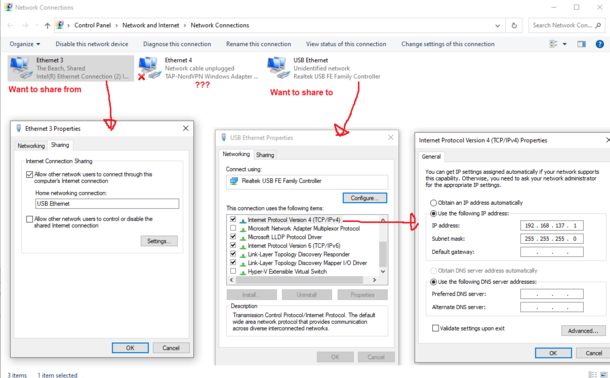
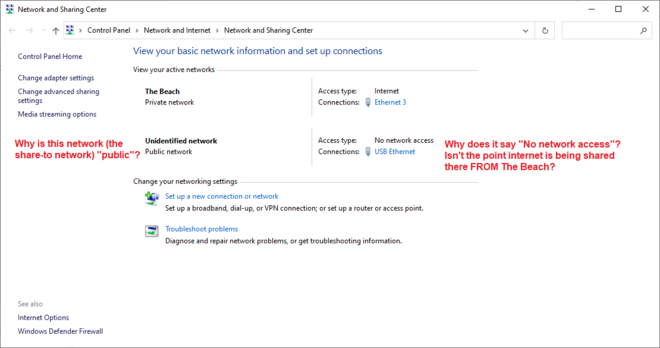
My network topology is
[Windows 10 machine] -> usb ethernet adapter -> crossover cable -> usb ethernet adapter -> test mac [will later be replaced with an important internet appliance]. On the test mac, DHCP doesn't seem to work [I'd prefer DHCP if it were an option] so I've manually assigned the test mac IP 192.168.137.2 and given 192.168.137.1 as gateway. It claims the LAN is active on the test mac, but apps cannot route to the Internet.

I do not know how to proceed.

@mcc Do the blinkenlights on both ends of the connector blink? If you ping from .2 to .1? The other way? The "no connection" implies to me the physical layer isnt working. That should operate without network sharing enabled at all. Try different cables? (Most modern Ethernet devices autoswitch and dont need a specific "loopback" cable). Once you can ping each way, then look at network sharing.

@hendric Huh, okay, wow.

So I replaced the crossover cable with a "normal" cable and instantly the mac worked, including DHCP.

That's terrifying! However I'm not sure if it will work with the internet appliance, which is Weird. I guess I'll test...

Thanks for the help.