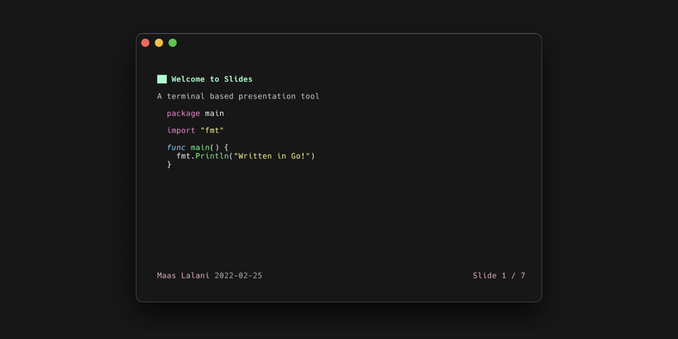
Sweeet, a Terminal based presentation tool, supporting markdown-formatted slides:

https://github.com/maaslalani/slides

😍

GitHub - maaslalani/slides: Terminal based presentation tool

Terminal based presentation tool. Contribute to maaslalani/slides development by creating an account on GitHub.

GitHub
@fribbledom "Shut up and take my money". Thanks for sharing!
@fribbledom Nice! I think I will try the tool it is inspired by because I prefer Python to Go: https://github.com/d0c-s4vage/lookatme
GitHub - d0c-s4vage/lookatme: An interactive, terminal-based markdown presenter

An interactive, terminal-based markdown presenter. Contribute to d0c-s4vage/lookatme development by creating an account on GitHub.

GitHub
@fribbledom Nice. Nevertheless, I'm still using AsciiDoc over Markdown. But that's still a nice one, yeah.
@fribbledom Looks really nice


Still, Beamer's better :P
@fribbledom
I've used presentty to give talks before. https://pypi.org/project/presentty/
presentty

Console-based presentation system

@fribbledom reminds me of #cryptpad .
@grin @fribbledom We based our slide editor on tslide: https://github.com/tslide/tslide
GitHub - tslide/tslide: Terminal SlideDeck, supporting markdown.

Terminal SlideDeck, supporting markdown. Contribute to tslide/tslide development by creating an account on GitHub.

GitHub

@fribbledom I made one in GHCI configuration that showed slides and then executed them:

https://github.com/manpages/nix-fer-talk

I should lib it.
manpages/nix-fer-talk

Talk about building and packaging Haskell projects - manpages/nix-fer-talk

@fribbledom Nice! I like https://github.com/visit1985/mdp too, especially since you can "pause" between items on a slide.
GitHub - visit1985/mdp: A command-line based markdown presentation tool.

A command-line based markdown presentation tool. Contribute to visit1985/mdp development by creating an account on GitHub.

GitHub
GitHub - visit1985/mdp: A command-line based markdown presentation tool.

A command-line based markdown presentation tool. Contribute to visit1985/mdp development by creating an account on GitHub.

GitHub
@fribbledom Delighted. Thank you for sharing.