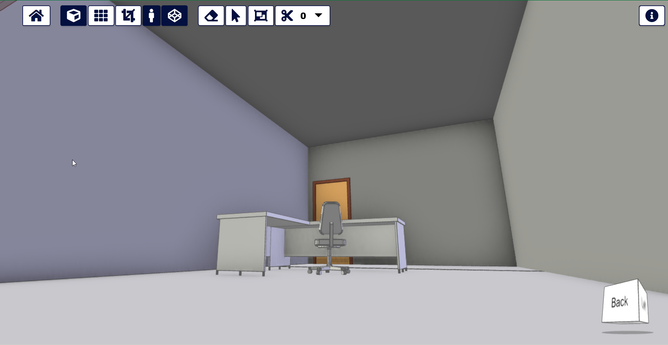
A particularly useful feature in #xeokit 2.4: automatic model splitting. Our tools divide a large IFC file into a set of smaller XKT files. The viewer then seamlessly loads the set of XKT files into the browser. This approach enables us to handle massive BIM models without memory overload or crashes.
Learn more in the tutorial: https://lnkd.in/eks4uYPW
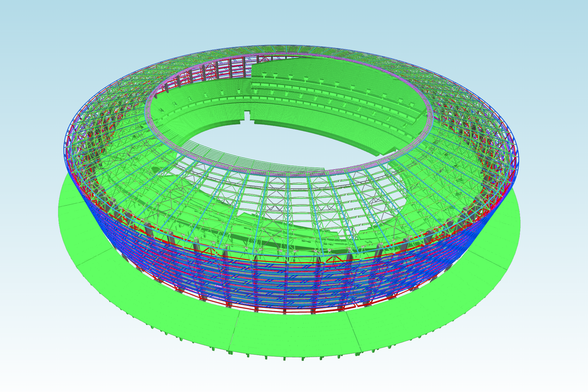
Another useful feature in #xeokit 2.4: using "data textures" to store models in viewer memory. This technique allows us to squeeze a lot more geometry into GPU memory, at the cost of a only few bytes per triangle for some models.
Learn more in the guide: https://lnkd.in/ezi369YS
When making distance and angle measurements in #xeokit 2.4 and its bundled BIMViewer application, the mouse pointer will now automatically snap to the nearest vertex or edge, making it easier to position the pointer accurately enough to make precise measurements. We use an innovative new technique that works smoothly with even our largest BIM models.
Learn more in the tutorial: https://lnkd.in/eVN4fvjw
Finally got the picking/snapping events wired up right for the #xeokit measurement tools.
The challenge was how to re-use picking/snapping results across all the bits of xeokit that consume them (camera navigation, measurement, slicing..), reusing the results wherever possible, to avoid redundantly re-doing any picking/snapping. That is, without having mutually-exclusive modes for the tools, ie. where you could be slicing, measuring and navigating all at the same time. 😅
On the home stretch now for the next #xeokit SDK beta release with all the essential tests running AOK.
One big doozie task remaining: reorganize the live examples by topic, with alias links.
But in the meantime - check out some sweet pointer snapping demos, designed to make measuring your buildings way easier. This uses pure GPU - ie. no nearest-neighbour searches that choke on on zillions of objects.
Playing around with the #xeokit #bim viewer. Funny features. The slicing tool does not work very exactly. But pretty nice for a web based viewer. Are there better (free) ones?
you can test it in this demo:
https://xeokit.github.io/xeokit-bim-viewer/app/index.html?projectId=OTCConferenceCenter&tab=storeys
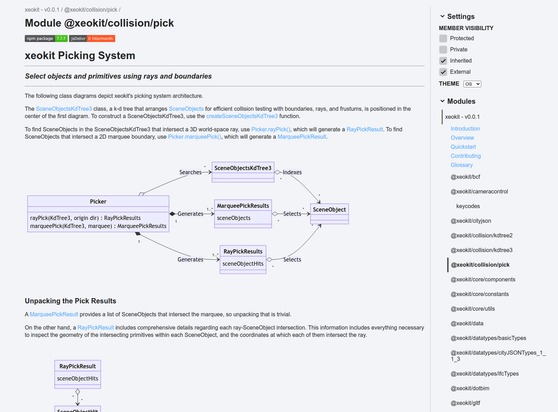
WIP on #xeokit's 3D picking system: https://xeokit.github.io/sdk/docs/modules/_xeokit_pick.html
Fun feature: collision/picking works "headless" on model representations without needing a Viewer. This means we can use the collision system for model analysis, in scripts etc.