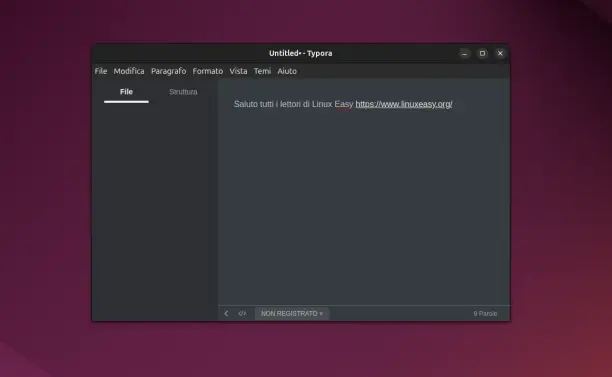
@kc ich kann #typora empfehlen: https://typora.io/

Kann man (wenig) für zahlen, muss man aber nicht, kein AI Bullshit, kann direkt als #markdown exportiert werden und gibt verschiedene Themes 😊

Typora — simple yet powerful Markdown reader.

Pour l’écriture de texte sans distraction, avec un accès aux fichiers multi plate-forme (iOS, macOS, Linux, Windows…), je viens de me rendre compte que je pouvais mixer l’utilisation de #iaWriter sur iPhone et #typora sur Mac (et PC).

Cela me permettrait de sortir de l’abonnement d’Ulysses… top !

https://ia.net/writer

https://typora.io/

iA Writer: The Benchmark of Markdown Writing Apps

Plain text. Total focus. The Industry standard Markdown text editor. Available for Mac, iPhone, iPad, Android, and Windows. Download it now, try it for free

iA

狗东西(闪电)爬到桌子上踩我的键盘,我今天在写的的博客《被闪电咬伤去打破伤风+狂犬疫苗记录(下)》被搞得一团糟了,我只好Ctrl Z、Ctrl Z......

过了两个小时(和他玩了一个小时,加上今天打了三针疫苗,累没我半条命,然后闪电在我脚下睡了一个小时)我发现typora内的的文字不对,感觉少了一部分,但是Ctrl Z已经不能再撤回操作了。

赶忙到VSCode Ctrl Z、Ctrl Z.....这下恢复原文了,还好同时开着两个编辑器。

#狗狗 #日常 #博客 #vscode #typora

Mein bevorzugter Markdown-Editor ist Typora aus einer Reihe von Gründen.

Der PDF-Export liefert damit sehr gute Ergebnisse:

#markdown #editor #typora #pdf

📝 Blogging My Way: Typora + Git + Cloudflare + Micro.blog

Blogging My Way: Typora + Git + Cloudflare + Micro.blog
This post serves two purposes. First, it marks the inaugural entry
🥳 on my new blogging system.
I'm using Typora
✍️ to write and save my posts

https://mitchelltribe.com/2025/07/05/blogging-my-way-typora-git/

#Sharkey #blogging #typora
Blogging My Way: Typora + Git + Cloudflare + Micro.blog

Blogging My Way: Typora + Git + Cloudflare + Micro.blog This …

funny we can have a numbered list in #Typora but no number show in #nextcloud.

I did not know you can do auto image uploads in #typora. Such a brilliant #markdown editor. 😎 I'm going to have to dive into it more. Been using it for years and didn't know any of this. 😅

https://jonsully.net/blog/automatic-image-upload-buttondown-typora

Automatic Image Upload With Buttondown + Typora | Jon Sully

Easy Cloud-Image Support in Typora

Jon Sully

Utilicé Typora —editor de texto en Markdown— durante el tiempo que estuvo en beta. He utilizado otras aplicaciones como Marktext (desde 2022 sin actualizaciones), pero ninguna ha estado al nivel de Typora.

Ahora que, por fin, he puesto en marcha mi blog personal, quiero darle un poco de cariño. ¿Cómo? Volcando, poco a poco, los borradores en nuevas entradas del blog.

Quiero definir un flujo de trabajo con el que me sienta cómodo, pueda enfocarme en escribir y evite distracciones. Utilizo VS Code para programar, pero no me gusta como editor de texto.

Creo que es buena oportunidad de volver a Typora. Está disponible tanto para Linux, Windows y MacOS. No tiene suscripciones, es una aplicación de un único pago.

Todo esto viene inspirado por la lectura de esta entrada de blog... https://jonsully.net/blog/i-really-enjoy-typora

#herramienta #typora #blogging #markdown #focus

I Really, Really Enjoy Typora | Jon Sully

Ruminating on the joys of a fantastic writing companion

Jon Sully

#typora 导出pdf强制分页

强制分页符
在文档上需要分页的位置插入分页html代码`<div style="page-break-after: always;"></div>` 。

Typora for Notes — by Physics Nerd Graeme - Podfeet Podcasts

Last week Physics Nerd Graeme told us how he’ll be doing a mini-series on the tools he uses to make his Physics Shorts videos. This is part two of that mini-series. I made the decision to write my notes for my Physics Shorts videos using Markdown so that they are in a simple format that […]

Podfeet Podcasts