Jarville-la-Malgrange: Introduction à la récupération de données, Le vendredi 24 avril 2026 de 20h30 à 23h30. https://www.agendadulibre.org/events/34960 #mirabellug #ddrescure #introduction #stockage #testdisk
Introduction à la récupération de données

Introduction à là récupération de données avec ddrescue et testdisk. Une première partie consistera à faire quelques rappels théoriques indispensables à l’utilisation de ces outils, notamment comment identifier les différents supports de stockages sans se tromper et sur l’importance de travailler

Introduction à la récupération de données

24 avril 2026, 20:30:00 UTC+02:00 - GMT+02:00 - Le Plan B, 51 rue de la République, Jarville-la-Malgrange, Grand Est, France

https://keskonfai.fr/events/6817300b-ecd4-4260-925d-95b6bc167510

Intro à la récupération de données avec #ddrescue et #testdisk le 24 avril 2026

https://mirabellug.org/introduction-a-la-recuperation-de-donnees/

Introduction à la récupération de données

Le thème de la prochaine réunion, le 24 avril 2026 [1], sera une introduction à la récupération de données avec les outils libres ddrescue et testdisk.Une première partie consistera à faire quelques rappels théoriques indispensables à l'utilisation de ces outils, notamment comment identifier les différents supports de stockages sans se tromper et sur l’importance de travailler sur une image du support de stockage au lieu du support physique réel.Une seconde partie consistera à […]

https://mirabellug.org/introduction-a-la-recuperation-de-donnees/

Introduction à la récupération de données | Mirabellug

Faudrai que je prépare une prez courte suivie d'un atelier et/ou démo #ddrescue #testdisk et #photorec pour le LUG un jour… La forme exacte reste à déterminer.

Mais en ce qui me concerne, au même titre que de faire des sauvegardes, savoir récupérer des données depuis un FS corrompu ou un support sur le point de lâcher devrait être considérée comme une « compétence numérique » de base bien plus utile que faire de la merde avec des LLM, du vomi dans word ou enseigner « le codage » (bullshit)…

Fun stuff: During operation, one HDD in a 4-disk #btrfs raid1 setup completely lost its gpt partition info. After unmounting, I tried to fix it with #testdisk but it found several unknown partitions and the whole disk seemed unfixable. But then I recreated the partition with #fdisk and ... could luksOpen the partition and mounted the btrfs raid1 without problems :)

Very disappointed with my cheap NVMe enclosures

My son was able to show me how a kid can burn a decent office laptop by playing at Roblox... 🤦‍♂️

The problem then was to recover the data (no backup) so I used a NVMe-to-USB-C adapter I bought in the past, but when I connected it to my laptop it was showing me the disk as eMMC, showed me a weird partitions scheme. Since it was my first time dealing with a USB-C enclosure, I decided to buy another one, this time NVMe-to-USB-3, but still recognized as an eMMC with the same weird partition table.

Therefore I assumed the drive was corrupted and I spent hours and hours with #testdisk trying to recover the disk structures but unsuccessfully.

Eventually I realized my crapbook had an NVMe slot and I decided to give it a shot. When I plugged the drive and booted the laptop I was able to get all the correct NVMe partitions, #Windows and #Debian #Linux.

WTF... Those enclosures revealed to be totally unreliable, I don't know why the they must lie to the system and let them being recognized as a differente kind of drive (eMMC). That sucked, it prevented to recover the data! I couldn't plug my drive to browse it as any other regular USB enclosure.

I guess if I format and use as external drive is just fine, but totally useless to recover data from an existent partition scheme. I don't know if this is the standard for using NVMe drives from an external enclosure; did you experience the same too?

🤷‍♂️

Gut, dass es #TestDisk gibt: Jemand überschrieb versehentlich eine Partitionstabelle (GPT). Darauf befand sich nur eine #LUKS2-Partition. Mit #TestDisk ließ sich das zum Glück regeln.

Aber ganz trivial war es dann doch nicht: TestDisk erkennt nur die Minimalgröße von LUKS-Partitionen und stellt diese wieder her und kennt nicht das tatsächliche Ende. Und entschlüsseln ließ sich das Ding auch nicht: "Invalid argument" nach korrekter Angabe des Schlüssels.

Stellt sich raus: Die Partitionsgröße muss ein Vielfaches der Sektorgröße (hier 4096) sein, sonst geht da gar nix. Also auf die nächstgrößere Partitionsgröße mit parted erweitert und dann gings.  

#Linux #Encryption #LUKS

[SOLVED] Failed to decrypt LUKS2 encrypted disk after resizing / Newbie Corner / Arch Linux Forums

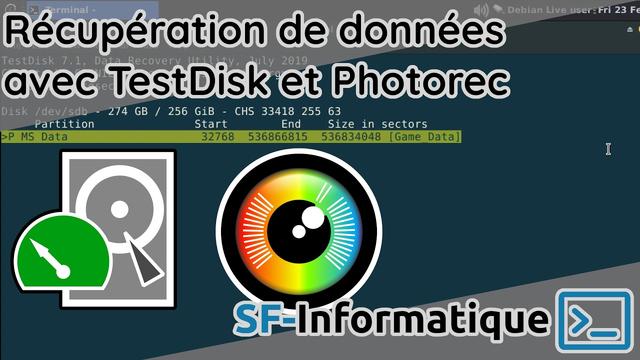
Récupérer ses données perdues avec TestDisk & Photorec

https://tube.lacaveatonton.ovh/w/nhkKoPfnGDPrTbTsjkjBC4

Récupérer ses données perdues avec TestDisk & Photorec

PeerTube
Récupération de données perdues avec TestDisk, Photorec & DDRescue

YouTube