We built Lunatics around the Blender Internal renderer, which was removed along with the game engine when they went to v2.8. Switching rendering engines would be too big an ask, so we just stuck with 2.79 (for now).

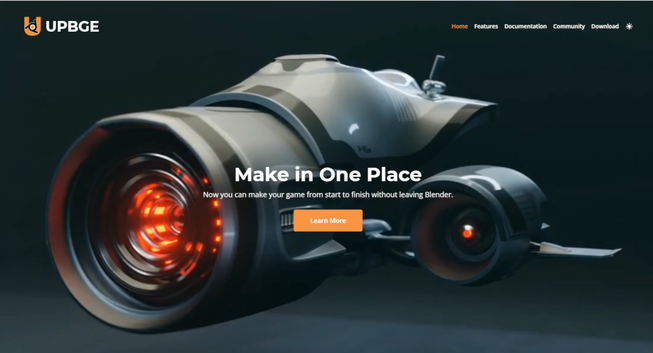
There IS a fork of the program, called "UPBGE" that incorporates both BI and the Game Engine (also removed with 2.8).

Later Blender includes the "Eevee" renderer, which I understand was based on the previous "viewport renderer" (that's also when "annotations" became separate from "grease pencil").

And the "Cycles" renderer, which is meant to be more photorealistic was retained.

But they junked "Blender Internal". I understand it had a lot of "technical debt". And the Blender Game Engine I think was considered to be out of scope and not competitive with other game engines, so they dropped that.

There are also 3rd party renderers. I haven't tried them, myself, but I hear good things about them from time to time.

One of particular interest to me is "BEER" the "Blender Extended Expressive Renderer" which is explicitly designed for NPR3D work, and it's successor (I think), called "Malt".

I might give those a go before long. Maybe next year.

It occurs to me to wonder if UPBGE or some other package of BI can be used for rendering from later versions of Blender? 🤔

UPBGE:
https://upbge.org

BNPR - BEER & MALT:
https://github.com/bnpr

#Blender3D #NPR3D

UPBGE

A game-engine fully integrated in Blender

UPBGE

Hiromi Lerner was a musician and a medical student. Now she's a paramedic and a nutritionist for a Moon Colony.

And a Mom, as we see in the pilot episode of "Lunatics!"

Re-rendered to (I hope) loop properly, and with simple text wartermark.

#LunaticsProject #OpenMovie #Blender3D #NPR3D

lunatics.tv

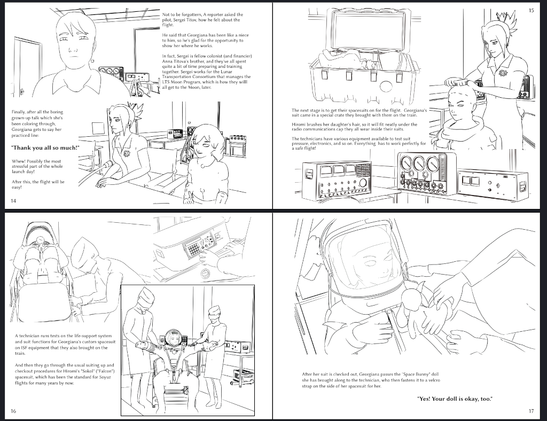
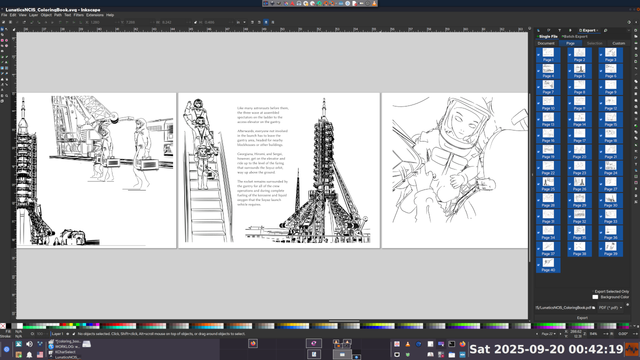
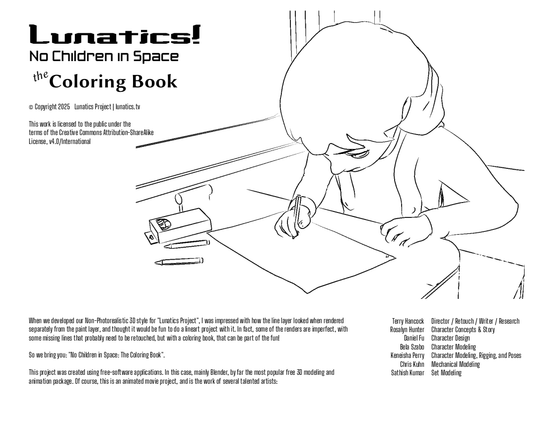
Well, I've got a draft. It's somewhere between a storybook, a comic, and a coloring book.

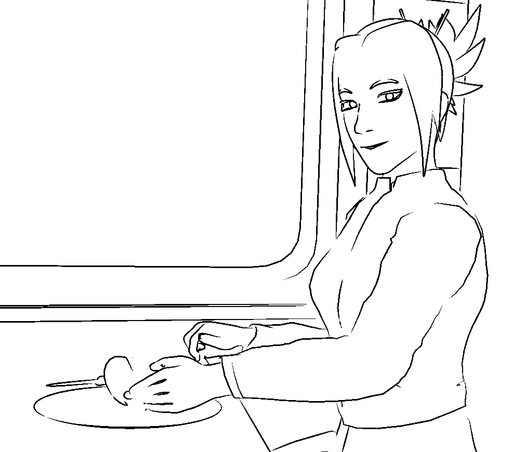
There are line-drawings, which are rendered with Blender Freestyle. Illustrating the story, alongside a very simplified text narrative, with a few line quotations.

Total length is 44 pages (22 sheets, front and back). Letter-size in landscape orientation.

Here's a preview from the PDF, with 4 page (2 2-page spreads) shown. I laid a lot of it out to take advantage of facing pages.
#Blender3D #FreeStyle #NPR3D #LineArt #art # #ColoringBook
One thing I do wonder about is when I would hit a practical limit.

With Scribus, when I was using it in 2009, it really couldn't handle projects above about 30 pages. The computer would become unreasonably slow, and the latency would destroy any productivity.

So when I typeset my book then, I actually did it one chapter at a time, and then zipped the chapters together with command line PDF tools to create the PDF I sent to the printer (which was Lulu).

Of course, I imagine things have improved in the last 14 years, but I haven't actually checked.

I wonder if Inkscape will run into some kind of wall like that?

I do see that exporting to PDF is getting fairly slow at 40 pages, but not to the point where it's a problem.
#Blender3D #FreeStyle #NPR3D #LineArt #art # #ColoringBook
I think this would be a pretty good way to make a graphic novel.

Panels should be particularly easy to set up in Inkscape, and with clipping boundaries and layering, you can do overlapping, full-bleed, and other stylistic options easily (provided your printer can handle it, of course).

Printing companies will often ask for cutting marks to do full-blled artwork (that is, the PDF pages you submit are oversize, with marks to indicate where the paper should be trimmed).
#Blender3D #FreeStyle #NPR3D #LineArt #art # #ColoringBook
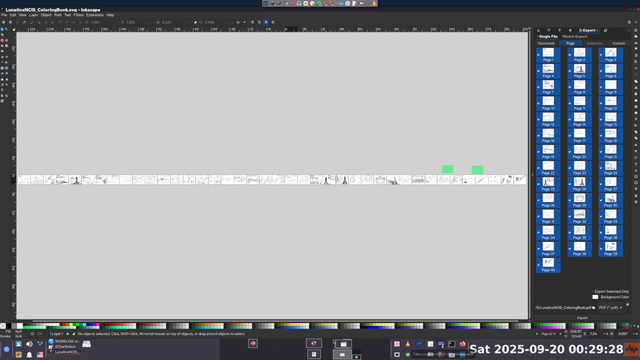
This is certainly the largest book I've laid out in Inkscape, using the new multipage features introduced into recent versions by @doctormo . Currently at 40 pages!

I have to say that it is working very well on a technical level.

I do think a cool option might be to lay these out in more of a grid than in a single long line of pages, to make better use of the canvas space when zoomed out to get an overview of the project.

Also, I haven't found a really good way to set up guides that apply to every page, for setting consistent margins. I tried just using a grid sized to match the pages, but I'd have to include the gutter space between pages to make it stay aligned. Not sure where I can even find what that size is.

In Scribus, you can set up a prototype page that is a base for each new page, and if you put margins and guides on that page, they show up everywhere. Maybe something similar would be good in Inkscape?

It's going to work nicely for this project, though. I'm almost done. Probably won't be over 48 pages when finished.
#Blender3D #FreeStyle #NPR3D #LineArt #art # #ColoringBook
Well, I think this may actually work.

I guess this was destined to happen, since I had nice shots of Gerogiana coloring already.
#Blender3D #FreeStyle #NPR3D #LineArt #art
Of course, I could retouch them all, and probably will if I use them for a bigger publication project. But for this one, time/effort constraints mean either no retouching or drop the project. #Blender3D #FreeStyle #NPR3D #LineArt #art
I'm going to a little zine fair at the end of the month with my daughter, so I had this idea that I might create a "coloring book" with ink-only renders from the Lunatics episode.

I've always thought these looked cool, but I have to admit that, as stand-alone, unedited line art, they are a bit minimal. Not every line gets marked -- there's some stuff that relies on the "Paint" layer to work.

It definitely evokes the picture, but there's a lot of lines missing you'd normally draw as an ink artist.

Not sure how well this is going to work, but I guess we'll see...
#Blender3D #FreeStyle #NPR3D #LineArt #art
Ugh! Some days are just hard.

I've been trying to focus on refactoring a dramatic scene, which involves untangling a lot of linked objects, and I just hate focusing on it. ADHD and animation are a toxic combination, I think.

I'm on day 3 of this 1-day project...
#Blender3D # #NPR3D