How to Import Your Favorites and Passwords from a File in Microsoft Edge

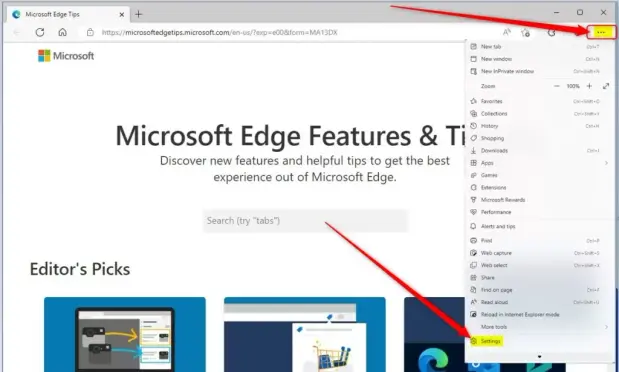
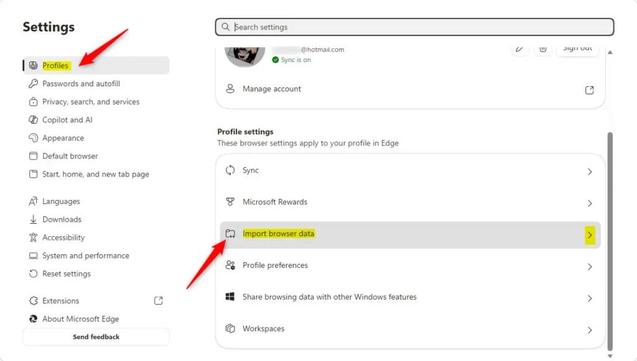
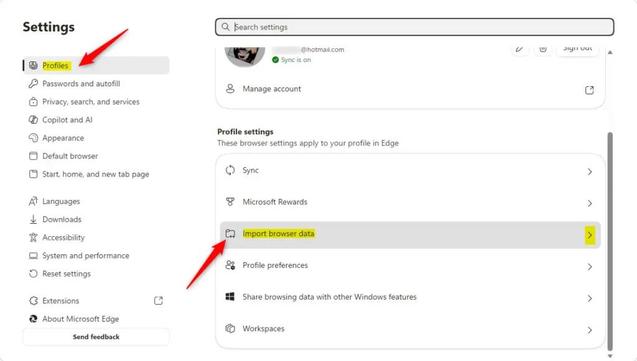
So, you want to try Microsoft Edge, or maybe you just want all your online stuff in one place. That's a great idea! Moving your saved websites (called favorites or bookmarks) and your passwords to Edge is easy. You don't need to be a computer expert. We'll guide you through it. Think of it like moving your digital belongings! Importing Your Favorites and Passwords from a File Sometimes, the best way to move your important digital items is to put them into a file. This is super helpful if […]

https://geekrewind.com/how-to-import-your-favorites-and-passwords-from-a-file-in-microsoft-edge/

How to import your favorites and passwords in Microsoft Edge from other browsers

So, you want to try Microsoft Edge? Great! Maybe you're looking for something new or heard about Edge's cool features. You're probably wondering how to move your favorite websites and saved passwords. Don't worry, it's easy! Edge can bring them over from other browsers like Chrome or even older ones. We'll show you how, step-by-step. Moving Your Digital Stuff Think of this like packing a suitcase for a move. You have your favorite clothes (websites) and important papers (passwords) from […]

https://geekrewind.com/how-to-import-your-favorites-and-passwords-in-microsoft-edge-from-other-browsers/

How to Enable or Disable Favorites bar in Microsoft Edge

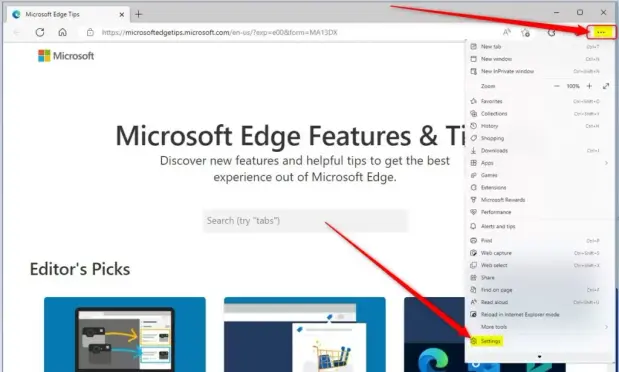
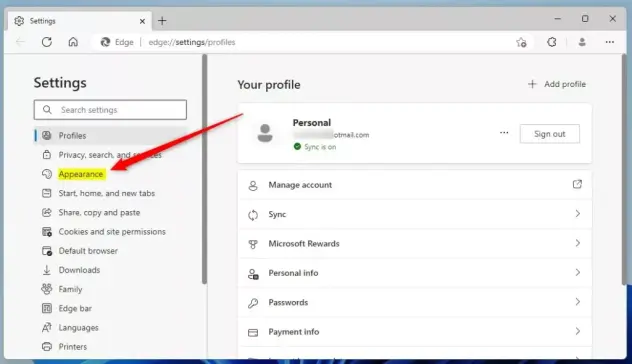
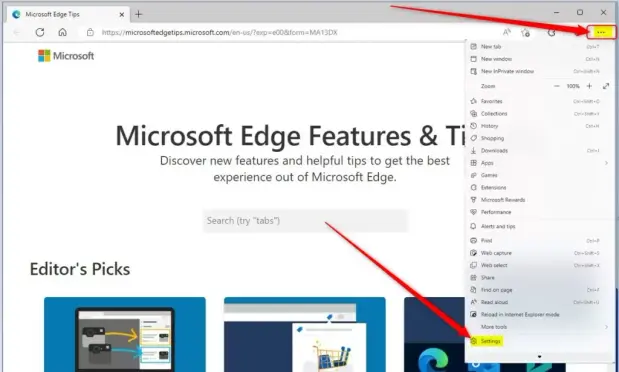
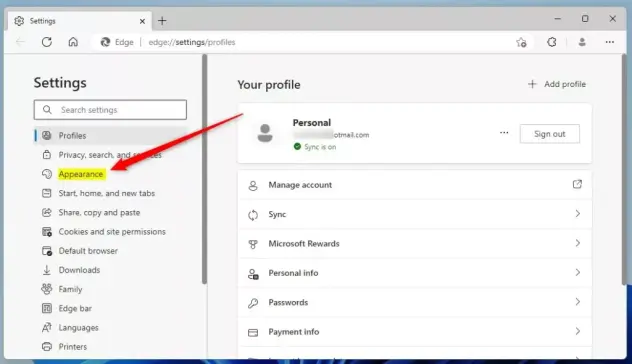
You enable or disable the Favorites bar in Microsoft Edge by adjusting a setting within the browser's Appearance menu. The Favorites bar, also known as the bookmarks bar, lets you quickly access your most-visited websites directly from the top of your browser window. You can choose to have it always visible, hidden completely, or displayed only on new tabs. This tutorial shows you exactly how to find and change this setting within Microsoft Edge, typically accessed via the "Settings and […]

https://geekrewind.com/how-to-enable-or-disable-favorites-bar-in-microsoft-edge/

How to Perform a Hard Page Refresh in Microsoft Edge on Windows 11

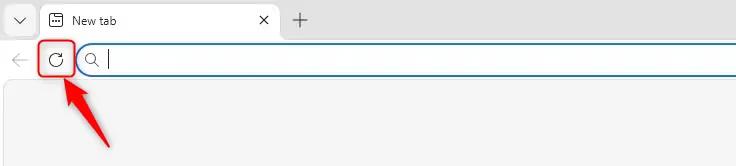
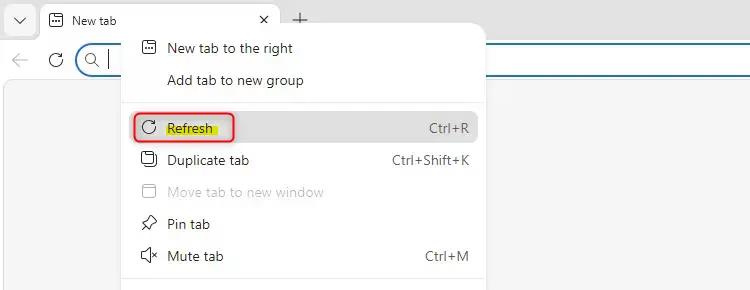
You perform a hard page refresh in Microsoft Edge on Windows 11 to force the browser to download the latest version of a webpage directly from the server, ignoring cached files. A hard refresh is different from a normal refresh. While a normal refresh may use saved copies of files from your computer to load a page faster, a hard refresh ensures you are seeing the most up-to-date content. This action is crucial when a standard refresh, like pressing F5 or Ctrl+R, doesn't resolve issues like […]

https://geekrewind.com/how-to-perform-a-hard-page-refresh-in-microsoft-edge-on-windows-11/

How to Turn on Internet Explorer Mode in Microsoft Edge

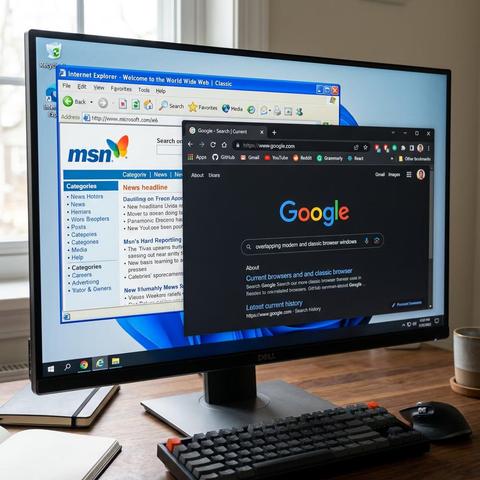
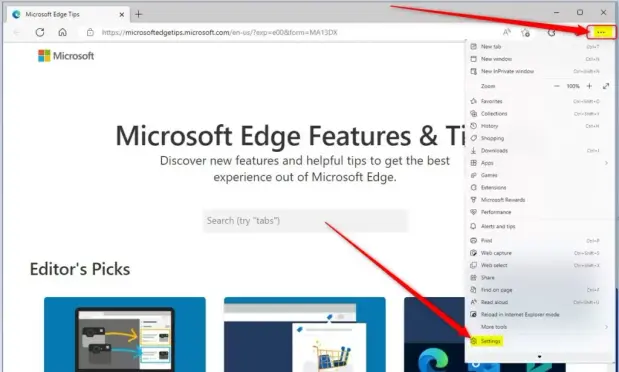
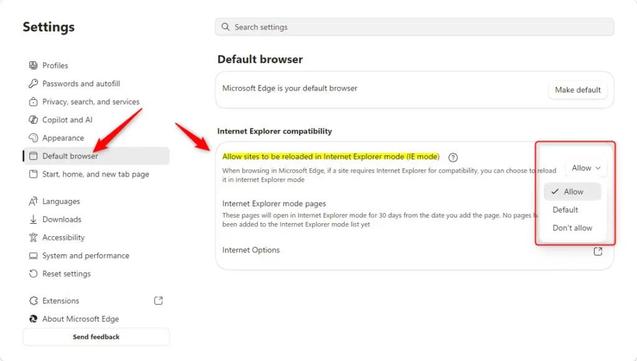
Remember Internet Explorer? It was the main web browser for a long time. Some older websites or company tools were built just for it. Now that Internet Explorer is gone, you might have trouble using these old resources. Good news! Microsoft Edge has a feature called Internet Explorer mode. This lets you open certain websites in Edge, but they will work like they did in the old IE browser. It's like a time machine for your browsing! Let's learn how to turn it on and use it so you can access […]

https://geekrewind.com/how-to-turn-on-internet-explorer-mode-in-microsoft-edge/

How to Get the latest Microsoft Edge update in Windows 11

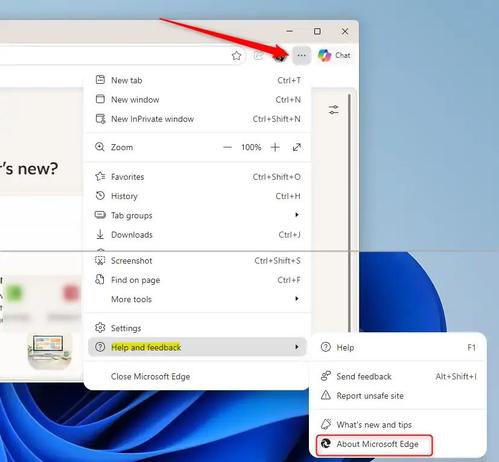
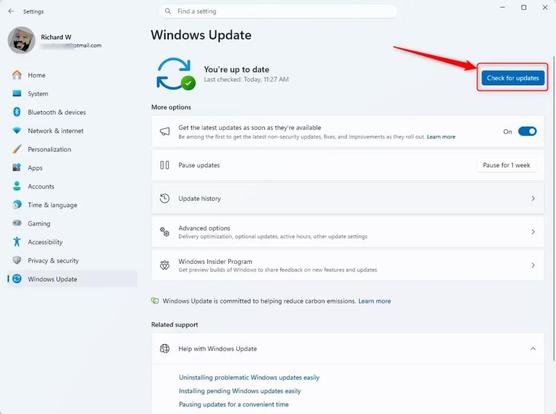
You get the latest Microsoft Edge update in Windows 11 by checking for updates directly within the browser itself. Microsoft Edge is a web browser developed by Microsoft that is built on the Chromium open-source project. Keeping it updated ensures you have the latest security patches and performance improvements. Edge usually updates automatically, but you can force a manual check in seconds. This ensures you're running the most current version, which is crucial for security and a smooth […]

https://geekrewind.com/how-to-get-the-latest-microsoft-edge-update-in-windows-11/

How to Create a New Profile in Microsoft Edge

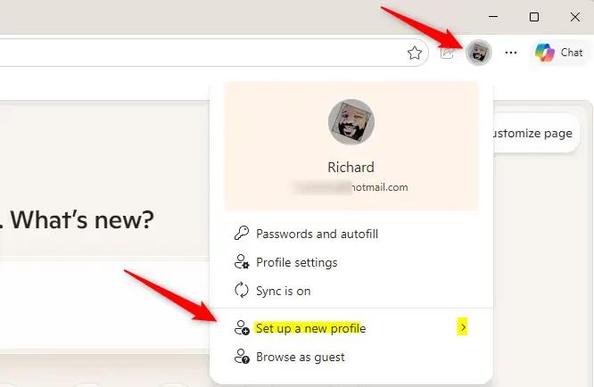
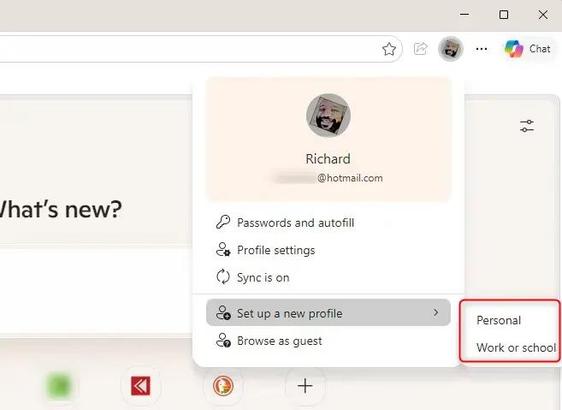
Do you ever feel like your browser bookmarks are a mess? Maybe you accidentally close important tabs. Or perhaps your work links are all mixed up with your personal ones. If you share your computer or just like things neat, Microsoft Edge has a great feature: profiles! Think of profiles like separate "rooms" inside your browser. Each room has its own bookmarks, history, and settings. You can have one room for work and another for personal stuff. Let's learn how to make a new room to keep your […]

https://geekrewind.com/how-to-create-a-new-profile-in-microsoft-edge/

How to Make Text Bigger in Microsoft Edge!

Do you ever find yourself squinting at your computer screen? It can be frustrating when website text is too small to read easily. Maybe your eyes need a little extra help, or perhaps the website just uses tiny letters. The good news is, making text bigger in Microsoft Edge is very simple. You don't need to be a computer expert. Let's learn how to do it! Why Make Text Bigger? Why would you want to make text bigger? It's all about making your browsing experience more comfortable and easier on […]

https://geekrewind.com/how-to-make-text-bigger-in-microsoft-edge/

Operation XENOFISCAL: SideCopy deploying persistent XenoRAT targeting the MoF, Afghanistan

SideCopy APT, a Pakistan-linked threat group under the Transparent Tribe umbrella, executed a targeted spear phishing campaign against Afghanistan's Ministry of Finance and provincial revenue directorates. The attack begins with a Pashto-language LNK file disguised as a staff directory document, which executes mshta.exe to fetch remote HTA payloads from compromised Afghan education infrastructure. The multi-stage chain deploys obfuscated JavaScript, establishes registry-based persistence mimicking Microsoft Edge, and ultimately delivers XenoRAT 1.8.7 beaconing to bulletproof Bulgarian hosting. The campaign demonstrates precise knowledge of target administrative context, using Dari and Pashto decoy documents listing provincial finance officials with direct contact information. Infrastructure analysis reveals deliberate staging within Afghan government IP space and C2 infrastructure overlapping with previous SideCopy operations.

Pulse ID: 6a196f2fd88de848b913e4da
Pulse Link: https://otx.alienvault.com/pulse/6a196f2fd88de848b913e4da
Pulse Author: AlienVault
Created: 2026-05-29 10:49:19

Be advised, this data is unverified and should be considered preliminary. Always do further verification.

#Afghanistan #Bulgaria #CyberSecurity #Edge #Education #Government #InfoSec #Java #JavaScript #LNK #Microsoft #MicrosoftEdge #Mimic #OTX #OpenThreatExchange #Pakistan #Phishing #RAT #SideCopy #SpearPhishing #TransparentTribe #bot #AlienVault

LevelBlue - Open Threat Exchange

Learn about the latest cyber threats. Research, collaborate, and share threat intelligence in real time. Protect yourself and the community against today's emerging threats.

LevelBlue Open Threat Exchange