Google Cloud権限借用でローカル開発の認証問題を解決
https://qiita.com/yuji0809/items/16287ca0559dda3f6f7b?utm_campaign=popular_items&utm_medium=feed&utm_source=popular_items

TIL there's a bash oneliner for grabbing the latest GCP errors and displaying them in your terminal. Superhandy for quickly debugging stuff without clicking around in Google cloud console!
```bash
gcloud logging read "resource.labels.service_name=my_production_service AND severity>=ERROR" --freshness=1d
```
Unfortunately, #gcloud CLI does not have native support for multiple profiles when it comes to programmatic access to the #GoogleCloud API.
As in, you can't say
aws s3 ls --profile dev-eu my-bucket
If you stick with the default behavior, you will be forced to login to Application Default Login (ADC) every single time.
That's annoying AF.
That's why I created a small Shell #script to address this shortage.
https://gist.github.com/meysam81/5434245473479037d682eb2a12cf0cce
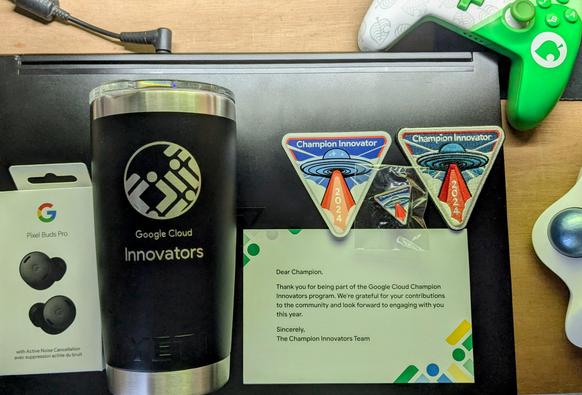
Grateful for the opportunity to be part of the community of Google Cloud Champion Innovators. 🙏
Having access to early versions and provide feedback is amazing. 🤘
Thank you very much for the swag. Loving it and so does the family. 🥰
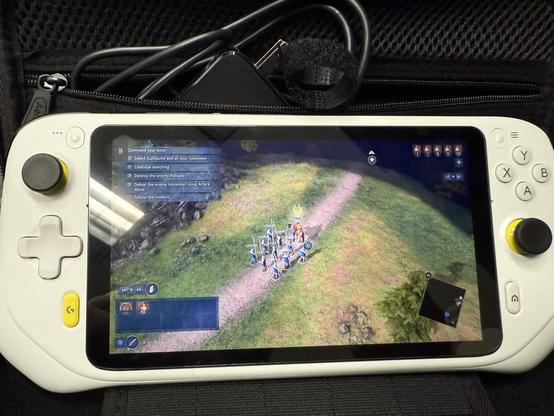
OMG, I didn’t know about this tablet mode until now!
https://support.logi.com/hc/en-us/articles/9015187579671-Switch-between-Handheld-and-Tablet-mode
#Logitech #GCloud #Android #gaming #GamingTablet #tech #gadgets