 NERDS.xyz – Real Tech News for Real Nerds [Unofficial]
Acer invests in Plugable
https://fed.brid.gy/r/https://nerds.xyz/2026/04/acer-plugable/

Acer invests in Plugable
https://fed.brid.gy/r/https://nerds.xyz/2026/04/acer-plugable/
Gibt es #empfehlungen zu USB c #dockingstations?
Es soll ein Lenovo thinkpad t495 via USB c mit 60W geladen werden. Ansonsten wären wichtig:
- 2 hdmi Ports (ab fullhd)
- mind. 3 USB-A Ports
- sollte unter #linux funktionieren
Optional:
- usb-c Port zum laden eines Smartphones PD
Went down a rabbit hole today researching how to connect some #sas #hard #drives to the #laptop I have been using for testing drives.
Seems you are #SOL #shitOutaLuck with this approach. Any #USB3 #dockingStations
out there are hit & miss regarding read/access/wiping SAS drives.
Looks as I'll need to build a #workstation for this - perhaps updating my #forensic_workstation for SAS drives, or getting some drive sleds & connecting to the workstation.
#lazyweb - please tell me other approaches I may have missed, other than physical destruction. I believe in reuse, not the throw away consumer approach. #TUVM
#computers #oldcomputers #servers #harddrives #harddrive #forensics #digitalforensics #driveWiping #vintagecomputer #vintagecomputers #computerHardware
🆕 𝗔 𝗧𝗨𝗫𝗘𝗗𝗢 𝗿𝗮𝗿𝗲𝗹𝘆 𝗰𝗼𝗺𝗲𝘀 𝗮𝗹𝗼𝗻𝗲 - 𝗵𝗼𝘄 𝗮𝗯𝗼𝘂𝘁 𝘀𝗼𝗺𝗲 𝗮𝗰𝗰𝗲𝘀𝘀𝗼𝗶𝗿𝗲𝘀? 🆕
You can never have enough #accessories - for #traveling 🌍 , for your home office 🏠 or for further #education 👨🎓 👩🎓 . In addition to our #TUXEDOs, we also offer expert literature, adapters, #dockingstations and #power
supply units - just take a look at our webshop!
👉 https://www.tuxedocomputers.com/en/Linux-Hardware/Zubehoer-USB-Co.tuxedo

11-in-1 Expansion: Equipped with a 100W max USB4 upstream port, 2 USB-C ports (10 Gbps, 30W), 4 USB-A ports, an Ethernet port, an HDMI 2.0 port, and 2 DisplayPorts. Powered by the Latest USB4 Technology: With an upstream bandwidth of 40 Gbps, you can simultaneously display media to a single monitor in 8K and transfer files at up to 10 Gbps. All-in-One Charging: Keep your laptop powered up with 100W max charging via the USB-C upstream port, and charge your other devices at up to 30W via the 2 USB-C ports. Triple Media Display: Use the HDMI port and the 2 DisplayPorts to connect 3 monitors to your laptop and display in resolutions of up to 4K@30Hz. What You Get: Anker 568 USB-C Docking Station (11-in-1, USB4), 3.28 ft (1 m) USB4 cable, welcome guide, 18-month warranty, and friendly customer service.
“Böse Zungen behaupten, die Hersteller der aktuellen Notebooks würden ihren Flachmännern nur deshalb so wenige Anschlüsse spendieren, damit sie den willigen Kund:innen ihre sündhaft teuren #Dockingstations verkaufen könnten” DigiSaurier - Da ist was dran
https://www.digisaurier.de/praxis-wie-nuetzlich-sind-usb-hubs-und-dockingstations-wirklich/
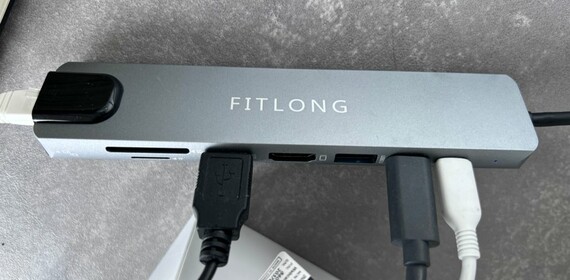
Mein Hub derzeit:

Böse Zungen behaupten, die Hersteller der aktuellen Notebooks würden ihren Flachmännern nur deshalb so wenige Anschlüsse spendieren, damit sie den willigen Kund:innen ihre sündhaft teuren Dockingstations verkaufen könnten. So kostet das schlichte Surface Dock 2 mit einem Display- und einem Audioausgang, einer Ethernet-Buchse und sechs USB-Anschlüsse, das als Netzteil dient, offiziell schlappe 300 Euro; im … Praxis: Wie nützlich sind USB-Hubs und Dockingstations wirklich? weiterlesen →
 nac
nac IrishMASMS
 TUXEDO
 zerok
zerok DigitalNaiv = Stefan Pfeiffer