Aptivi
Samsung App Showcase: Collection – More Settings
Earlier, we’ve showcased the leaked Collection app that came from the Chinese Galaxy phones in our earlier article. Now, this article is the continuation of the discovery of this app, but we’ve discovered more screens than before.
Survey notice
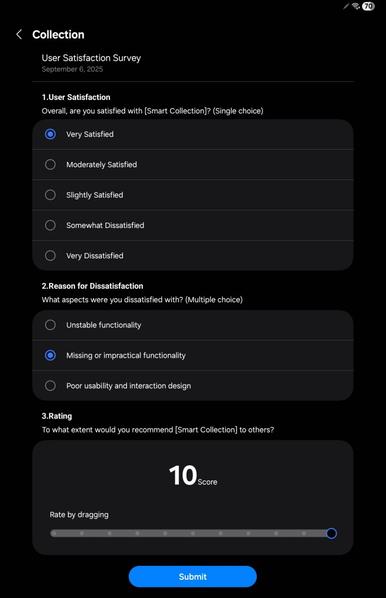
First of all, Samsung has sent a notice a few days ago to make us review our experience with the Collection app. This was the survey:
This survey asked three questions:
- User Satisfaction: The survey asked how satisfied was the user during the usage of Collection.
- Reason for Dissatisfaction: At least one reason as to how Collection can be improved.
- Rating: In the scale from 0 to 10, to what extent does the user recommend to family and friends?
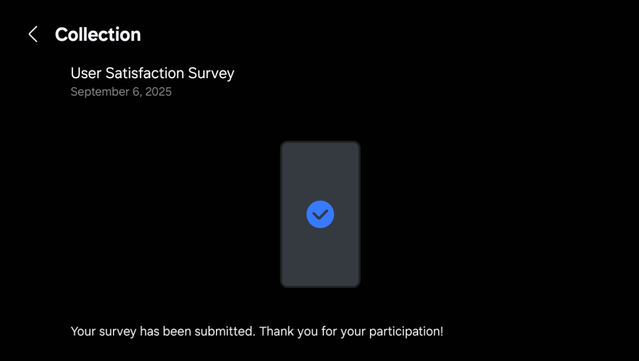
Once we clicked Submit, we got this page:
Intelligent Drag-n-Drop Settings
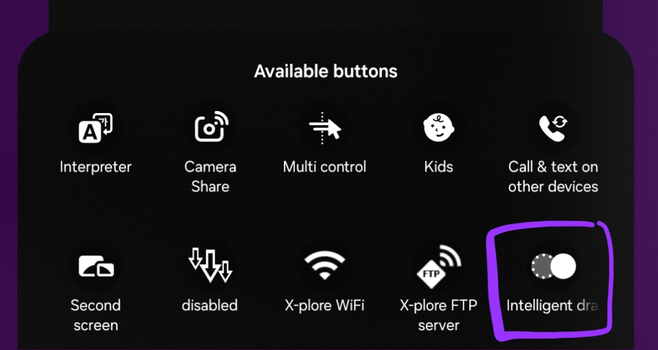
As for the second feature we’ve discovered when listing the new Quick Action buttons to add, we’ve discovered a quick switch toggle for the Intelligent Drag and Drop (that doesn’t work on One UI 7 and 6).
Adding this button will result in a quick switch toggle that allows you to quickly turn this feature on and off. It’s turned on by default. It’s simple, isn’t it?
Holding this option leads to the Intelligent Drag and Drop settings that looks like this:
Currently, this page provides three settings options:
- Supported apps: Lists supported applications for the Intelligent Drag and Drop feature (that is, drag and drop things from those applications).
- Services in sidebar: Lists recommended services to turn on when the intelligent drag and drop sidebar appears.
- Sidebar position: Either left or right at the edge of your screen.
Pressing Supported apps leads to this screen that lists basically all apps that support intelligent drag and drop, such as Chrome and Instagram. Other apps like WhatsApp are not supported.
As for the services in the sidebar settings, all supported services (like ChatGPT) will show up, alongside the Chinese services (Baidu, WeChat, QQ, Weibo, etc.) to download to your device.
Selecting the sidebar position settings leads to this minimalistic configuration screen that shows you how the sidebar will appear on your device.
Of course, the Intelligent Drag and Drop sidebar requires One UI 8 and a Chinese Galaxy device, and, thus, won’t work on One UI 7 or earlier.
#Android #Collection #news #oneUi #OneUI7 #OneUI70 #OneUI8 #OneUI80 #Samsung #SamsungCollection #smartphone #Tech #Technology #update