
@stroughtonsmith I have been working on a “WorldCanvas” library for just this, but it’s taken so much work:
- a multi-gesture handler (for optionally simultaneous pan, zoom, rotate)
- a reusable world, that can translate gestures and position from non-world objects to world objects
- a testing framework for reliably testing both of the above, together

These are all done separately and in use in #RandomForms, but I won’t be confident in their reusability until I upgrade #LetterSet to use them.

My solution uses a combination of macOS accessibility APIs and CGEvents directly (not keyDown), the former of which understands the whereabouts of the simulator, the latter for how to find the center of the viewport, set up a two-finger gesture by spawning at the center, option-dragging to a specified input distance, option-shift-dragging to a specified coordinate, then performing one or more gestures therein.

There has to be a better way!?

#RandomForms #swiftui #SwiftTesting #macos

RE: https://mastodon.social/@everyplace/115860131856435267

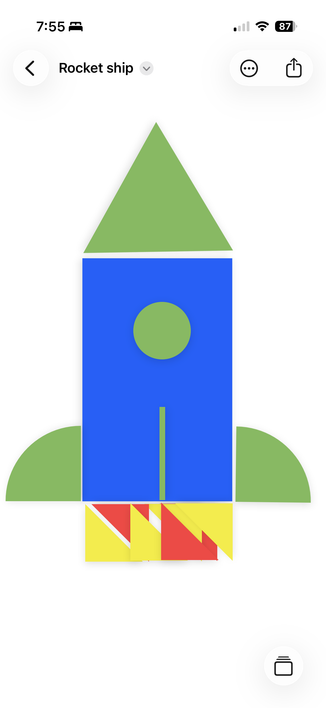
For real: how do people test very complex gestures? In my #RandomForms sandbox, there’re libraries to:
- control the “world” canvas, panning & zooming the camera
- implement the sheet protocol
- use a custom multitouch recognizer
- use nested instances of a metal distortion renderer, for the sheet and the shapes

Any change to any of these can cause huge issues, so I need real integration tests. Afaik default tooling can’t chain gesture modifiers like a two-finger pan into a rotation.
#swiftui

Test harnesses beget test harnesses.

This recording shows a new playground I’ve made to test a new “World Canvas” library. The demo encapsulates all of the common UX patterns from #LetterSet and #wishyouwerehere:
- multitouch-handler for simultaneous pan, rotate, zoom
- shape-elasticity for metal effects
- world-canvas for document-based pan / zoom / state
- protocol-based sheets with optional metal rendering.

#RandomForms #BuildInPublic #swiftui

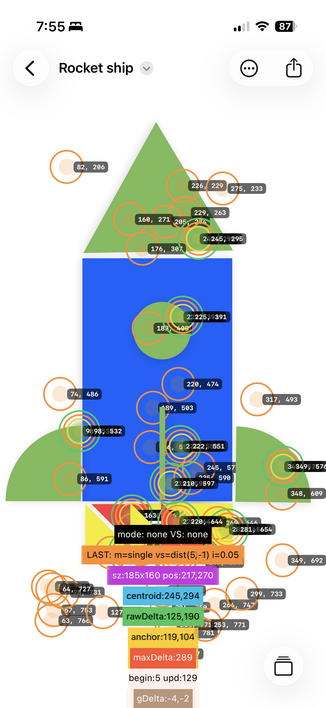
Added a hilarious touch debug layer to work through the final rotation issues.

#RandomForms #BuildInPublic #swiftui

This is getting really good. The editor is now fully functional, and spits out code for the main app to consume. The swapping of shapes still has a few edge cases, but is good enough to proceed.

#RandomForms #BuildInPublic #swiftui

Multiple sheets are now supported in the app, and their use-state is remembered as part of the document. Additionally, each sheet can have a mixed set of shape colors! And shape snapping back to the sheet is handled by type and size, or color or effect.

This video shows a blue shiny sheet commingling with a red standard sheet. Shapes swap sheets, and persist in both space and use across document launches.

#RandomForms #swiftui #BuildInPublic

Okay the shape sheet is awesome. It now:
- Supports snapping
- Supports snapping of a like shape to a non-origin hole
- Implements the full elastic drag metal shader from the main app, both on peeled shapes and the sheet as a whole
- Authors a valid ShapeSheetConfiguration for consumption in the main app.

#RandomForms #swiftui #BuildInPublic

Another app, another custom configuration utility.

#RandomForms #swiftui #BuildInPublic

I was able to reuse a lot of the boilerplate of the last app to quickly scaffold the DocumentGroup version of #RandomForms, so that documents of shapes now exist. It’s rapidly becoming a real app now.

#swiftui #BuildInPublic