Starting a series on Android privacy settings. We'll cover how to audit and lock down your device's privacy configuration step by step. Applies to stock Android (Pixel); Samsung/other OEMs may have slightly different menu names. #AndroidPrivacy #PunkPrivacy by the way you can find collection to iPhone privacy posts here: https://social.ssbx.dev/tags/iphoneprivacy
#iphoneprivacy

These are public posts tagged with #iphoneprivacy. You can interact with them if you have an account anywhere in the fediverse.

Mastodon hosted on social.ssbx.dev
Security questions should be treated in a same way as passwords, because all in all your information can be packaged and sold OR exposed during a breach. So if you answered your mothers maiden name with it's full accuracy some one can make a connection. World will get weirder so it's better be prepared. When you asked for answers to security question, generate random 20 characters string and store it in your password manager, just like your passwords.
#punkprivacy
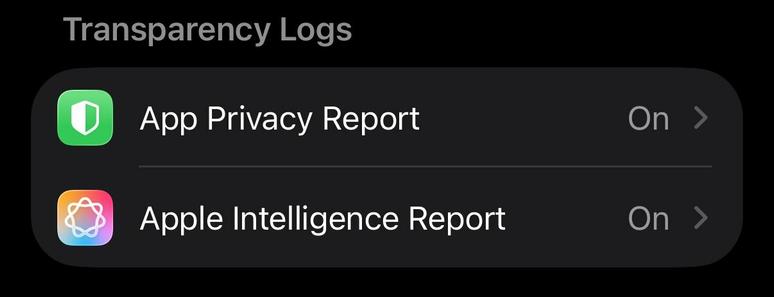
This is last post in series covering iPhone privacy settings. I'd like to point out to a very neat feature - reports that your phone can build, based on description those are suppose to be on device reports. Go to Settings-> Privacy & Security and scroll to Transparency Log section and turn ON both App Privacy Report and Apple Intelligence Report. Those reports will help audit where your data is going, you can always ask friend for analysis.
#iphoneprivacy #punkprivacy
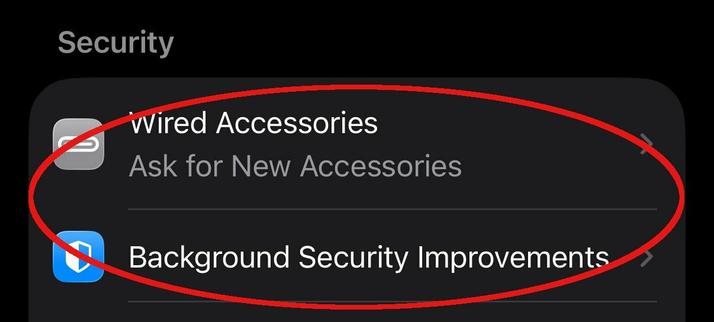
There is a section in privacy settings on iPhone titled Security. Go to Settings-> Privacy & Security scroll down to Security section. My recommendation there to set Wired Accessories to either Always Ask or Ask for New Accessories, to make sure when something plugged into your phone it'll notify you. Also keep Background Security Improvements as on to make sure you always receive latest security updates. #iphoneprivacy #punkprivacy
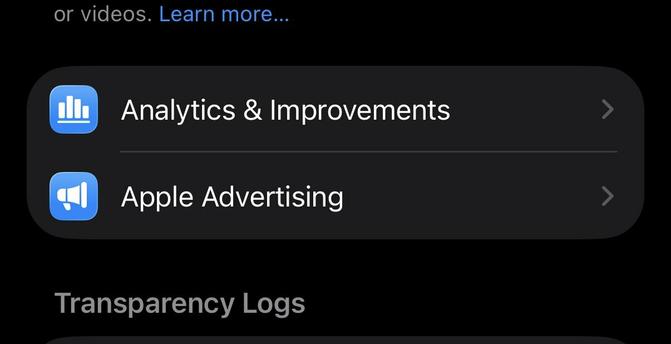
Two "no brainer" privacy settings that you still need to check, especially if you decided to enable those at some point. Go to Settings-> Privacy & Security locate Analytics & Improvements and Apple Advertising. Go inside of each of these settings and make sure that every option is off there. This will ensure that your information is not being used to improve some systems and no you do not need personalized ads.
#iphoneprivacy #punkprivacy
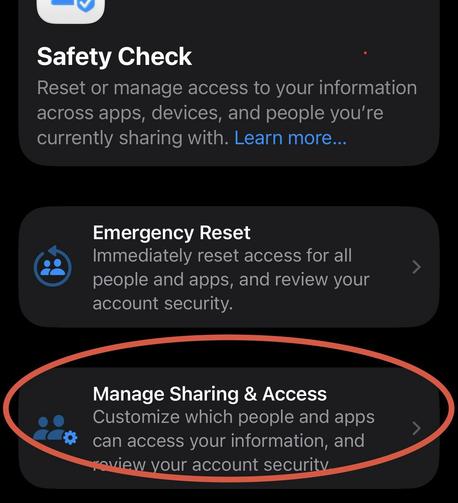
Safety Check is a privacy feature to understand holistically what information you are sharing and who you sharing it with. It can also help to limit exposure by quickly resetting all of your sharing settings. I am not going to explain emergency reset, let's just focus on review. Go to Settings-> Privacy & Security -> Safety Check. Click Manage Sharing & Access. Go through wizard and review information you are sharing, take action if needed. #iphoneprivacy #punkprivacy
Let's talk about privacy of various capabilities linked to physical sensors on your iPhone. There is a special section in settings where you can decide which apps get access to those capabilities. Go to Settings-> Privacy & Security, then scroll past "Wallet" option. You'll see Accessories, Bluetooth, Camera, etc. Go inside each option and ensure that only apps that you expect have access to each particular capability(number represent how many apps). #iphoneprivacy #punkprivacy
Let's talk about privacy in section that responsible for standard smartphone capabilities, like Calendar, Contacts, Photos, etc. List is much longer. Go to Settings-> Privacy & Security, then scroll past "Tracking" and in next section go into each capability and grant access based on your needs. There are 3 options, None, Limit access(you select items) or Full Access. Avoid giving full access, limit as much as possible. #iphoneprivacy #punkprivacy
Today's story is about tracking across devices and apps. iPhone has a setting that allows apps to request to track you across multiple channels and unfortunately it's ON by default. Time to turn it off. Go to Settings-> Privacy & Security-> Tracking and turn off top toggle that says Allow Apps to Request to Track, also go through all the apps on the list there and make sure it's off for all of them. #iphoneprivacy #punkprivacy
Next set is quite complex, explanation won't fit into a single post. So here is list of items I'd recommend to disable for personal iPhone. Go to Settings-> Privacy & Security-> Location Services scroll down through all the apps, at the bottom you'll see "System Services", click on it. Go through all options and adjust as you see fit, recommendation on the image. While you are there turn on "Status Bar Icon" to see when location used. #iphoneprivacy #punkprivacy