When reMarkable announced their new product, the Paper Pro, I immediately jumped on it and placed the order.
reMarkable Paper Pro
If you know me, you know how much I love and use my reMarkable 2. I’ve been a user of it since the past 4 years and well, I love it.
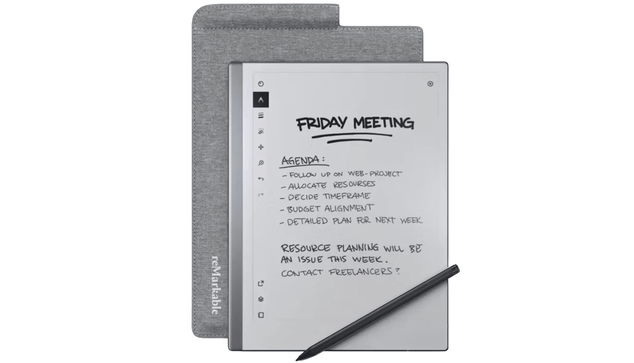
I use it primarily for writing down notes from my personal projects, work, and reading books and white papers. I love the device and was planning on getting a tiny light to read on the rM2 in dark conditions. The very week I decided to get the reading light, rM announced the Paper Pro.
After I got the Paper Pro, I really noticed a few things right off the bat.
The gestures are so much faster. If you’re a regular rM2/rM user, this’ll be the first thing you’ll notice.The backlit display is great, I don’t mind the color of the display. It’s perfectly fine for me and I use it mostly with 0 backlight. I just use it for times when there’s very little light. That’s why I was planning on buying the tiny light for my rM2. Now, I don’t need it anymore.The latency is quite evident too. It is so little that you’re going to really like it.The writing feels new, in that, the surface feels new. The rM2 writing felt amazing and soft, this feels amazing too, but it feels like I’m writing on a harder surface. It just needs some getting used to, no complaints there either.For me, the colors were never a priority and having them is great. I like ’em. I also understand why there’s a lag in the refresh and it doesn’t really bother me at all. The black ink doesn’t have that affect obviously. The colors look great when used with a thicker pen. If I use colors with my pen of choice (the fountain with medium thickness), they don’t look that good. Then again, that’s just an added feature that I wasn’t looking forward to in the first place.The contrast levels are just fine. It took me literally 2 mins to get used to the new levels.My biggest concern is the weight. On paper, it’s very little, but, for someone like me, who cares a lot about lighter products, it seems a bit more than I had wanted. I will try to use it more without the book folio to reduce the weight. This is only an issue for me when reading, ’cause I hold it upright in front of me while reading. For those who rest it on a desk/table/lap, you’ll not even notice it.The Marker feels sharp. IDK why, but it feels so much sharper than the rM2. It could be the surface of the Paper Pro that’s giving the illusion, but it just feels like I’m writing with a sharper nib (it somewhat is relatively sharper)I absolutely love reading on the Paper Pro. The text is bigger and reading White Papers so far has been delightful. The scale of the text is just perfect.Overall, I like the device. I haven’t yet decided what I’ll do with my beloved and very highly used rM2 yet, but I am definitely going to replace it with my Paper Pro.
https://iam.mt/remarkable-paper-pro/
#paperTablet #remarkable #remarkablePaperPro
 apfeltalk
 Vincisblog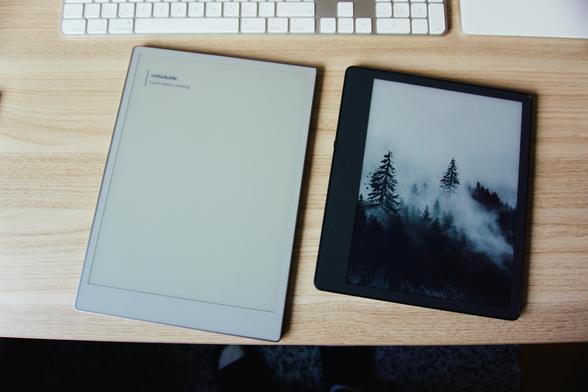
 Daniel Nawu
 Mohnish Thallavajhula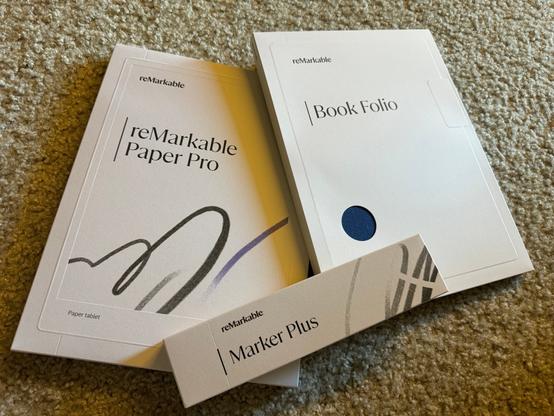

 NoCost
 Taylor