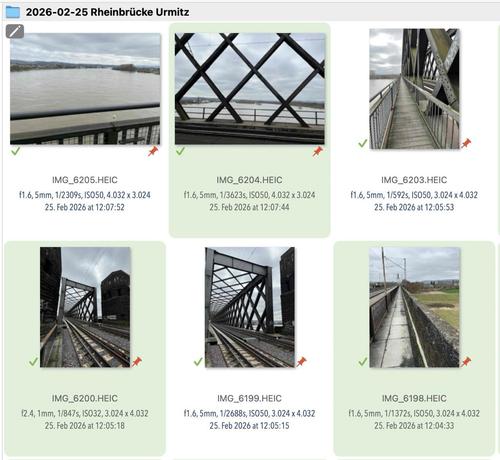
Some new features actually don't show up much in the user interface, but are important anyway.
Here is one we added to #NeoFinder 9.2 for #macOS.

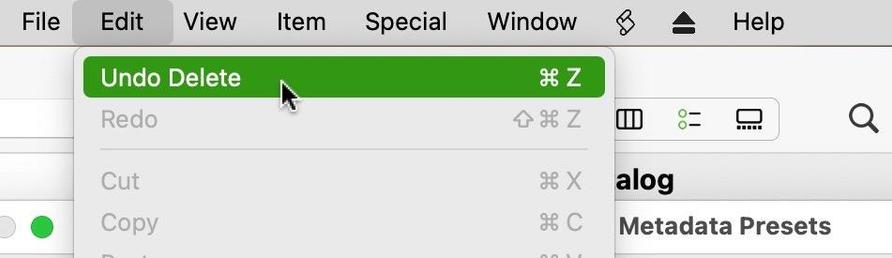
It is about deleting a Metadata Preset in the Presets Editor, which now supports Undo, and thus won't ask you for confirmation anymore.

https://www.neofinder.de/forum/phpBB3/viewtopic.php?p=784#p784

#PhotoArchive #Olympus #Canon #Nikon #Fuji #Sony #Hasselblad #MediaAssetManager #Photography #Lightroom #PhotoOrganizer #PhotoLibrary #IndieDev #Aperture #iMatch #PhotoMechanic #Cumulus
I love to say this: It is the little things!
It is always the little things that help your job getting finished faster and easier.
Like this one:

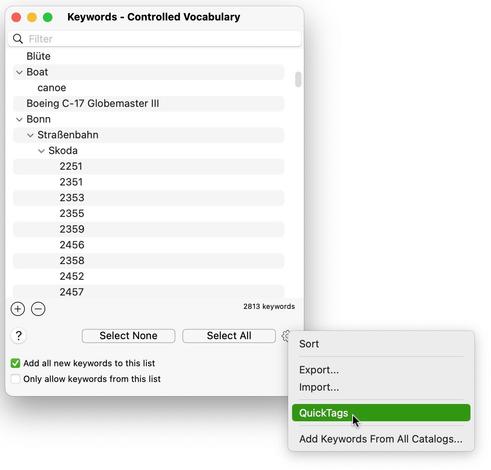
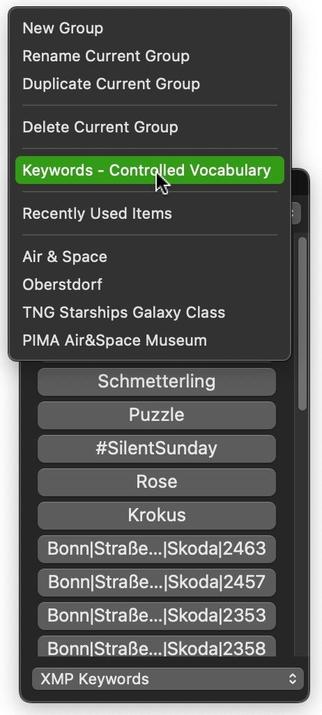
#NeoFinder 9.2 for #macOS now has a command to open the Controlled Vocabulary window directly from the QuickTags menu.

https://www.neofinder.de/forum/phpBB3/viewtopic.php?p=774#p774

#PhotoArchive #Olympus #Canon #Nikon #Fuji #Sony #Hasselblad #MediaAssetManager #Photography #Lightroom #PhotoOrganizer #PhotoLibrary #IndieDev #Aperture #iMatch #PhotoMechanic #Cumulus
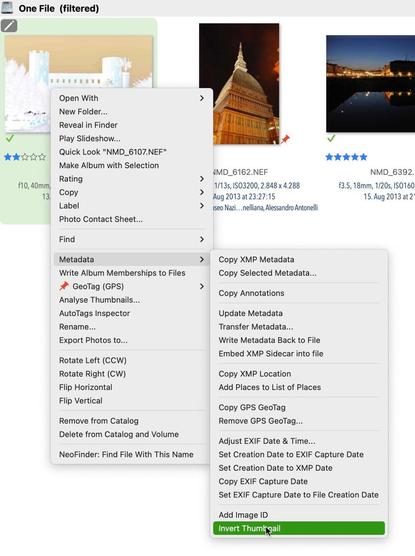
#NeoFinder 9.2.1 for #macOS has a new command in the Metadata context menu to invert a photo thumbnail in the catalog, if you are using scanned color negatives.

We have updated the NeoFinder Users Guide with more information and an example.

https://www.neofinder.de/forum/phpBB3/viewtopic.php?p=763#p763

#PhotoArchive #Olympus #Canon #Nikon #Fuji #Sony #Hasselblad #MediaAssetManager #Photography #Lightroom #PhotoOrganizer #PhotoLibrary #IndieDev #Aperture #iMatch #PhotoMechanic #Cumulus
We have a Golden Master!

#NeoFinder 9.2.1 for #macOS will be released next Monday, with important bug fixes, but also some exciting new features. Stay tuned!

https://mastodon.social/@neofinder/116301651282698522

Until then, enjoy the weekend with this "official song" for the release:

"I thought I'd Never See You Again" by "Working Week" from 1985, a pretty cool song that deserves to be enjoyed again!

https://www.youtube.com/watch?v=anOXeAb1ejI

#PhotoLibrary #iMatch #IndieDev

We think it is the small things that make all the difference.
Like Help Tags.
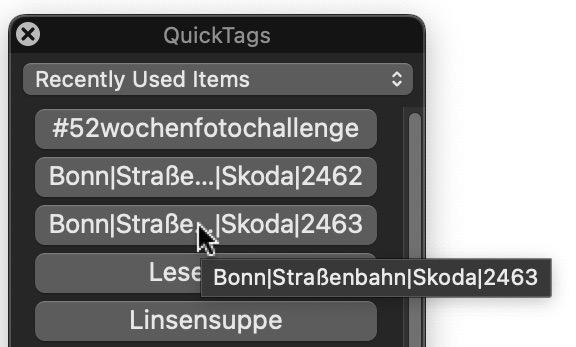
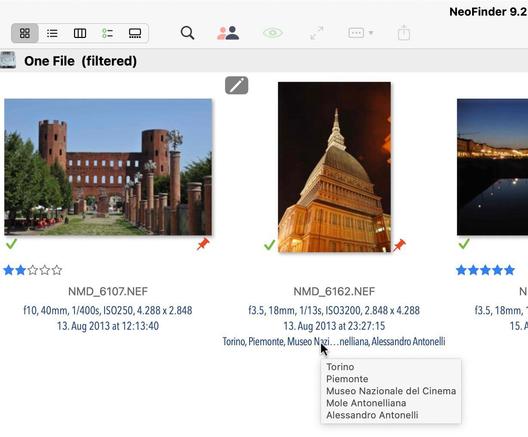
We have added them to the QuickTags and QuickPersons in #NeoFinder 9.2 for #macOS.

If the panel is not wide enough to show a person name or keyword, hover over it and NeoFinder will show you the complete content in a Help Tag.

https://www.neofinder.de/forum/phpBB3/viewtopic.php?p=749#p749

#PhotoArchive #Canon #Nikon #Hasselblad #MediaAssetManager #Photography #Lightroom #PhotoOrganizer #PhotoLibrary #IndieDev #Aperture #iMatch #PhotoMechanic #Cumulus
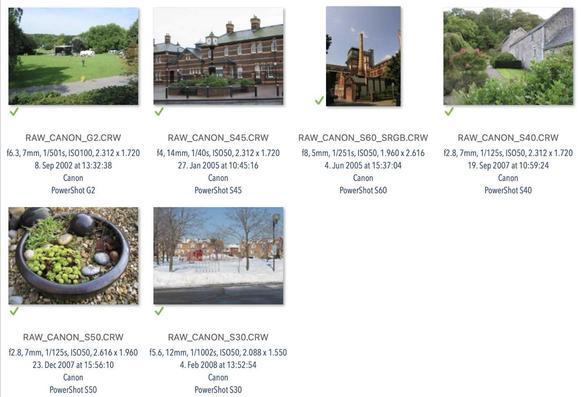
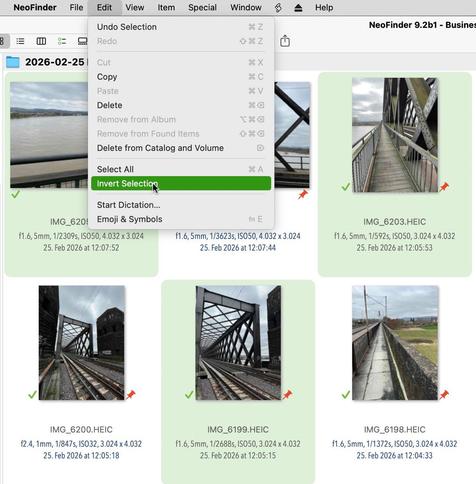
#NeoFinder 9.2 for #macOS has a new "Invert Selection" menu command for all content view styles!
That makes it again easier to quickly work with large amounts of data.

https://www.neofinder.de/forum/phpBB3/viewtopic.php?p=746#p746

#PhotoArchive #Olympus #Canon #Nikon #Fuji #Sony #Hasselblad #MediaAssetManager #Photography #Lightroom #PhotoOrganizer #PhotoLibrary #IndieDev #Aperture #iMatch #PhotoMechanic #Cumulus