 Anirban Mitra
Following the footsteps of upstream #Fontra, we are migrating Colr Pak frontend code from #javascript to #typescript, starting with the in-development Color Graph Panel
Today's session in ColorFont Editor - combining #fontra-compile with #PythonBuilder and #paintcompiler to create color v1 ttf font binary from json sources
 Khaled Hosny
Here comes the neat trick; #Fontra registers a message callback function, which gets called before and after each lookup is applied, and whenever #HarfBuzz is about to apply a lookup that the generated code would have been inserted before, Fontra steps in and modifies the glyph buffer and apply its own positioning logic. Then later lookups will be applied by HarfBuzz and modify the glyph positions as it would have happened with a fully compiled font.
OK, it is a super nerdy and maybe a very few people can get why I’m so excited about it, but I’m really proud about it.
However, #Fontra does not generate positioning feature code during live preview, as it does the glyph positioning itself, while the rest of the shaping is done by #HarfBuzz (as explained in the blogpost).
So how would it do this emulation in the middle of lookup application by HarfBuzz?
HarfBuzz has a so-called message callback that allows caller to get a message about what HarfBuzz is doing and the HarfBuzz glyph buffer before each shaping step (this is what https://www.corvelsoftware.co.uk/crowbar/ uses to debug OpenType layout).
RE: https://typo.social/@fontra/116183016588316849
The blog post is a very interesting write-up, I suggest everyone interested in the font making to read it.
The technical part at the end is the most interesting to me. I’m particular proud of the very neat trick that allows #Fontra to emulate glyph positioning while maintaining interaction between it and manually written feature code.
For context. Font editors will generate positioning features from kerning and anchor data in the font.
Sometimes one wants to add some other feature code before or after the generated ones (e.g. move a dot contextual after being positioned by the default anchor to avoid a clash that happens only in a certain context). The order of the generated and manual code is important, since one might depend on the output of the other.
Ultimately success!
I didn't know that #Fontra , which is so easy to build from sources in a workstation, will be so difficult to build from sources (the recommended way) in #Flatpak builder in #docker sand-boxed environment. But now it will be made available for both x86_64 and aarch64 linux after testing and fine-tuning.
I didn't know that #Fontra , which is so easy to build from sources in a workstation, will be so difficult to build from sources (the recommended way) in #Flatpak builder in #docker sand-boxed environment. But now it will be made available for both x86_64 and aarch64 linux after testing and fine-tuning.
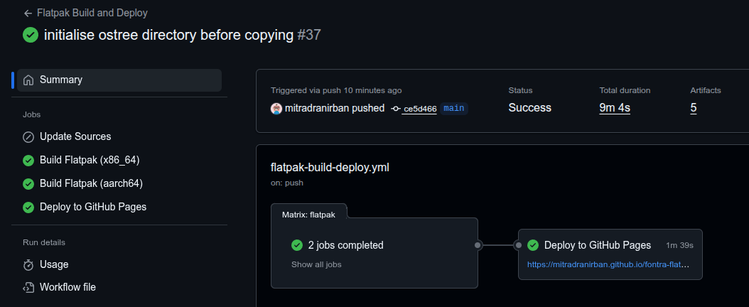

How to install Fontra Flatpak in your Linux Desktop
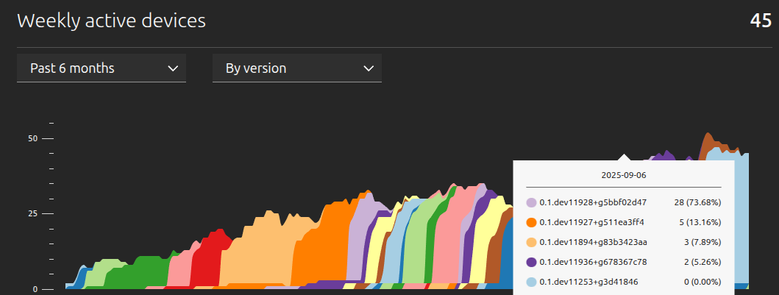
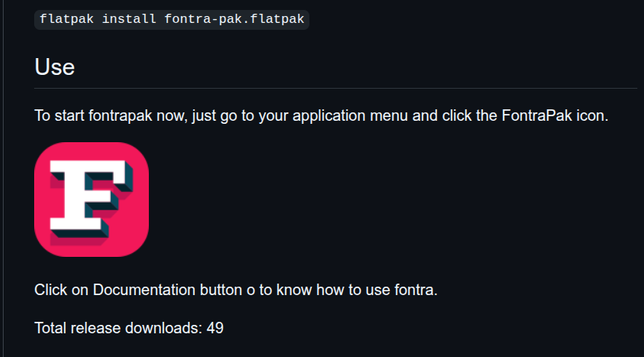
Though released 3 months later, , #fontra #flatpak download has already overtaken the #snap package usage
 Ando 🔠
I looked extensively but I’m confused about one thing; on the latest Mac desktop build, how may I add handles to a line please? I have a square that I want to modify for instance, I cannot get how to add handles / transform the points to curve points #fontra
Problem of working with both #Fontra and #Fontforge in my project is Fontra follows Glyphs convention in naming glyphs which Fontforge do not like as the contains hyphen in name .
So created a script to rename all glyphs to uniXXXX format format in Fontforge
https://gitlab.com/mitradranirban/fontforge-scripts/-/blob/f48be31372b7caa2e7ccf4eb1fad80fc0350d088/rename_glyphs.py
So created a script to rename all glyphs to uniXXXX format format in Fontforge
https://gitlab.com/mitradranirban/fontforge-scripts/-/blob/f48be31372b7caa2e7ccf4eb1fad80fc0350d088/rename_glyphs.py
