#ff0000 red
#ff0080 rose
#ff00ff purple
#8000ff violet
#0000ff blue
#0080ff azure
#00ffff cyan
#00ff80 mint
#00ff00 green
#80ff00 chartreuse
#ffff00 yellow
#ff8000 orange
roses are red
violets are blue
i guess to those who
don't care about hue
roses are green
violets are mint
look at their leaves
their chlorophyll tint
roses are orange
violets are azure
your eyes are flawless
my vision unsure
roses are purple
violets are purple
I'm colorblind
I fancy your curple

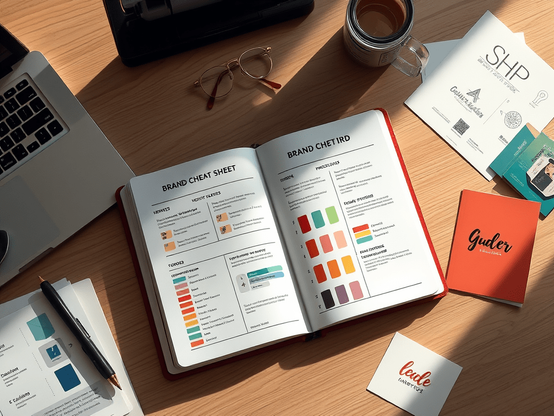
How to Build a Strong Visual Brand (Even When You’re Broke AF)
Let’s be real—branding ain't just for big companies with deep pockets. If you’re a creator, entrepreneur, or side-hustler trying to make noise online, your visuals matter. People judge your brand before they hear your pitch. But that doesn't mean you need a designer on payroll. If your budget’s tight but your ambition is loud, here’s how to create a visual brand that hits hard and sticks. 🎯 1. Know What You’re About First Before you even open Canva, lock in your […]https://omgitzlo.com/2025/05/12/how-to-create-a-strong-visual-brand-even-on-a-budget/
@chrisdavidmills awesome!
I'm a little confused, as it seemed like all the colours added after the 'from' were named colours. But it could be anything, right?
One of my biggest annoyances is always being issued colours in hex format - so it'd be great to see an example where hsl() takes some hex value like #ff0080 and spits out the same colour albeit with maybe a change in luminance or something.
But also, TIL. This fixes exactly my annoyance, it would be cool to not always convert colours!
This is the CSS injected:
.center-content {
display: flex;
align-items: center;
justify-content: center;
}
.margin-0 {
margin: 0 !important;
}
.flex-row {
display: flex;
gap: 10px;
}
.flex-column {
gap: 35px;
display: flex;
flex-direction: column;
}
.user-role-1 {
--user-role-accent: #004cff;
}
.user-role-3 {
--user-role-accent: #ff0000;
}
.user-role-2 {
--user-role-accent: #8000ff;
}
.user-role-5 {
--user-role-accent: #ff0080;
}
.user-role-4 {
--user-role-accent: #18f018;
}
/* regarding the following: @[email protected] did this, thanks for the admin erik */
/* this is inevitably going to break at some point so for whichever poor soul finds this code breaking something, im so sorry check this imgur link lmfao https://imgur.com/ZbYEB8l please forgive me for it was funny while it lasted */
/* only applies to erik because he deserves it <3 */
@keyframes earwiggleleft {
from {
transform: rotate(37.6deg) skew(30deg);
}
25% {
transform: rotate(10deg) skew(30deg);
}
50% {
transform: rotate(20deg) skew(30deg);
}
75% {
transform: rotate(0deg) skew(30deg);
}
to {
transform: rotate(37.6deg) skew(30deg);
}
}
@keyframes earwiggleright {
from {
transform: rotate(-37.6deg) skew(-30deg);
}
30% {
transform: rotate(-10deg) skew(-30deg);
}
55% {
transform: rotate(-20deg) skew(-30deg);
}
75% {
transform: rotate(-0deg) skew(-30deg);
}
to {
transform: rotate(-37.6deg) skew(-30deg);
}
}
.status__info>span,
.detailed-status__display-name {
overflow: visible;
}
.status[data-status-by="@ErikUden"] :is(.status__avatar, .account__avatar-overlay),
.detailed-status[data-status-by="ErikUden"] .detailed-status__display-avatar {
position: relative;
color: white;
width: 48px;
height: 48px;
}
.status[data-status-by="@ErikUden"] .status__avatar .account__avatar,
.detailed-status[data-status-by="ErikUden"] .detailed-status__display-avatar .account__avatar {
position: fixed;
z-index: 1;
border-radius: 100%;
}
.status[data-status-by="@ErikUden"] .status__avatar:not(:has(.account__avatar-overlay))::before,
.status[data-status-by="@ErikUden"] .status__avatar:not(:has(.account__avatar-overlay))::after,
.detailed-status[data-status-by="ErikUden"] .detailed-status__display-avatar::before,
.detailed-status[data-status-by="ErikUden"] .detailed-status__display-avatar::after {
position: absolute;
background: #df548f;
border: solid 4px currentColor;
box-sizing: border-box;
content: '';
display: inline-block;
width: 50%;
height: 50%;
z-index: 0;
pointer-events: none;
}
.status__avatar::before,
.detailed-status__display-avatar::before {
left: -4px;
border-radius: 0 75% 75%;
transform: rotate(37.5deg) skew(30deg);
}
.status__avatar::after,
.detailed-status__display-avatar::after {
right: -4px;
border-radius: 75% 0 75% 75%;
transform: rotate(-37.5deg) skew(-30deg);
}
.status__avatar:hover::before,
.detailed-status__display-avatar:hover::before {
animation: earwiggleleft 1s infinite;
}
.status__avatar:hover::after,
.detailed-status__display-avatar:hover::after {
animation: earwiggleright 1s infinite;
}
You decide what to do with this ;)