#daremote v5.12.0
1. Added pinch-to-zoom support in the terminal emulator. You can now zoom in and out directly with gestures, making it much easier to adjust font size on the fly.
2. Added an option in Settings to disable swipe-to-switch between command pages. This helps prevent conflicts between swipe gestures and pinch-to-zoom, which could occasionally trigger accidental page switches.
3. Fixed an encoding issue in Windows system information that caused some characters to display incorrectly.

Finally fixed the scrolling bug when running OpenCode in the #daremote terminal.

Now OpenCode scrolls properly and plays nicely inside the built-in terminal.

A new version is on the way.

#daremote v5.10.0

Added an in-app tutorial, shown only when there is no server or the group is empty.

https://youtube.com/shorts/q6x3YZ-c8Gc?feature=share

#daremote tutorial

YouTube
#daremote
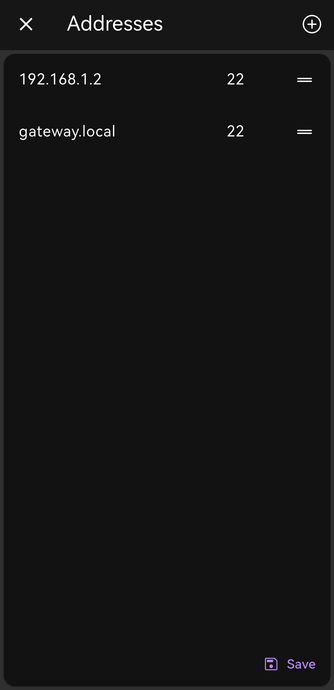
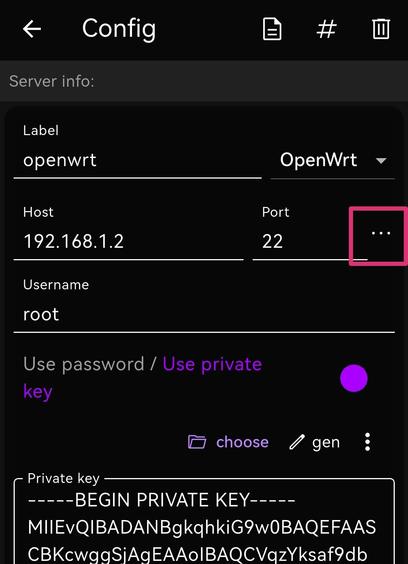
Multi-address server support is coming soon! 🚀
🏢 At the office → Automatically uses the internal IP
🌍 On the go → Automatically switches to the external domain
✨ Smart detection → Instantly selects the fastest available address
One server, multiple addresses —
making SSH connections smarter and faster ⚡️

#daremote v5.8.0 is now available!

This update brings **podman container support**, making Daremote more flexible and compatible with modern container workflows.

#daremote 终于把 podman 的支持加上了!

可以像普通服务器一样添加 运行中的 Podman 的容器,也可以在宿主服务器的详情页面管理所有 Podman 容器。

和 Docker 容器是一样的操作。

#daremote v5.7.5 Added support for the SHIFT key in the shortcut keyboard.

https://youtube.com/shorts/KqxUsmmNl74?feature=share

DaRemote: SHIFT Key, quick usage guide

YouTube
#daremote v5.7.3
A user complained about text selection in the terminal yesterday, so I finally sat down and finished the auto-scroll selection feature I left half-done earlier. Turns out it was only a few lines of code. 😆

#DaRemote ✨ New version out!

• Added Italian as a new supported language

• Manage file & folder permissions directly via SFTP with a permission dialog - faster, clearer, and more flexible.

有用户好奇 #daremote 的“使用生物认证输入sudo密码”功能,是这样的:

很多用户不喜欢在终端下使用安全输入法,但输入 sudo 密码的时候每次都来回切换输入法又太麻烦,

又或者 sudo 密码设置得比较复杂,每次手动输入都很麻烦。

这时候按一下指纹,让 App 自动输入密码就能解决这两个痛点。