airanked
AI Code Quality Benchmarking
Discover innovative metrics behind AI code quality benchmarking

AI Code Quality Benchmarking
Discover innovative metrics behind AI code quality benchmarking
Tech debt and bad code aren't the same.
Technical debt is a deliberate trade-off. Bad code is spaghetti, magic numbers, copy-paste with no plan.
Fowler split debt into 4 quadrants. Google found 10 types...

The Architecture of Utility: Mastering the ACE Lifecycle
1,685 words, 9 minutes read time.
You want to build for the mobile workforce? Then stop treating Adaptive Card Extensions (ACEs) like a web-page hobby project. When you’re developing for Microsoft Viva Connections, you are operating in a constrained, high-stakes environment where every millisecond of latency and every redundant re-render is a failure of your technical integrity. This isn’t just “React-like” development; it’s an exercise in strict state management and hardware-aware architecture. If you don’t master the lifecycle, you’re just building digital debris that will eventually get purged by a frustrated user who needs information now, not after your bloated component finishes its third unnecessary re-render.
We are going to dismantle the ACE architecture from the metal up. We’ll look at the IState contract, the data() mapping layer, and the lifecycle hooks that separate the senior architects from the script kiddies. If you’re tired of your extensions jittering on mobile or failing during high-load scenarios, pay attention. The following breakdown is how you move from a “component-pusher” to a systems engineer. We aren’t just coding; we’re defining the protocol for how a mobile user interacts with their entire enterprise.
1. The IState Contract: Engineering Your Memory Footprint
The biggest failure in amateur ACE development is treating the IState interface as a junk drawer. You’re fetching massive JSON blobs from the Graph API and dumping them directly into your state. This is reckless. The ACE lifecycle is sensitive to object identity; when you update the state, the framework does a comparison to determine if it needs to re-render. If you are passing object references that change constantly, you trigger unnecessary reconciliation cycles that kill performance on mobile devices.
You must design your IState to hold only the absolute primitives required to drive the UI. Everything else is metadata that belongs in a service layer or a private property, not the state. Consider this structure:
// DON'T do this: storing the full API response in state export interface IMyACEState { fullData: any[]; // The hallmark of a lazy developer } // DO this: strict, lean state management export interface IMyACEState { status: 'loading' | 'ready' | 'error'; itemCount: number; highlightTitle: string; } By keeping your state lean, you ensure that the data() getter—the bridge between your logic and your Adaptive Card template—remains predictable. Your data() method is where you transform your internal state into the exact JSON schema that the Adaptive Card renderer expects. Never pass the raw state. The data() method should be a pure transformation function. If your logic in data() is heavy, you are doing it wrong; pre-calculate those values in your onInit or in your onStateUpdate cycle. If you don’t control the footprint of your data, you don’t control the quality of the user experience.
2. The Lifecycle Protocol: Controlling the onInit and onPropertyPaneFieldChanged
Most developers treat onInit() as a “fetch and forget” function. It’s not. It is the initialization of a persistent state machine. When your ACE loads, it needs to handle the transition from “placeholder” to “functional component” gracefully. If you are firing off network requests without a loading state, your card will look broken until the promise resolves. You need to leverage the loadPropertyPaneResources and initial state settings to ensure the card is never in an undefined state.
Furthermore, how you handle the Property Pane is a direct reflection of your discipline. Every time a user changes a setting in the property pane, the framework calls onPropertyPaneFieldChanged. If you are re-triggering your entire data-fetch logic every single time a toggle is flipped, you are burning your user’s bandwidth and CPU. You must implement a strategy to only refetch the data that actually changed.
protected async onPropertyPaneFieldChanged(propertyPath: string, oldValue: any, newValue: any): Promise<void> { // Only trigger a re-fetch if the specific dependency property changes if (propertyPath === 'listId' && oldValue !== newValue) { await this.loadData(); } } This is the difference between a tool that feels like a native part of the OS and a tool that feels like a glitchy web-wrapper. You are responsible for the lifecycle. If the data is stale, you update it. If the property hasn’t changed, you do nothing. Don’t rely on the framework to guess your intentions. Define your dependencies, bind them to your property change events, and keep the logic locked down.
3. Navigation and Action: Designing the Quick View Gateway
The Quick View is not a standard React modal; it is a scoped navigation context within the ACE. If you are handling actions in the onAction method by performing heavy operations, you are blocking the main thread. Remember, you are working within a mobile-first paradigm. If an action is going to take more than a few milliseconds, you need to provide immediate visual feedback.
When you dispatch an action, you must follow the IQuickViewNavigator pattern strictly. The interaction flow should be: Input -> Validation -> State Mutation -> View Transition. If your transition happens before the state is synchronized, you are creating a “race condition” where the user sees old data in the new view.
public onAction(action: IActionArguments): void { if (action.type === 'Submit') { // 1. Optimistic UI update this.setState({ status: 'loading' }); // 2. Perform the async operation this.service.postData(action.data).then(() => { // 3. Finalize state only after successful network round-trip this.setState({ status: 'ready' }); }); } } This is defensive programming. You assume the network will fail, you assume the user will double-click, and you structure your code to survive those realities. If you don’t build your Quick View navigation to be resilient to asynchronous latency, you aren’t building a product; you’re building a bug report. Master the onAction pipeline, and you’ll eliminate the vast majority of the “ghost” issues that plague less disciplined developers.
The Terminal State: Why Your Career Depends on Your Codebase
We’ve stripped the veneer off the Adaptive Card Extension framework. You’ve seen the mechanics: the IState contract that dictates your memory footprint, the lifecycle discipline required to handle property changes without burning the user’s battery, and the defensive onAction patterns that separate a professional from an amateur. If you’ve been treating ACEs as a playground for sloppy React habits, you now have the blueprint for what true architectural integrity looks like in the Viva Connections ecosystem. The hard truth is this: the platform doesn’t care about your clever hooks or your “React-like” shortcuts if your component hangs the mobile bridge. The platform demands efficiency, consistency, and a total disregard for technical debt.
You are the gatekeeper of your user’s efficiency. Every time you push a build, you’re either adding a robust, load-bearing component to their dashboard, or you’re adding another layer of digital noise that they’ll inevitably silence. The code you write is a direct reflection of your character. A developer who accepts redundant re-renders is a developer who accepts low standards in his personal life. A developer who writes asynchronous logic that can’t handle a network drop is a developer who avoids solving the hard problems in his professional life. It’s all the same discipline. If you can’t master the state of a small card, you have no business touching the core architecture of a larger system.
The No-Excuses Refactor
The path forward is clear: you stop taking the easy route. Next time you open a project, refactor your IState into a lean, strictly-typed contract. Prune your data() mapping until it only returns exactly what the UI needs to breathe. Audit your onAction handlers to ensure they are shielded against the reality of intermittent network connectivity. Stop blaming the framework, the mobile bridge, or the limitations of SharePoint for your bugs. Your bugs are your own. They are the artifacts of your lack of attention, your refusal to optimize, and your desire to cut corners where the hard work is required.
It’s time to move from “getting it to work” to “ensuring it remains stable.” This is the only mindset that survives the crunch. When the system fails—and it will—you want to be the engineer who knows exactly where the memory leaked, not the one who hides behind a “works on my machine” excuse while the production environment burns. You have the technical documentation, you have the patterns, and you have the objective reality of the code in front of you. There are no more excuses left to hide behind. Refactor your logic, harden your contracts, and stop building debris.
Call to Action
You’ve got the blueprint, the constraints, and the cold reality of what it takes to build a component that doesn’t collapse under the weight of an enterprise load. You have two choices: go back to slapping together bloated, “it-mostly-works” code that keeps you stuck in the cycle of fixing your own technical debt, or commit to the discipline of a senior architect.
Stop lurking and start refactoring.
If you are serious about hardening your codebase, I want to see the friction you’re currently wrestling with. Drop a comment below with the biggest performance bottleneck in your current ACE deployment—be specific about your state handling or your action pipeline—and I will tell you exactly where you’re leaking memory.
Don’t send me “it’s broken” complaints; send me the architectural breakdown of where you think your logic is failing. Subscribe, keep your eyes on the terminal, and let’s stop building debris. Your next deployment is the test of your standards—make sure it passes.
SUPPORTSUBSCRIBECONTACT MED. Bryan King
Sources
Disclaimer:
The views and opinions expressed in this post are solely those of the author. The information provided is based on personal research, experience, and understanding of the subject matter at the time of writing. Readers should consult relevant experts or authorities for specific guidance related to their unique situations.
#ACEDevelopment #AdaptiveCardExtensions #adaptiveCards #APIContract #applicationLifecycleManagement #backendIntegration #cloudNativeDevelopment #codeQuality #codeRefactoring #customACE #dataMapping #developerBestPractices #developerDiscipline #DigitalDashboard #enterpriseApplication #enterpriseIntegration #enterpriseMobility #enterpriseSoftwareDevelopment #frontendDevelopment #frontendPerformance #highPerformanceWeb #memoryManagement #MicrosoftGraphAPI #MicrosoftViva #mobileWorkforceSolutions #mobileFirst #mobileFirstDesign #networkResiliency #performanceTuning #ProfessionalDevelopment #professionalProgramming #QuickViewDevelopment #ReactStateManagement #robustArchitecture #SharePointArchitecture #SharePointDevelopment #SharePointFramework #softwareArchitecture #softwareEngineering #softwareReliability #softwareScalability #SPFx #systemStability #technicalDebt #technicalLeadership #TypeScriptDevelopment #UIThreadOptimization #VivaConnections #webPerformanceOptimization
Alibaba/Open-Code-Review
https://github.com/alibaba/open-code-review
#HackerNews #Alibaba #OpenCodeReview #CodeQuality #OpenSource #SoftwareDevelopment
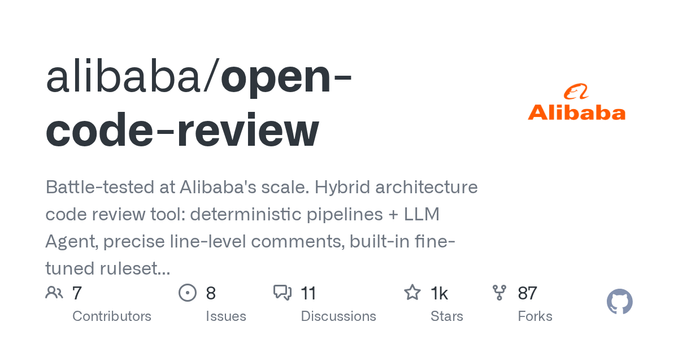
Battle-tested at Alibaba's scale. Hybrid architecture code review tool: deterministic pipelines + LLM Agent, precise line-level comments, built-in fine-tuned ruleset (NPE, thread-safety, XSS, S...
Beyond the Web Part: Scaling Your SharePoint Architecture for the Long Haul
1,441 words, 8 minutes read time.
Many of us fall into the trap of viewing SharePoint Framework (SPFx) as a collection of isolated UI components, but that mindset is exactly what leads to fragile, unmaintainable systems. If your entire development strategy begins and ends with individual web parts, you’re not building a solution—you’re building a graveyard of redundant code, incompatible dependencies, and technical debt that complicates future maintenance. You’re patching holes in a sinking ship while calling it “agile development.” It’s time to stop treating projects like weekend experiments and start building with the discipline of a professional.
Today, we are stripping away the misconceptions of “simple” development. We are going to deconstruct Library Components and Extensions—the load-bearing structures of a mature enterprise environment. If you want to stop chasing bugs across twenty different solutions, you need to understand that your code is only as stable as its architecture. I’m going to show you how to centralize your logic, scale your extensions, and finally treat your tenant as a single, cohesive machine rather than a collection of disconnected parts. If you are ready to refine your approach, let’s look at how we build systems that actually last. Let’s break it down.
The Death of Redundancy: Library Components as the Kernel
Many of us have dealt with the frustration of copy-pasting helper functions, API wrappers, and custom logging logic into every single web part folder. We often call it “reusability,” but it’s actually a recipe for a maintenance nightmare. When that common logic needs an update, you’re forced to hunt down every instance, rebuild, and redeploy. If you miss one, you’ve introduced a configuration drift that complicates your production environment. A library component is your single source of truth, and it is the primary tool for following the fundamental principle of professional engineering: Don’t Repeat Yourself.
By moving your shared core logic—your data service layers, your custom validation schemas, or your telemetry hooks—into an independently versioned library component, you effectively create a “kernel” for your SharePoint ecosystem. This isn’t just about efficiency; it’s about control. When the requirements shift, you patch the library once, increment the version, and every consuming extension and web part receives the update downstream. It’s a clean, modular approach that forces you to write code that is decoupled from the UI. If you find yourself hardcoding logic inside a React component, you’re making the system harder to support than it needs to be. Separate your concerns, build your core, and manage your logic in one place.
// Define your core service in a Library Component export interface IDataService { getData(endpoint: string): Promise<any>; } export class CoreDataService implements IDataService { public async getData(endpoint: string): Promise<any> { // Centralized logging and error handling try { const response = await fetch(endpoint); return await response.json(); } catch (error) { console.error("System Failure in CoreDataService:", error); throw error; } } } Extensions: Injecting Logic into the Fabric of the Tenant
If Library Components are your kernel, then SPFx Extensions are your system services—the background processes and UI hooks that run globally. Many developers treat extensions as an afterthought, manually injecting them or limiting their scope to single sites. This is a tactical mistake. An extension should be treated as a load-bearing piece of infrastructure that monitors or modifies the environment. When you build an Application Customizer, you aren’t just adding a header or a footer; you’re hooking into the page lifecycle. If that code is bloated or lacks error handling, you aren’t just breaking a feature—you’re tanking the user experience for the entire site collection.
You need to write extensions that are “page-aware.” A professional developer understands that a global extension must be performant and defensive. It should be able to detect if the current page context requires its functionality, failing silently and gracefully if it doesn’t. If your extension throws an unhandled exception, it doesn’t just crash a component; it can block the entire page from rendering. Use the onInit() method to verify dependencies and pre-load configurations before you ever touch the DOM. If your extension relies on external data, ensure it’s fetching that data from the shared library we built earlier, not reinventing the wheel in every site.
// Implementing a robust Application Customizer export default class GlobalHeaderApplicationCustomizer extends BaseApplicationCustomizer<IGlobalHeaderApplicationCustomizerProperties> { public onInit(): Promise<void> { // Fail gracefully if the context isn't what we expect if (!this.context.pageContext.web.absoluteUrl) { return Promise.resolve(); } // Use the central logging from our Library Component console.log("Initializing global infrastructure extension..."); return Promise.resolve(); } } The Deployment Protocol: Versioning as a Security Measure
The difference between a amateur and an architect is how they handle the release cycle. When you update a web part, do you just bump the version and push it to the App Catalog, praying that nothing breaks downstream? That’s not development; that’s gambling. When you use Library Components, you gain the ability to manage dependencies explicitly. You must treat your package.json file as a contract. If your library introduces a breaking change, you increment the major version. Your consuming web parts and extensions must then explicitly request that version to ensure stability.
This is the “deployment integrity” that most teams ignore. By locking down versions in your consumer projects, you guarantee that a deployment in one area of your tenant won’t accidentally trigger a silent failure in a completely unrelated department. It’s about building a predictable system. When you manage your dependencies with the same rigor you apply to your logic, you eliminate the “it worked on my machine” excuse. A professional engineer knows that every deployment is a risk—the goal is to make that risk zero through version control and exhaustive dependency management. You aren’t just shipping code; you’re managing the lifecycle of an enterprise asset.
// Define explicit versions to prevent accidental regression "dependencies": { "@my-company/shared-core-library": "2.1.0", "@microsoft/sp-application-base": "1.18.0" } Conclusion: The Architect’s Mandate
We’ve stripped away the amateur approach and looked at the core of a professional SPFx architecture. We started with Library Components as the kernel of your system, ensuring that your business logic is centralized, testable, and maintainable. We moved to Extensions, treating them as system services that require surgical precision and defensive coding. Finally, we defined the deployment protocol—the versioning discipline that separates a chaotic environment from a stable, scalable enterprise solution.
You now have a choice. You can go back to building isolated, redundant web parts that slowly accumulate technical debt until they eventually collapse. Or, you can start building with the discipline of an architect. Every function you write, every dependency you define, and every extension you deploy is a reflection of your commitment to the system. Stop looking for shortcuts. Start building for the long haul. Refactor your mindset, tighten your deployment cycles, and start treating your SharePoint tenant with the respect it deserves. The code you write today is the foundation for tomorrow—make sure it can hold the weight. Now, get back to the console and start refactoring.
Call to Action
The foundation is set, but the structure is only as strong as your next deployment. Stop waiting for a system failure to reveal your technical debt; start refactoring your approach today. If you are ready to stop patching holes and start building reliable, scalable architecture, it’s time to move beyond the basics.
Subscribe to my newsletter for deeper dives into enterprise-grade SharePoint engineering and raw, no-nonsense technical strategies. Drop a comment below with your biggest architecture struggle—let’s dismantle the bad patterns together. Or, if you’re ready to bring a professional perspective to your next project, reach out directly and let’s get to work. The console is waiting.
SUPPORTSUBSCRIBECONTACT MED. Bryan King
Sources
Disclaimer:
The views and opinions expressed in this post are solely those of the author. The information provided is based on personal research, experience, and understanding of the subject matter at the time of writing. Readers should consult relevant experts or authorities for specific guidance related to their unique situations.
#APIIntegration #ApplicationCustomizer #BackendLogic #BuildPipeline #codeIntegrity #codeQuality #codeRefactoring #ComponentReusability #CustomExtensions #customization #DataServiceLayer #debuggingSPFx #DeploymentProtocol #developerProductivity #DevelopmentDiscipline #enterpriseSharepoint #EnterpriseSolutions #EnterpriseGrade #frontEndDevelopment #LibraryComponents #LogicDecoupling #Microsoft365 #ModernExperience #NPMPackages #PageLifecycle #ProfessionalEngineering #React #ScalableSoftware #SharePointBestPractices #SharePointDeveloper #SharePointDevelopment #SharePointFramework #SharePointFrameworkRoadmap #SharePointInfrastructure #SharePointLifecycle #SharePointMaintenance #SharePointOnline #SharePointTenant #SoftwareEngineeringPrinciples #SPFxArchitecture #SPFxDependencyManagement #SPFxExtensions #SPFxLifecycle #SPFxPerformance #SPFxVersioning #systemArchitecture #technicalDebt #TenantStability #webPartOptimization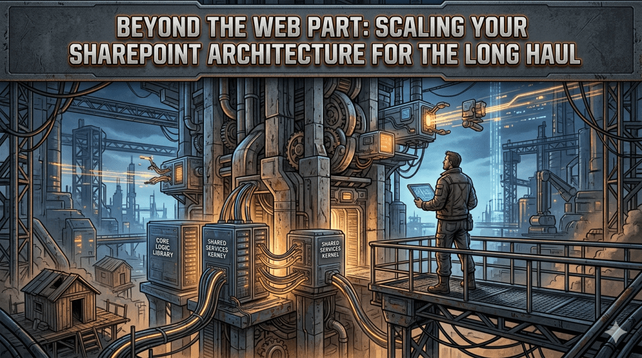
 FastRuby.io
 Bryan King
 Hacker News
 agile
agile Tim Green
 Foojay.io