 Hackaday [Unofficial]
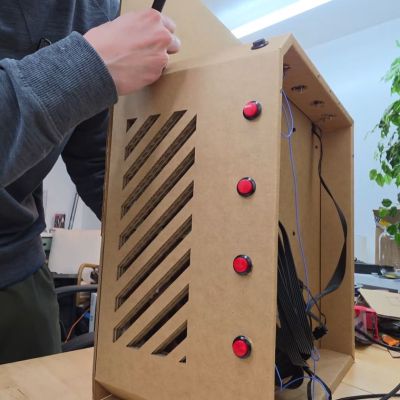
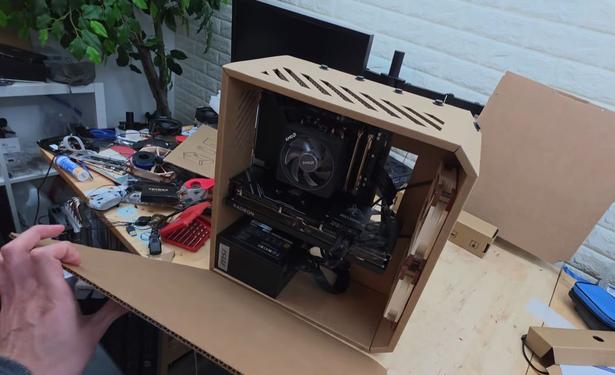
Why Using Cardboard for a PC Case is a Chore
https://fed.brid.gy/r/https://hackaday.com/2026/05/10/why-using-cardboard-for-a-pc-case-is-a-chore/
Why Using Cardboard for a PC Case is a Chore
https://fed.brid.gy/r/https://hackaday.com/2026/05/10/why-using-cardboard-for-a-pc-case-is-a-chore/
And just like that, the last detail of the #CardboardComputer falls into place. I had been using a thumbtack as the axis, which wasn't portable, and I was hesitant about a split-pin (which is something people don't always have lying around).
So today I took a regular paperclip, straightened half of it (just with my fingers), pushed the straight part through from the back, and bent it again.
Voilà ! A nice, tight axis.
Solving 2×2=4 is the #HelloWorld for any slide rule with the basic D and C scales, including the #CardboardComputer:
Adjust the wheels (or slide) to put 2 above 1
Keeping the alignment, read 4 over 2.
Not so hard, was it? There's a lot of unnecessary mystification around #slideRules, but they're simple tools at heart.
You can also try this with the online simulator at https://cardboard-computer.org
I tried a prototype of the #CardboardComputer with paper glued onto thick, corrugated box cardbord. It's easy to use, but looks messy.
I've switched from a whole bunch of text instructions to pictures and captions on the DiY templates page.
#CardboardComputer prototype no. 2 (advanced version) solving the problem 5×25=75.
I cut the plastic cursor out of some stiff plastic "clamshell" packaging I pulled from the recycling bin.
Lessons from this iteration:
Be more careful drawing the hairline on the cursor next time.
Precise wheel alignment is very important, and I need to cover that more in the DiY instructions.
I'm going to glue these onto cardboard backings.
What's a Thursday without more #CardboardComputer news? 🙂
There is now a home page with a virtual version that you can drag around manually to solve problems.
The basic and advanced exercise pages now have help deeplinks directly to the relevant sections in the guide.
(I learned a bit making touch events work with SVG on mobile devices.)
The #CardboardComputer project by @david_megginson has inspired me to unearth two favorite #SlideRules of mine.
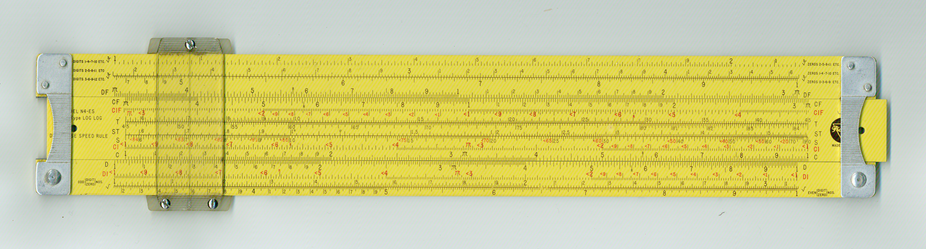
First up: A Pickett LogLog Duplex Decitrig, bought in Chicago on my way out to college in 1964 (along with a copy of Von Vega's Seven Place Logarithms). Made out of magnesium alloy in Eye-Saver Yellow, precisely calculated for the wavelength most easily visible to the eye. The Ferrari of slide rules.
The advanced demo page for the #CardboardComputer now covers all the scales: you can see animated solutions for squares, square roots, cubes, cube roots, circle areas and diameters, and three-factor multiplication (in addition to basic multiplication and division).
 David Megginson
 Jon Bosak